EasyManua.ls Logo

Icom IC-M88 - User Manual

Icom IC-M88
40 pages
Print Icon
To Next Page IconTo Next Page
Loading...
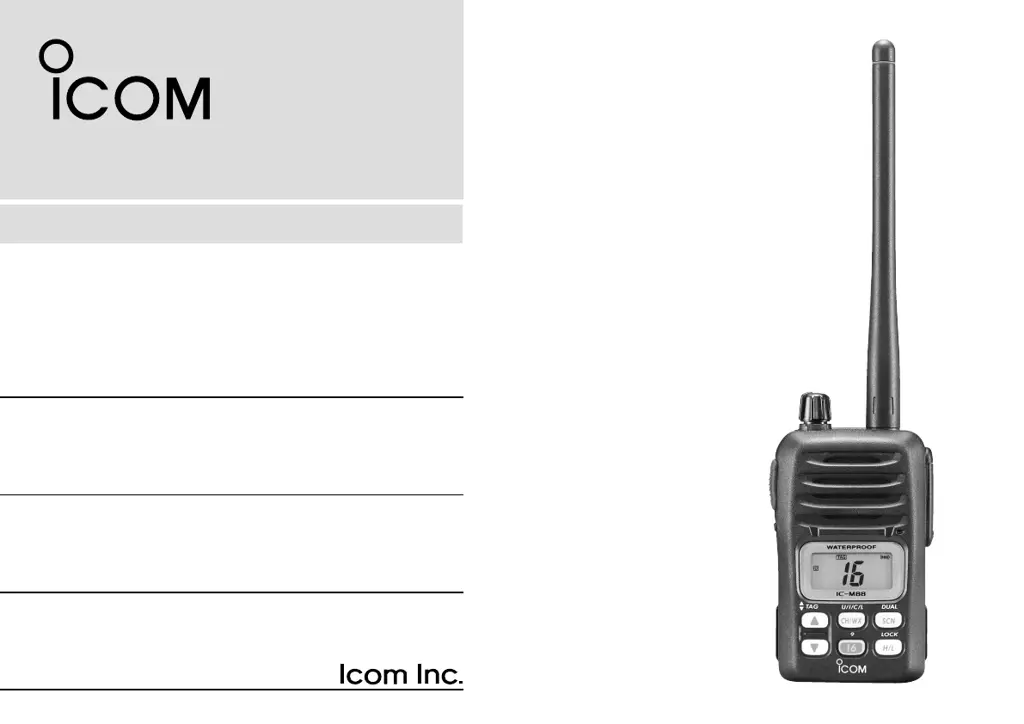
INSTRUCTIONMANUAL
iM88
VHFMARINETRANSCEIVER
This device complies with Part 15 of the
FCC Rules. Operation is subject to the con-
dition that this device does not cause harm-
ful interference.

Other manuals for Icom IC-M88

Questions and Answers

  • B
    Benjamin SmithAug 13, 2025
    What to do if the displayed channel cannot be changed on Icom Transceiver?
    • V
      vrhodesAug 13, 2025
      If the displayed channel cannot be changed on your Icom Transceiver, the lock function may be activated. Push [H/L•LOCK] for 1 second to cancel the function.
  • C
    ccolemanAug 16, 2025
    Why is there no sound from my Icom IC-M88 speaker?
    • J
      Jeffrey HigginsAug 17, 2025
      There might be several reasons for the lack of sound from your Icom Transceiver's speaker. First, the squelch level may be set too deep; try adjusting it to the threshold point. Second, the volume level could be too low; increase it to a suitable level using the [VOL] control. Finally, if the speaker has been exposed to water, drain the water from it.
  • K
    Katherine SanchezAug 20, 2025
    How to fix an Icom IC-M88 Transceiver that does not turn on?
    • R
      Regina RichAug 21, 2025
      If your Icom Transceiver does not turn on, the battery may be exhausted. Try recharging the battery pack. Also, check the connection to the battery pack to ensure it's properly connected to the transceiver.
  • J
    Jason HernandezAug 25, 2025
    Why can't I transmit or select high power on my Icom Transceiver?
    • D
      David TaylorAug 25, 2025
      If you cannot transmit or select high power on your Icom Transceiver, it could be due to several reasons. Some channels are designed for low power or receive-only; try changing to a different channel. If the battery is exhausted, recharge it. Also, ensure that the output power is set to high by pushing [H/L•LOCK].
  • A
    Alex McconnellAug 28, 2025
    What does self check error (temperature) mean on my Icom IC-M88 Transceiver?
    • S
      Sandra LeeAug 28, 2025
      A self-check error related to temperature on your Icom Transceiver indicates that the temperature is outside the range of –35°C to +73 °C (approximately –31°F to +163°F). Leave the transceiver at room temperature for a while, then turn it on to check if the internal temperature has returned to normal.
  • H
    Heather StevensAug 31, 2025
    Why does scan not start on my Icom Transceiver?
    • B
      Brooke HortonAug 31, 2025
      If scan does not start on your Icom Transceiver, it may be because “TAG” channels are not programmed. Set the desired channels as “TAG” channels.
  • K
    Keith MontgomerySep 4, 2025
    How to enable beeps on Icom IC-M88 Transceiver?
    • R
      Rebecca HuberSep 4, 2025
      If you are not hearing any beeps from your Icom Transceiver, the beep tones may be turned off. To resolve this, set the beep tones to ON (Fix Beep/User Beep) in SET mode.
  • R
    Robert MasseySep 8, 2025
    What does self check error (battery voltage) mean on my Icom IC-M88?
    • E
      eric48Sep 8, 2025
      A self-check error related to battery voltage on your Icom Transceiver indicates that the connected battery pack’s voltage is more than 8.8 V. Verify the battery voltage is correct.

Summary

SAFETY TRAINING INFORMATION

RF Exposure and Safety Guidelines

Covers occupational use, FCC/IC limits, and safe operating practices for RF exposure.

IN CASE OF EMERGENCY

Distress Call Procedure on Channel 16

Outlines the steps for making a distress call using Channel 16 for emergency communication.

FEATURES

PRECAUTIONS

General Operating Precautions

Covers critical warnings and cautions for safe operation, power connection, and environmental factors.

OPERATING RULES

PANEL DESCRIPTION

Front, Top, and Side Panel Controls

Identifies and describes the function of buttons, knobs, and connectors on the front, top, and side panels.

BASIC OPERATION

Channel Selection Procedures

Guides on selecting Channel 16 and the default Channel 9 (call channel) for operation.

Receiving and Transmitting Functions

Details the process of receiving signals, transmitting, adjusting power, and using the microphone.

SCAN OPERATION

DUALWATCH;TRI-WATCH

SET MODE

Entering and Navigating SET Mode

Provides instructions on how to access and use the SET mode for configuring various transceiver functions.

SET Mode Functions: Beep, Alert, Scan, and Timer

Details configurable functions like beep tones, weather alerts, priority scan, and scan resume timer settings.

SET Mode Functions: Auto Scan, Dual;Tri-Watch, Monitor, Backlighting

Covers settings for auto scan, dual/tri-watch selection, monitor switch action, and automatic backlighting.

SET Mode Functions: LCD Contrast, Power Save, Self Check

Explains how to adjust LCD contrast, manage power save, and perform self-checks on the transceiver.

BATTERY CHARGING

Battery Charging Procedures and Safety Cautions

Covers battery charging steps, temperature ranges, and critical safety warnings for handling battery packs.

TROUBLESHOOTING

Common Transceiver Problems and Solutions

Lists common issues like no power, no sound, transmission problems, and self-check errors with their causes and solutions.

QUICK REFERENCE

Icom IC-M88 Specifications

General IconGeneral
BrandIcom
ModelIC-M88
CategoryTransceiver
LanguageEnglish

Related product manuals