Excellent memories
450 channels* of ample memory are avail-
able and stores operating frequency and
mode, as well as tuning step, etc. Up to 6-
character memory names can be assigned
for each memory channel and shows on the
color LCD, allowing quick and easy channel
selection. The memory channels are divided
into 9 banks, 8 banks of 50
(for individual fre-
quencies) and 1 bank of 50 (for frequency
ranges)
for simple memory management.
*includes 50 program scan edges
Multi function ‘joy-stick’ switch
A 4-way action ‘joy stick’ switch gives you
quick and easy access to
many settings, including op-
erating band, AF volume,
color LCD settings, and
more.
Automatic squelch
The IC-R3 keeps most RF background
noise in check by automatically adjusting
the squelch. It’s very handy when receiving
a weak signal— no more continually adjust-
ing the squelch control by hand to block
white noise. Also, the squelch level is man-
ually selectable from open, and level 1 to 9.
Tone squelch features
A tone squelch system is built-in to provide
quiet stand-by. The tone squelch includes
the following functions
Pocket beep function:
Lets you know when a specified station’s
signal is received with an alerting beep.
Tone scan function:
Searching which tone is used for the receiv-
ing signal, such as for a repeater, private
communications, etc.
Built-in attenuator
A built-in 4-step RF attenuator protects a
signal from extremely strong interference
from near-by signals, etc.
Other features
• One-touch, semi-duplex frequency monitor-
ing capability •
Auto power OFF timer, power
save function
• Use the monochrome LCD to
operate the radio when the color LCD is turned
off. The monochrome LCD offers battery volt-
age and other operating conditions • Backlit
monochrome LCD with auto OFF timer • Re-
maining battery power indication • Telescoping
antenna is supplied, and more...
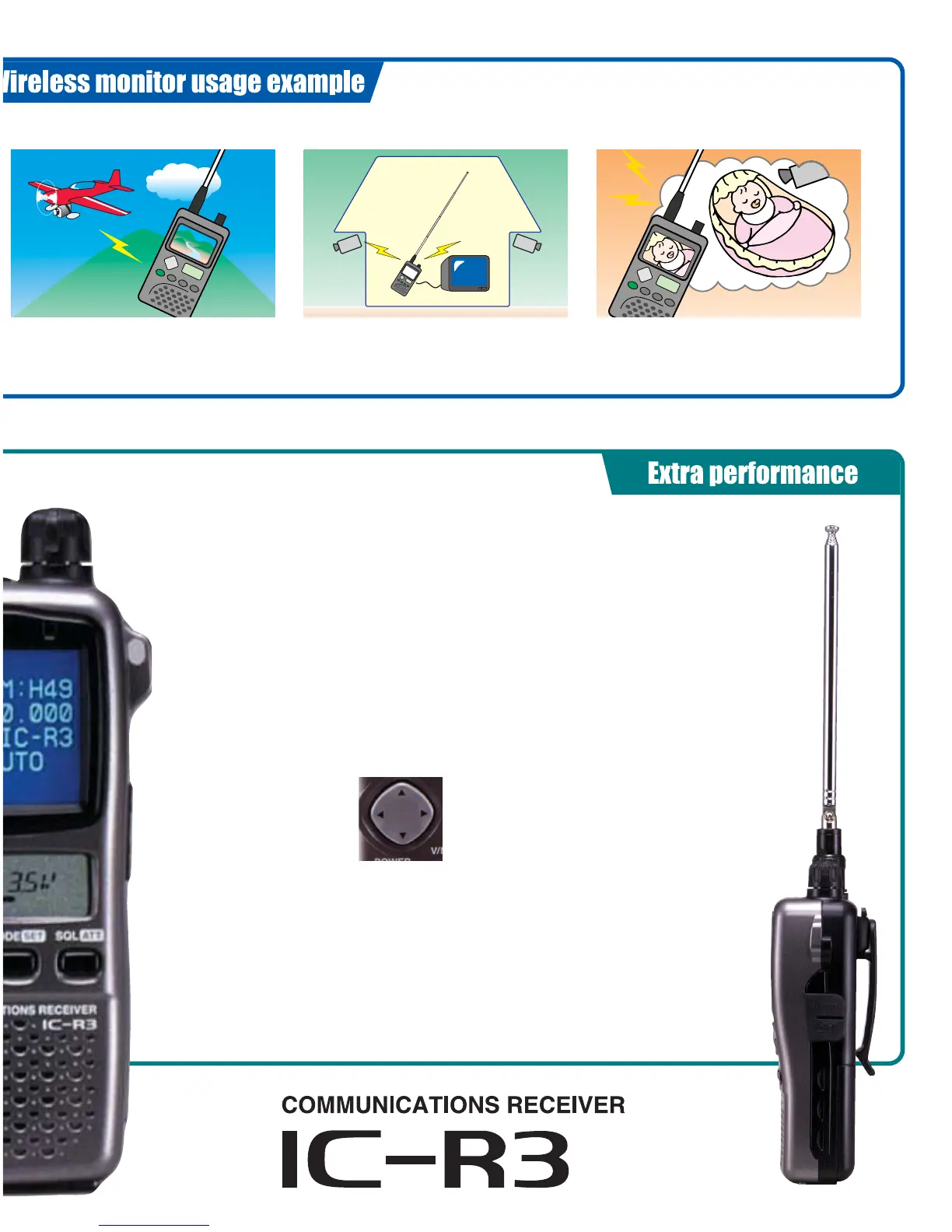
• Hobby use example
Install a wireless camera just about any-
where— like looking down from an airplane,
balloon, etc. Watch aib pictures as they hap-
pen.
• Security use example
Use the IC-R3 to monitor areas where secu-
rity is an issue, indoors or out.
• Example of other usage
Use the IC-R3 as a visual baby monitor. Keep
an eye on sleeping children while you’re in
another room or out in the garden.



 To Next Page