DGX-IP1000C/IP100H -V1.0
18
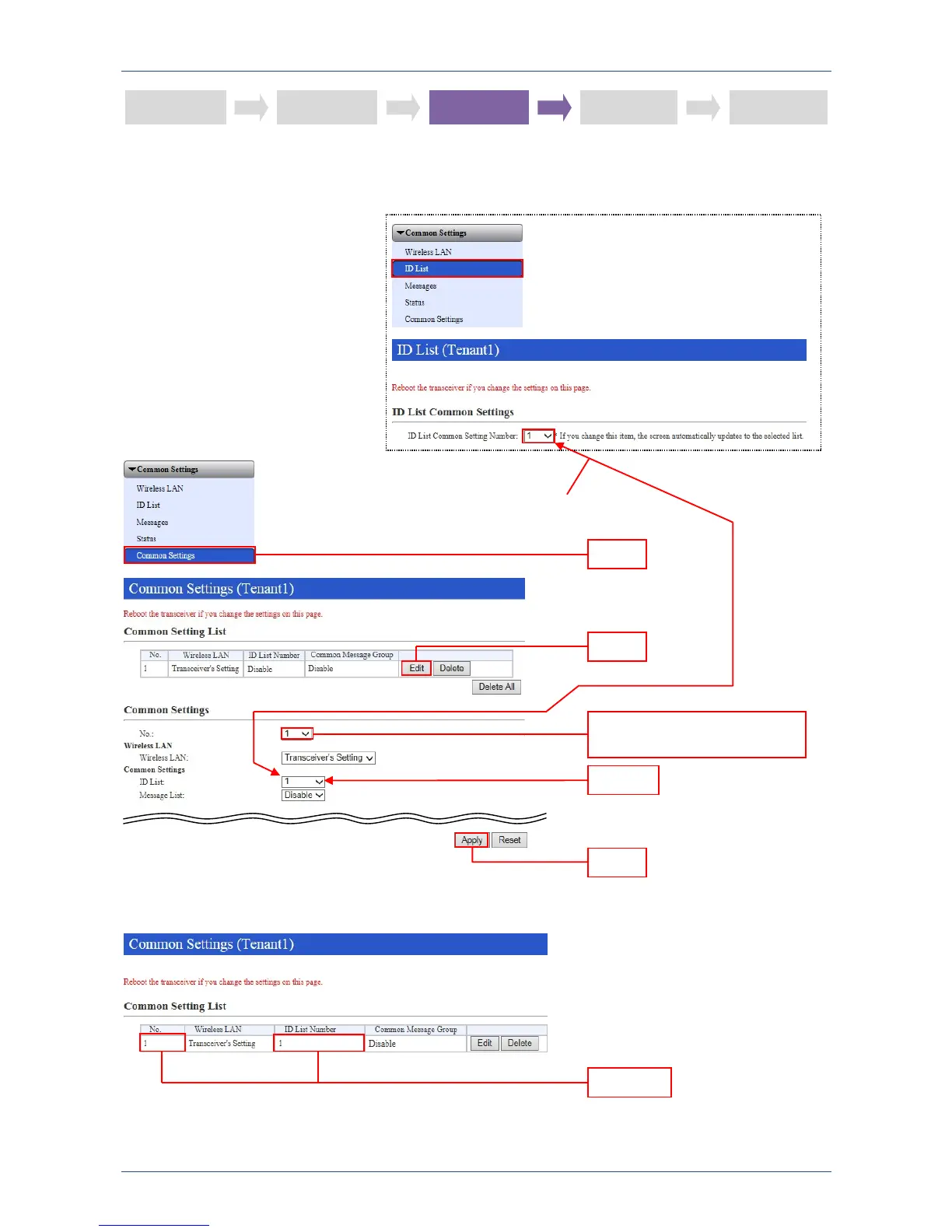
STEP 3: ID LIST GROUP NUMBER SETTING
Select the same ID list group number that was set in step 2, in the ID List.
STEP 1
STEP 2 STEP 3 STEP 5 STEP 4
Confirm
For demonstration purposes,
enter the same number.
Click
Click
Select the common settings
number
Select
Click


 To Next Page