EasyManua.ls Logo

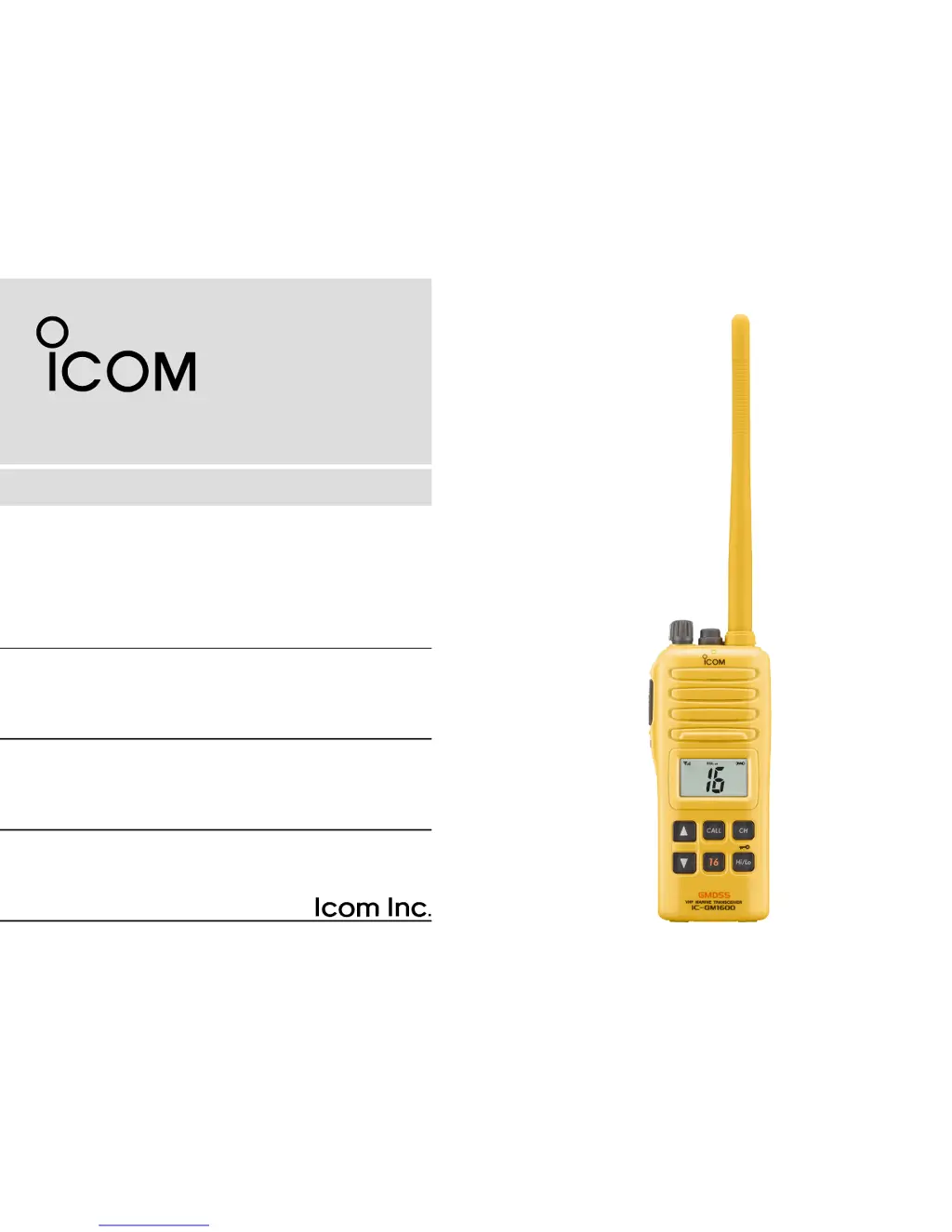
Icom IC-GM1600 - User Manual

Icom IC-GM1600
32 pages
Print Icon
To Next Page IconTo Next Page
Loading...
INSTRUCTION MANUAL
iGM1600
SURVIVAL CRAFT 2-WAY RADIO
This device complies with Part 15 of the FCC Rules. Operation is
subject to the condition that this device does not cause harmful inter-
ference.

Questions and Answers

  • M
    Michelle MillerSep 22, 2025
    What to do if my Icom IC-GM1600 transmitting continuously when using VOX function?
    • G
      Gerald TapiaSep 22, 2025
      If your Icom Two-Way Radio is transmitting continuously while not speaking when using the VOX function, it could be due to loud ambient noise. Try removing the headset cable. Also, you can reduce the VOX gain setting.
  • C
    Christopher GriffinAug 23, 2025
    Why my Icom IC-GM1600 does not turn ON?
    • J
      Jennifer MurrayAug 23, 2025
      If your Icom Two-Way Radio does not turn on, it could be due to a dead battery or a poor connection to the battery pack. To resolve this, try changing to a new battery pack or recharging the current one. Also, check the connection between the battery pack and the transceiver to ensure it is secure.
  • J
    Jeremy AndersenAug 25, 2025
    How to fix transmitting issues on Icom Two-Way Radio?
    • J
      jenningsgloriaAug 25, 2025
      If you cannot transmit or select high power on your Icom Two-Way Radio, it could be due to several reasons. Some channels are designated for low power or receive-only; try changing to a different channel. Alternatively, the battery might be low; replace it with a new one or recharge it. Finally, the output power might be set to low; push the [Hi/Lo• ] button to select high power.
  • A
    andre55Aug 26, 2025
    How to fix self check error (temperature) on Icom IC-GM1600?
    • H
      heather81Aug 26, 2025
      If your Icom Two-Way Radio shows a self-check error related to temperature, it means the temperature is outside of –35°C to +80°C, –31°F to +173°F (approximately). Leave the transceiver at room temperature for a while, then turn the power ON to check if the internal temperature has returned to normal.
  • C
    cranechadAug 27, 2025
    Why there are no beeps on my Icom Two-Way Radio?
    • L
      Leslie LewisAug 27, 2025
      If you are not hearing any beeps, the beep tones may be turned OFF. To resolve this, set the beep tones to ON (Fix Beep/User Beep) in the SET mode.
  • T
    Thomas MillsSep 18, 2025
    How to unlock the channel on my Icom IC-GM1600?
    • C
      Cynthia AdamsSep 18, 2025
      If the displayed channel cannot be changed, the lock function may be activated. Push [Hi/Lo• ] for 1 second to cancel the function.
  • A
    alison70Sep 15, 2025
    What to do if there is no sound from the speaker of my Icom IC-GM1600?
    • C
      Casey LeeSep 15, 2025
      If you can't hear any sound from the speaker, there might be a few reasons. First, the squelch level could be set too high; try adjusting it to the threshold point. Second, the volume might be too low; rotate the [VOL] knob to increase it to a suitable level. Also, check if the speaker has been exposed to water and drain any water from it. Finally, ensure the [MIC/SP] connector is dry, as water entry can cause this issue.
  • A
    Anne MunozSep 16, 2025
    Why is transmitting impossible or high power cannot be selected on my Icom IC-GM1600?
    • M
      Marcus NicholsonSep 16, 2025
      If you're unable to transmit or select high power, it could be due to a few reasons. Some channels are designed for low power or receive only, so try changing channels. Alternatively, the battery might be exhausted, so replace it with a new battery pack. Finally, the output power might be set to low; push [Hi/Lo• ] to select high power.
  • S
    Stephanie JamesSep 6, 2025
    What to do if my Icom Two-Way Radio does not turn ON?
    • A
      arandallSep 6, 2025
      If your Icom Two-Way Radio does not turn on, the battery may be exhausted. In this case, change to a new battery pack. Alternatively, the battery pack may not be correctly attached; ensure it is properly connected.
  • J
    Jeff SteeleSep 3, 2025
    What to do if Icom IC-GM1600 Two-Way Radio shows Self check error (Temperature)?
    • C
      cunninghamerinSep 4, 2025
      If your Icom Two-Way Radio displays a self-check error related to temperature, it indicates that the temperature is outside the range of –35°C to +80°C (approximately –31°F to +173°F). To fix this, leave the transceiver at room temperature for a while, then turn the power back on to check if the internal temperature has returned to normal.

Summary

Safety Training and RF Exposure

Electromagnetic Interference and Compatibility

Discusses potential interference and operational restrictions.

Product Care and Recommendations

Product Foreword

Important Usage Guidelines

Warning Term Definitions

Safety Precautions

FCC Compliance

Disposal Information

Operating Rules

Operating Priorities

Covers call priorities and continuous monitoring requirements.

Privacy Rules

Outlines rules regarding overheard information and language.

Radio Licensing

Details ship station and operator license needs.

Supplied Accessories and Attachments

Included Accessories

Lists all items included with the transceiver.

Accessory Attachment

Instructions for attaching neckstrap and belt clip.

Battery Pack Installation

Instructions for installing and removing the battery pack.

Panel Description

External Panel Controls

Identifies and explains external buttons and indicators.

Function Display Guide

Explains the symbols and readouts on the LCD screen.

Basic Operation

Channel Selection

How to select channels, including distress and call channels.

Call Channel Operation

Instructions for using and programming call channels.

Receiving and Transmitting

Step-by-step instructions for sending and receiving.

Call Channel Programming

How to reprogram the call channel for quick recall.

Squelch Level Adjustment

How to set the squelch for optimal reception.

Lock and Monitor Functions

How to activate lock and monitor functions.

Backlit and Signal Indicators

Explains backlight use and signal strength display.

Set Mode Configuration

Entering Set Mode

Steps to enter and navigate the configuration settings.

Beep Tone and Monitor Settings

Configuration options for beep tones and monitor switch.

Backlight and LCD Contrast

Adjusting backlight brightness and LCD contrast.

Auto Power Save Settings

How to enable/disable the auto power save feature.

Self Check Function

Explains the self-check feature and error indicators.

Battery Voltage Indicator

Controls the display of battery voltage.

Signal Strength Indicator

Configures the signal strength indicator display.

Squelch Sensitivity

Adjusts squelch sensitivity to reduce noise.

Set Mode Summary

A quick reference list of all SET MODE functions.

BP-234 Battery Pack

Battery Charging (On-Board Use)

Charging Guidelines

Steps and precautions for charging the battery.

Battery Cautions

Important warnings for handling and charging batteries.

Charging Connections

How to connect the charger and battery pack.

Optional Swivel Belt Clip

Belt Clip Attachment

Details contents and how to attach the belt clip.

Belt Clip Detachment

Instructions on how to remove the belt clip.

Survival Channel List

Troubleshooting

Specifications

Optional Accessories

Icom IC-GM1600 Specifications

General IconGeneral
PurposeMarine Radio Service
Operating frequency156.300 – 156.875 MHz
Display typeLCD
Battery typeBP-234
RechargeableNo
Battery technologyLithium
Battery low indicationYes
Number of batteries supported1
Product colorYellow
Waterproof up to1 m
Operating temperature (T-T)-20 - 60 °C
Number of batteries included1 pc(s)
Weight and Dimensions IconWeight and Dimensions
Depth44 mm
Width65 mm
Height145 mm
Weight385 g

Related product manuals