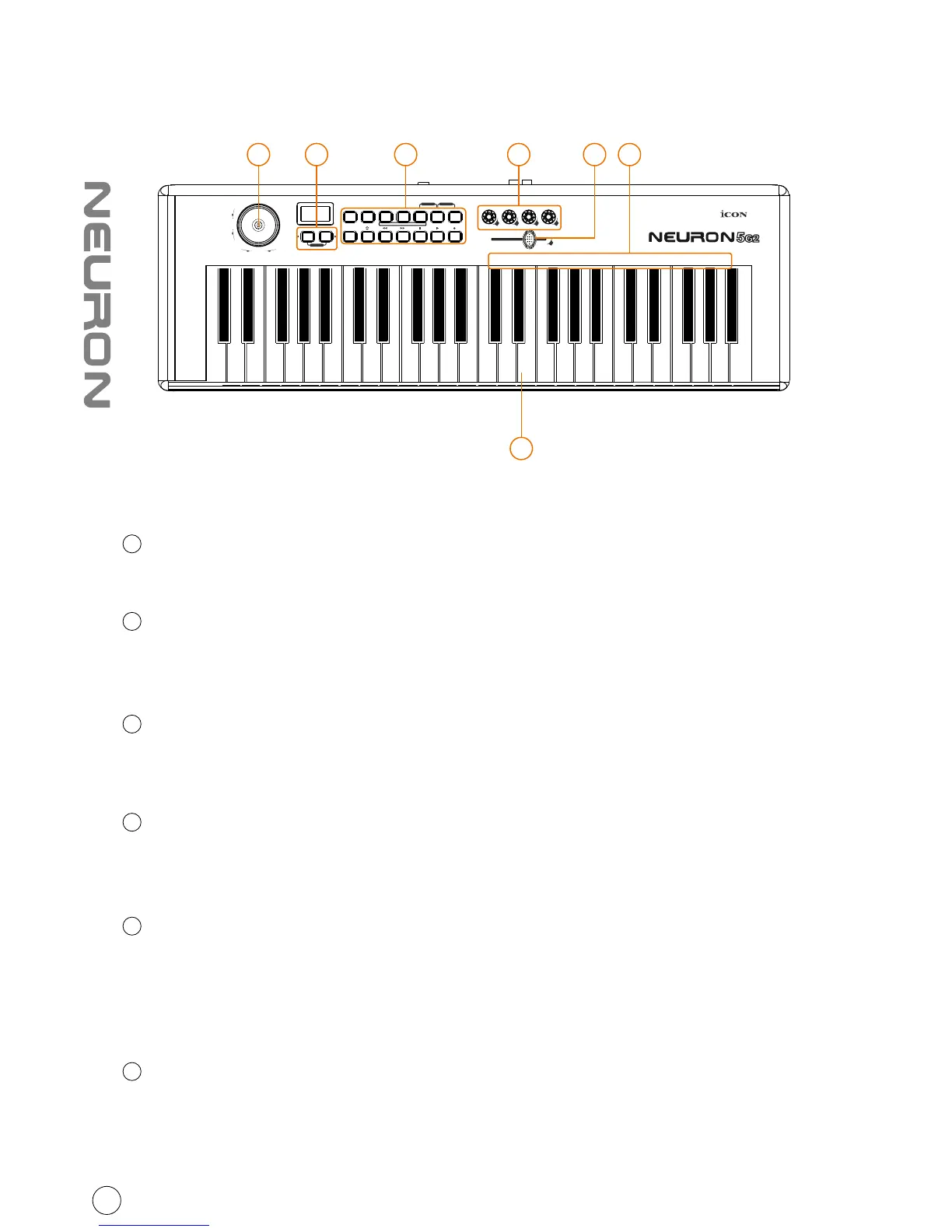
Front Panel Layout
25/49/61-note key switches
25/49/61-note velocity-sensitive piano-action key switches
Modulation & pitch bend joystick
Vertically: Adjusts the modulation effect.
Horizontally: Adjusts the pitch bend. It will return to “center” when released
Control Buttons
Control, set, and activate the features of Neuron.
(Tip: Please refer to Appendix A for Mackie Control and HUI protocol functions)
Control buttons on the keybed
Neuron also uses some of the key switches to control, set and activate some
features of Neuron.
Knobs
The four rotary encoder knobs are generally used for controlling the track pan
position, aux send levels and EQ of your DAW. You may also preset them to adjust
specific parameters within plug-ins and virtual instruments.
(Tip: Please refer to Appendix A for Mackie Control and HUI protocol functions)
Fader
Programmable fader slide to adjust linear MIDI parameters such as volume or
TM
change the midi message with iMap software.
(Tip: Please refer to Appendix A for Mackie Control and HUI protocol functions)
1
2
3
4
5
6
3
PITCH BEND
MOD
Transpose
Octave
Advanced Zone1/Range1 Zone2/Range2
+
-
Reset
e1 e2 e3 e4
f1
Vel.
Curve
Enter9765432 810RecallSaveMaxMin
Bank
MSB
Bank
LSB
Ctrl
Assign
Chan
Assign
Zone 2
Chan
Zone 1
Chan
Glob
Chan
Program Mute Layer
PanicSnapShot
1
72 3 5 6 4



 To Next Page