TM
Assigning MIDI functions with iMap
TM
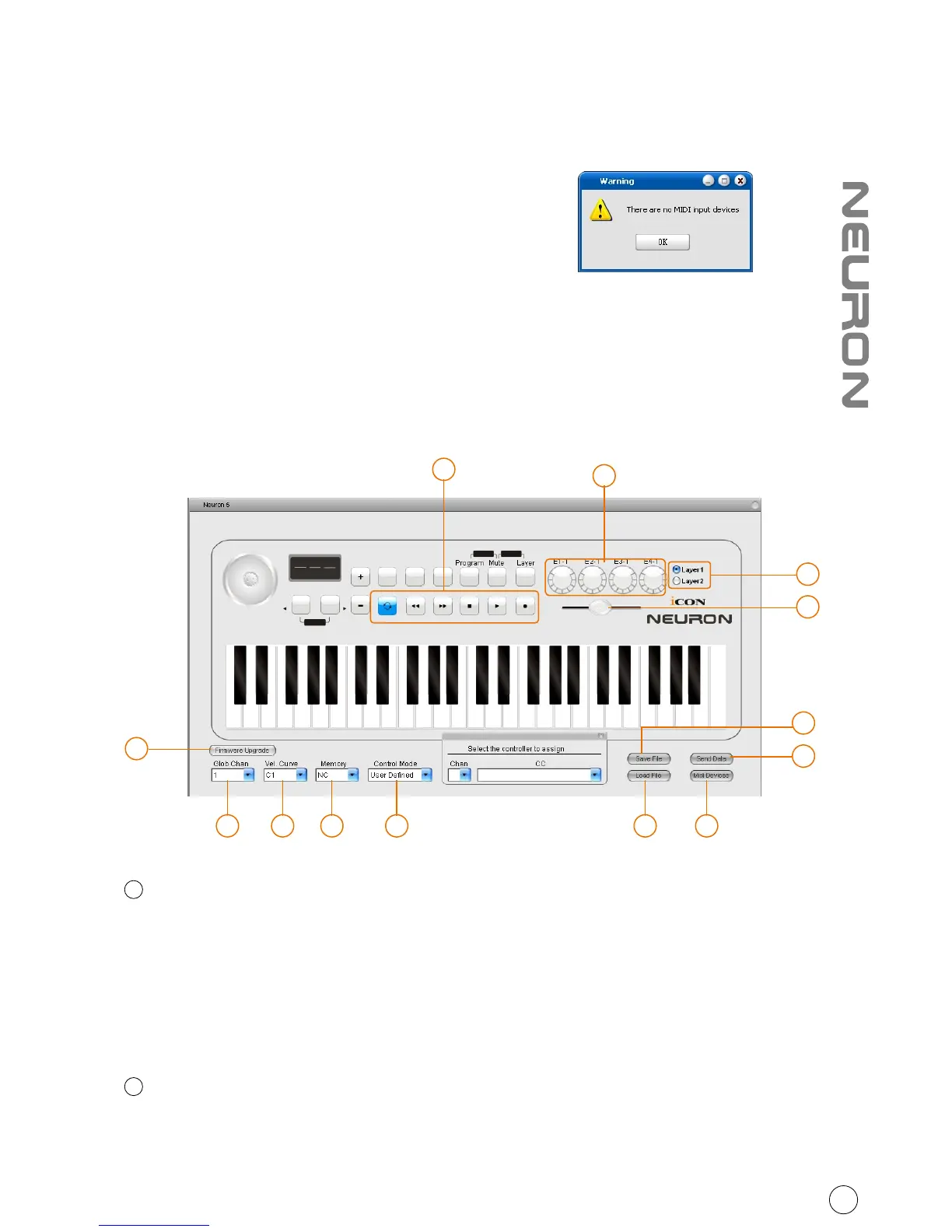
You can use iMap to assign the MIDI functions of your Neuron G2 easily.
Note: If your Neuron G2 is not connected to
your Mac/PC, a message of "There are no
MIDI input devices" will appear. Please
connect Neuron G2 to your Mac/PC with
the provided USB cable.
TM
iMap Neuron G2 software panel
Control Mode:
Mackie Control: Select “Mackie Control” for Mackie control protocol
HUI: Select “HUI” for HUI control protocol
User Defined: Set your own midi settings for all the controllers.
(Tip: Please refer to Appendix A for Mackie Control and HUI protocol functions)
(Note: In “Mackie Control” & “HUI” modes, settings are fixed)
Memory
Set the different settings for the 20 available memory slots on your Neuron.
(Note: It is only possible to transfer one memory setting at a time to your Neuron G2)
1
2
10
3 2 14 10 12
11
9
7
5
6
8
13



 To Next Page