7
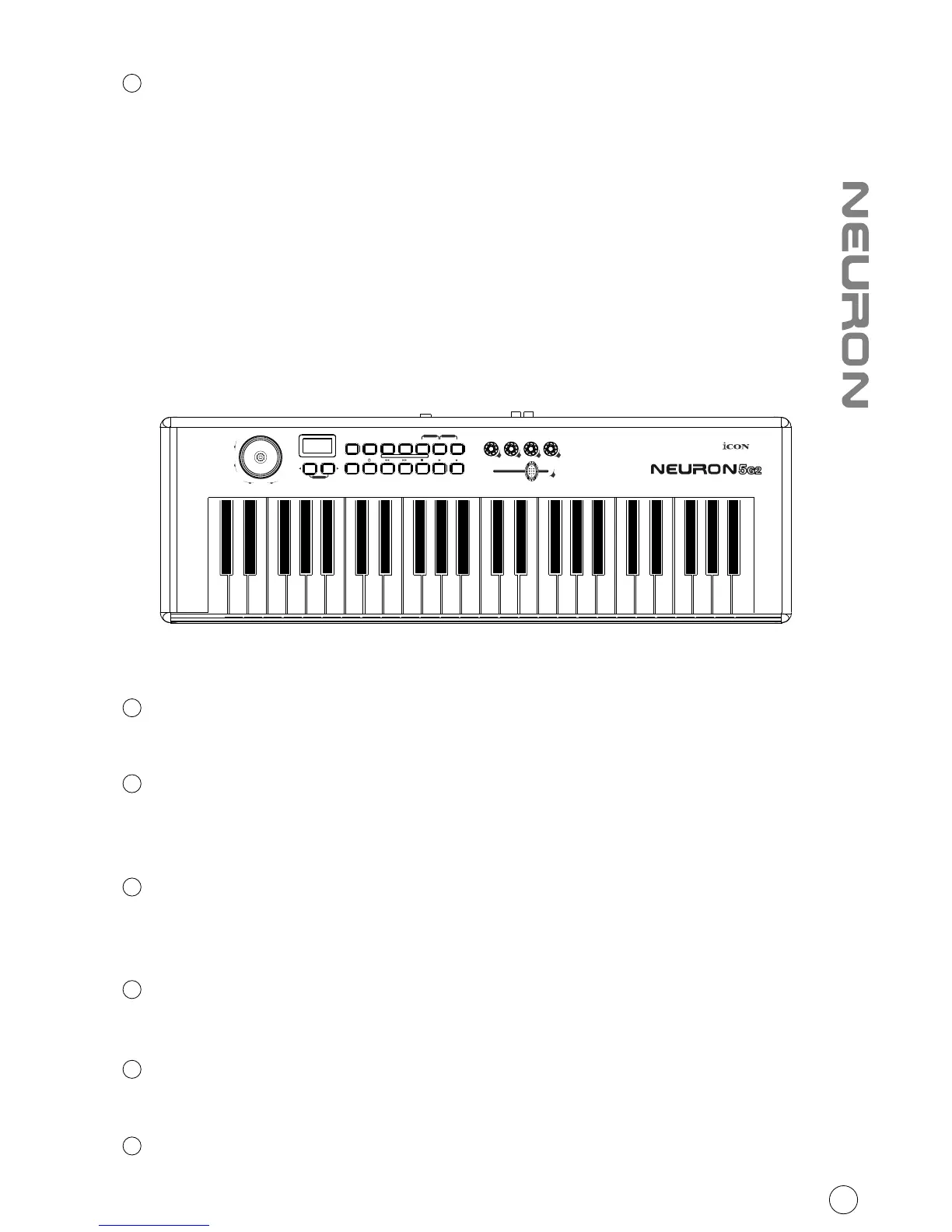
Transpose/Octave Buttons
Raises or lowers the pitches played on your keyboard.
Octave: Press the “Right” arrow button to raise the pitch
Press the “Left” arrow button to lower the pitch
Transpose: Hold down the “Right” & “Left” arrow buttons together and tap the
key that represents the interval you would like to shift relative to Middle C.
Control buttons layout
Advanced
Press the “Advanced” button to control the functions on the key switches.
Zone 1 / Range 1
Press and hold: Set the first zone of your keybed
Press once: Activate the first zone of your keybed
Zone 2 / Range 2
Press and hold: Set the Second zone of your keybed
Press once: Activate the Second zone of your keybed
Program
Press the Program button to change the patch to a different sound.
Mute
Mute your Neuron G2.
Layer
Switch between the two layers for the knobs.
1
2
3
4
5
6
4
PITCH BEND
MOD
Transpose
Octave
Advanced Zone1/Range1 Zone2/Range2
+
-
Reset
e1 e2 e3 e4
f1
Vel.
Curve
Enter9765432 810RecallSaveMaxMin
Bank
MSB
Bank
LSB
Ctrl
Assign
Chan
Assign
Zone 2
Chan
Zone 1
Chan
Glob
Chan
Program Mute Layer
PanicSnapShot



 To Next Page