
 Need help?
Do you have a question about the ICON NordicTrack EXP14i and is the answer not in the manual?
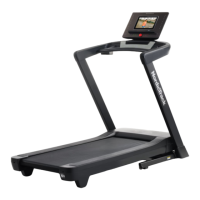
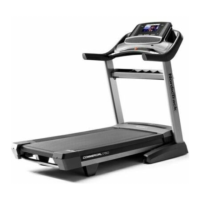
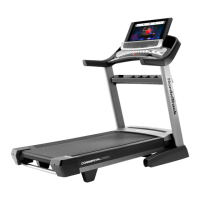
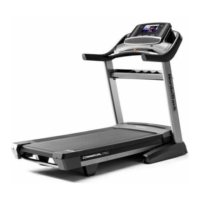
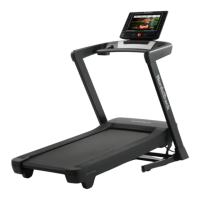
This document describes the NordicTrack EXP 14i treadmill, a home exercise machine designed to provide effective and enjoyable workouts. The treadmill features a walking belt, foot rails, a motor hood, a console with a fan, an accessory tray, and handrails. It is designed for home use only and should not be used in commercial, rental, or institutional settings.
The NordicTrack EXP 14i treadmill allows users to engage in various exercise programs, including manual mode workouts, featured iFIT workouts, and custom draw-your-own-map workouts. The treadmill's walking belt moves to simulate walking or running, and the incline can be adjusted to vary the intensity of the workout. The console provides real-time exercise feedback, allows for control of speed and incline, and offers connectivity to iFIT for interactive training sessions.
Before using the treadmill, it is crucial to read and understand all precautions and instructions in the manual. The treadmill should be placed on a level surface with adequate clearance behind and to the sides. It should be kept indoors, away from moisture and dust.
To turn on the console, plug in the power cord, locate the power switch on the treadmill frame, and press it into the reset position. Then, stand on the foot rails, attach the key clip to your waistband, and insert the key into the console. It may take a few minutes for the console to be ready. To turn off the console, first remove the key, then press the power switch into the off position, and unplug the power cord. It is important to adjust the incline to the appropriate level before folding the treadmill to prevent premature wear on electrical components.
The console features a full-color touch screen that functions similarly to other tablets. Users can slide or flick their fingers to navigate images and displays. The screen is not pressure sensitive. To input text, touch the text box to view the keyboard. Numbers, characters, and capital letters can be accessed through specific keyboard buttons.
To utilize iFIT workouts and other console features, the treadmill must be connected to a wireless network. Users need to enable Wi-Fi, select their desired network from the available list, and enter the password if required. The console supports unsecured, WEP, WPA, and WPA2 encryption, and a broadband connection is recommended for optimal performance.
Users need to log into or create an iFIT account to access iFIT workouts and features. This involves following on-screen prompts to enter a username and password. Multiple users can be associated with an iFIT account.
In manual mode, users can control the treadmill's speed and incline directly. After inserting the key and selecting the home screen, touch "Manual Start" or press the Start button. The walking belt will begin moving at a low speed for a warm-up period. Speed and incline can be adjusted using the increase/decrease buttons or numbered buttons on the console. A speed slider is also available on the screen.
The console offers a rotating selection of featured iFIT workouts. To use these, ensure the treadmill is connected to a wireless network and the user is logged into their iFIT account. Workouts can be selected from the home screen or the workout library. During some workouts, an iFIT trainer will guide the user through an immersive video, and the screen may display a map of the route. Users can manually override speed and incline settings, and the "smart adjust" feature can scale workout intensity based on these overrides.
Users can create custom workouts by drawing a route on a map displayed on the console. This requires an iFIT account and wireless network connection. Users can add start and end points, choose to close the loop or go out and back, and snap the route to a road. The console will display elevation and distance statistics for the custom workout.
The console offers various display modes to show workout information. Users can drag the screen to enter fullscreen display mode or view workout statistics and charts. Volume can be adjusted using the console buttons. Workouts can be paused or ended by stepping onto the foot rails and pressing the Stop button or touching the screen.
The treadmill is compatible with Bluetooth® Smart heart rate monitors. When a compatible monitor is turned on and in pairing mode, the console will connect automatically and display the user's heart rate. This helps users maintain their target heart rate zone for fat burning or cardiovascular strengthening.
The console includes a fan with multiple speed settings, including an auto mode that adjusts fan speed based on the walking belt speed. Fan speed can be controlled using the increase/decrease buttons on the console.
Bluetooth headphones can be connected to the console for audio playback. Users need to turn on their headphones, place them in pairing mode near the console, and then select them from the list on the screen during a workout.
The manual provides guidelines for exercise intensity, including recommended heart rates for fat burning and aerobic exercise based on age. It also outlines workout routines, including warming up, training zone exercise, and cooling down, as well as recommendations for exercise frequency.
To fold the treadmill, adjust the incline to 0%, remove the key, and unplug the power cord. Hold the metal frame firmly and lift it until the storage latch locks. To move the treadmill, hold the frame and one handrail, place one foot against a wheel, and pull back on the handrail to roll the treadmill to the desired location. Do not move the treadmill without tipping it back or pulling on the frame. To lower the treadmill, push the upper end of the frame forward, press the storage latch with a foot, and pull the frame toward yourself, allowing it to lower to the floor.
Regular maintenance is essential for optimal performance and to reduce wear. Users should inspect and properly tighten all parts each time the treadmill is used and replace any worn parts immediately with manufacturer-supplied parts.
The treadmill should be cleaned regularly. First, press the power switch into the off position and unplug the power cord. Wipe exterior parts with a damp cloth and a mild, non-abrasive cleaner. It is important not to spray liquids directly onto the treadmill and to keep liquids away from the console. The treadmill should then be thoroughly dried with a soft towel.
The manual provides steps to troubleshoot common issues such as the power not turning on, power turning off during use, incorrect incline changes, and wireless network connectivity problems. For power issues, check the power switch, power cord connection, and key insertion. For incline issues, calibrate the incline system. For network issues, verify wireless settings.
The walking belt may slow down, become off-center, or slip. If the walking belt is overtightened, performance may decrease. To adjust, remove the key and unplug the power cord. Use the hex key to turn the idler roller screws. The manual provides specific instructions for centering and tightening the walking belt. It is important not to overtighten the belt and to ensure it is centered.
The walking belt is coated with a high-performance lubricant. Users should never apply silicone spray or other substances to the walking belt or platform unless instructed by an authorized service representative, as this can deteriorate the belt and cause excessive wear.
Regularly check for firmware updates through the console's Maintenance settings. Firmware updates are designed to improve the exercise experience and may introduce new settings or features. It is crucial not to press the power switch or unplug the power cord during an update to prevent damage.
If the console does not boot up properly or freezes, it can be reset to factory default settings. This will erase custom settings. The process involves pressing the power switch to the off position, then pressing and holding a small button inside an opening on the console with a bent paper clip while a second person presses the power switch to the on/reset position.
To protect the floor or carpet, place a mat under the treadmill. Avoid direct sunlight to prevent damage to the console. Keep the included hex keys in a secure place for future adjustments.
 General
| Decline | -3% |
|---|---|
| Speed | 0-12 MPH |
| Warranty | 10-Year Frame, 2-Year Parts, 1-Year Labor |
| Motor | 3.0 CHP |
| Display | 14" HD Touchscreen |
| Folding | Yes |
| Weight Capacity | 300 lbs |


 To Next Page