EasyManua.ls Logo

ICON NTL14119.0 - User Manual

ICON NTL14119.0
40 pages
Print Icon
To Next Page IconTo Next Page
Loading...
Serial Number
Decal
Model No. NTL14119.0
Serial No.
Write the serial number in the space
above for reference.
CAUTION
Read all precautions and
instructions in this manual before
using this equipment. Save this
manual for future reference.
nordictrack.com
USER’S MANUAL
ACTIVATE YOUR
WARRANTY
To register your product and
activate your warranty today,
go to my.nordictrack.com
CUSTOMER CARE
For service at any time, go to
nordictrackservice.com.
Or call 1-800-TO-BE-FIT
(1-800-862-3348)
Mon.–Fri. 6 a.m.–6 p.m. MT
Sat. 8 a.m.–12 p.m. MT
Please do not contact the store.
Question and Answer IconNeed help?

Do you have a question about the ICON NTL14119.0 and is the answer not in the manual?

Overview

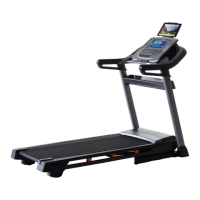
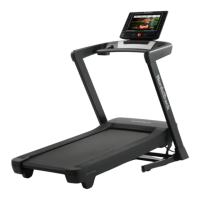
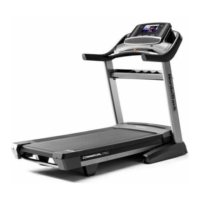
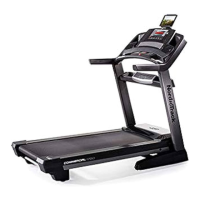
This document is a user manual for the NordicTrack Commercial 1750 treadmill, model NTL14119.0.

Function Description

The NordicTrack Commercial 1750 treadmill is designed for home use to provide an effective and enjoyable workout experience. It allows users to walk or run on a moving belt, adjust speed and incline, and monitor their progress. The treadmill features a console with a full-color touch screen that offers various workout modes, including manual, map-based, and distance/time-based workouts. It integrates with iFit, a platform that provides access to a large workout library, allows users to create custom workouts, track results, and connect to a wireless network for updates and additional features. The treadmill also includes a sound system for playing music or audio books and a fan for user comfort. When not in use, the treadmill can be folded into a storage position to save floor space.

Important Technical Specifications

  • Model Number: NTL14119.0
  • Weight Capacity: 300 lbs. (136 kg)
  • Dimensions (Length x Width): 5 ft. 11 in. (180 cm) x 3 ft. 3 in. (99 cm)
  • Electrical Rating: 120 volts AC, 15 amps (requires a properly grounded outlet)
  • Surge Suppressor Requirements: UL 1449 listed (TVSS), suppressed voltage rating of 400 volts or less, minimum surge dissipation of 450 joules, electrically rated for 120 volts AC and 15 amps, with a monitoring light.
  • Wireless Network Compatibility: 802.11b/g/n router with SSID broadcast enabled (WEP, WPA™, and WPA2™ encryption supported).
  • Bluetooth®: Console features BLUETOOTH® speakers and is compatible with BLUETOOTH® Smart heart rate monitors.
  • Console Antenna/Transmitter Exposure Compliance: Must be at least 8 in. (20 cm) from all persons.
  • Lifting Requirement for Moving: User must be able to safely lift 45 lbs. (20 kg).
  • Storage Temperature: Do not leave in storage position in temperatures above 85°F (30°C).

Usage Features

  • Console: Full-color touch screen tablet interface.
  • Workout Modes:
    • Manual Mode: Allows users to manually adjust speed and incline. Speed changes in 0.1 mph increments (0.5 mph when held), incline changes gradually.
    • Map Workouts: Connects to iFit via wireless network to access map-based workouts, showing progress on screen.
    • Draw Your Own Map Workouts: Users can draw custom routes on a map, which the treadmill will simulate.
    • Distance/Time Workouts: Users can schedule workouts from iFit.com based on desired distance or time.
  • Heart Rate Monitoring: Handgrip heart rate monitor on handrails; compatible with optional BLUETOOTH® Smart chest heart rate monitors.
  • Emergency Stop: Safety key with clip, when pulled, causes the walking belt to slow to a stop.
  • Fan: Several speed settings for user comfort.
  • Sound System: 3.5 mm audio jack for connecting personal audio players; BLUETOOTH® speakers for wireless audio streaming.
  • HDMI Connectivity: Port available to show console screen on a TV or monitor.
  • Cushion Adjustment: Knobs to adjust the firmness of the walking platform (clockwise for less firm, counterclockwise for more firm).
  • Folding Design: Treadmill can be folded vertically for storage, reducing floor space. Requires two people to move.
  • Power Switch: Located near the power cord, with a reset position.

Maintenance Features

  • Regular Cleaning: Wipe exterior parts with a damp cloth and mild soap; keep walking belt clean and dry. Avoid spraying liquids directly onto the treadmill or console.
  • Firmware Updates: Console can check for and install firmware updates via wireless network.
  • Incline System Calibration: A calibration procedure is available in the maintenance settings to ensure correct incline operation.
  • Walking Belt Tension Adjustment: If the walking belt slows or slips, it may be overtightened or loose. Adjustment involves turning idler roller screws with a hex key. The belt should be liftable 2 to 3 inches (5 to 7 cm) off the walking platform when properly tightened.
  • Walking Belt Centering: If the walking belt is off-center, it can be adjusted by turning the left idler roller screw clockwise (if shifted left) or counterclockwise (if shifted right).
  • Lubrication: The walking belt is coated with high-performance lubricant. Do not apply silicone spray or other substances unless instructed by an authorized service representative.
  • Console Reset: If the console malfunctions or freezes, it can be reset to factory default settings using a bent paper clip in a small opening near the USB port.
  • Part Inspection: Inspect and properly tighten all parts before each use; replace worn parts immediately.
  • Surge Suppressor: Always use a specified surge suppressor to protect against electrical damage.

ICON NTL14119.0 Specifications

General IconGeneral
BrandICON
ModelNTL14119.0
CategoryTreadmill
LanguageEnglish

Related product manuals