13
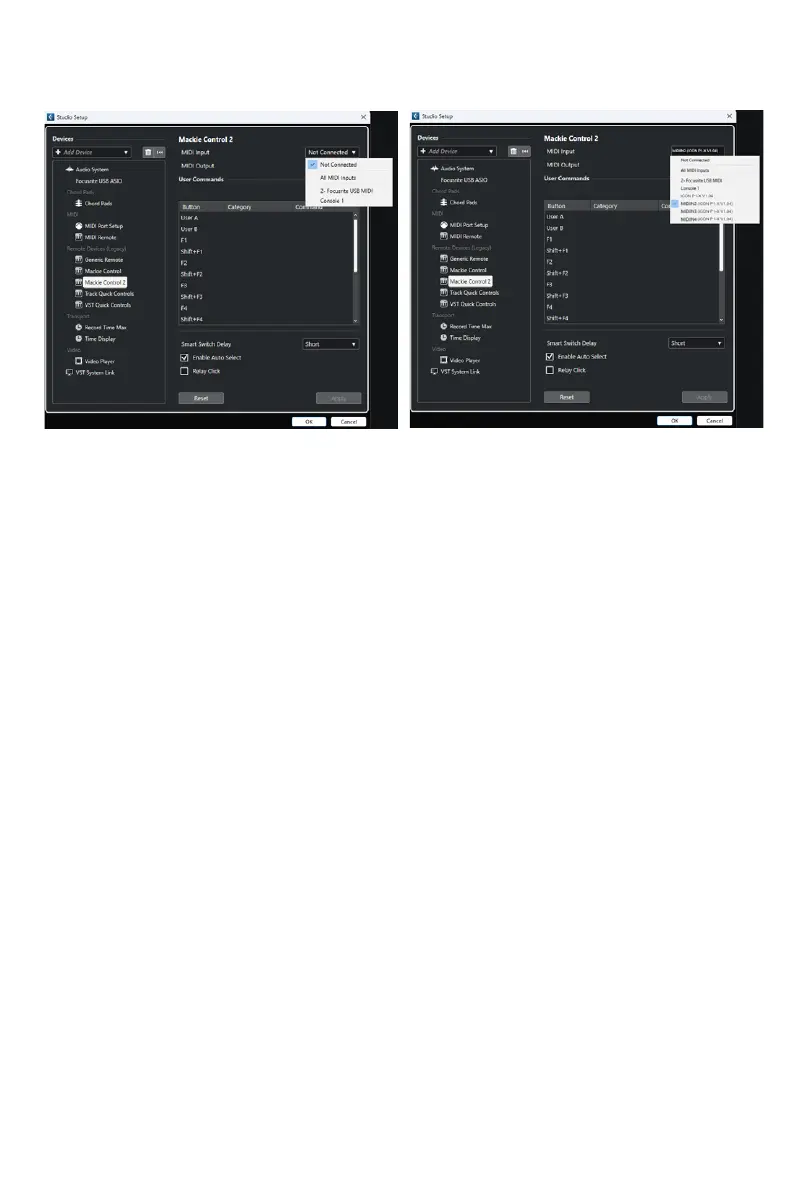
Here's an example of how it is set up in Cubase.
As you can see, when conguring the device as a Mackie controller, there is a choice
of 4 possible options.
Because we have set up Cubase to respond to DAW control button '2' on the P1-M,
we are going to select 'MIDIIN2 (P1-X V1.01)' when connecting the P1-X.
Please also note, (although this is specic to Cubase), that users should use Mackie
Control in the usual way to set up their devices in Cubase 12 onwards and not
Cubase's MIDI Remote Manager.
Regardless of the supported DAWs you are using, the principle will be largely the
same.


 To Next Page