EasyManua.ls Logo

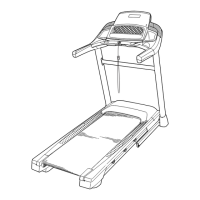
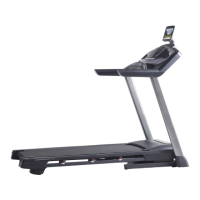
ICON PRO-FORM POWER 795 - User Manual

ICON PRO-FORM POWER 795
40 pages
Print Icon
To Next Page IconTo Next Page
Loading...
Serial Number
Decal
Model No. PFTL79614.1
Serial No.
Write the serial number in the space
above for reference.
CAUTION
Read all precautions and instruc-
tions in this manual before using
this equipment. Save this manual
for future reference.
USER’S MANUAL
www.proform.com
ACTIVATE YOUR
WARRANTY
To register your product and
activate your warranty today,
go to www.proformservice.com/
registration.
CUSTOMER CARE
For service at any time, go to
www.proformservice.com.
Or call 1-888-533-1333
Mon.–Fri. 6 a.m.–6 p.m. MT
Sat. 8 a.m.–12 p.m. MT
Please do not contact the store.

Questions and Answers

  • A
    alexiswilsonJul 29, 2025
    What to do if ICON PRO-FORM POWER 795 Treadmill power does not turn on?
    • M
      mbuchananJul 30, 2025
      First, ensure the power cord is properly plugged into a surge suppressor, and the surge suppressor is connected to a grounded outlet. Note that the treadmill may not be compatible with AFCI-equipped outlets, so use only a surge suppressor that meets the requirements. Also, after plugging in the power cord, confirm that the key is correctly inserted into the console. Finally, check the power switch on the treadmill frame near the power cord; if it's protruding, wait five minutes, then press it back in.
  • R
    richardwrightAug 5, 2025
    Why does my ICON Treadmill power turn off during use?
    • P
      Paul FergusonAug 5, 2025
      If your treadmill shuts off while you're using it, try these steps: check the power switch and if it has tripped, wait five minutes before pressing it back in. Ensure the power cord is securely plugged in; if it is, unplug it, wait five minutes, and then plug it back in. Also, remove the key from the console and then reinsert it to see if that resolves the issue.
  • C
    Caleb StaffordAug 11, 2025
    What to do if ICON PRO-FORM POWER 795 walking belt is off-center?
    • C
      Curtis CarrilloAug 11, 2025
      If the walking belt is off-center, remove the key and unplug the power cord. If the belt has shifted left, turn the left idler roller screw clockwise 1/2 turn using the hex key. If it has shifted right, turn the left idler roller screw counterclockwise 1/2 turn. If the walking belt slips, remove the key and unplug the power cord. Turn both idler roller screws clockwise 1/4 turn with the hex key. When correctly tightened, you should be able to lift each edge of the belt 2 to 3 inches off the platform.
  • J
    Jared WattsAug 17, 2025
    What to do if ICON PRO-FORM POWER 795 Treadmill walking belt slows when walked on?
    • A
      Abigail CohenAug 17, 2025
      Make sure you are using a surge suppressor that meets all the necessary requirements. This can help ensure the treadmill receives consistent power and prevent the walking belt from slowing down during use.
  • M
    Marc KramerAug 22, 2025
    How to turn off demo mode on ICON PRO-FORM POWER 795?
    • C
      Christopher ValenciaAug 22, 2025
      To turn off the demo mode, try holding down the Stop button for a few seconds.

Summary

Product Identification and Support

Model and Serial Number

Identifies the product model and serial number for reference and support.

Safety and Warnings

General Safety Precautions

Lists key safety rules for operating the treadmill to prevent injury.

Important Safety Precautions

Health, Usage, and Electrical Safety

Advises medical consultation, proper usage, and electrical safety measures.

User, Child, and Environmental Safety

Details limits, supervision, attire, and environmental considerations for safe use.

Additional Safety Precautions

Operating Safety Guidelines

Covers speed, heart rate monitor, and unattended operation rules for safe exercise.

Maintenance and Overexertion Safety

Emphasizes unplugging for maintenance and avoiding overexertion risks.

Assembly Parts Identification

Hardware and Fastener Identification

Identifies screws, washers, nuts, and bolts used in the assembly process.

Product Assembly

Assembly Requirements and Tools

Specifies the need for two people, tools, and a clear workspace for assembly.

Assembly Steps

Attaching Base Caps and Ground Wire

Details securing base caps and connecting the ground wire to the upright.

Installing Front Wheels and Uprights

Covers attaching front wheels with spacers and securing uprights to the base.

Connecting Console Wiring

Explains how to connect the upright wire to the console for functionality.

Connecting Handrails to Uprights

Details attaching handrails using screws and washers for structural integrity.

Assembly Steps

Connecting and Powering On

Power Cord Connection and Grounding

Instructions on plugging in the power cord and ensuring proper grounding.

Surge Suppressor Requirements

Specifies required surge suppressor features for safe operation.

Basic Operation

Powering On the Treadmill

Step-by-step guide to turning the treadmill on safely.

Manual Mode Operation Guide

Instructions for starting the belt and adjusting speed/incline.

Workout Modes and Controls

Advanced Training Features

Folding and Moving the Treadmill

Maintenance and Troubleshooting

Incline System Recalibration

Procedure to fix issues with the incline not changing correctly.

Power and Console Display Troubleshooting

Troubleshooting problems with power not turning on or console displays malfunctioning.

Walking Belt Speed Performance Issues

Addresses problems with the walking belt slowing down during use.

Maintenance and Troubleshooting

Walking Belt Alignment and Tension Adjustment

Guides on centering and adjusting the walking belt's tension.

Exploded Diagrams

Exploded Diagrams

ICON PRO-FORM POWER 795 Specifications

General IconGeneral
BrandICON
ModelPRO-FORM POWER 795
CategoryTreadmill
LanguageEnglish

Related product manuals