EasyManua.ls Logo

ICON PROFORM 505 ZLE - User Manual

ICON PROFORM 505 ZLE
28 pages
Print Icon
To Next Page IconTo Next Page
Loading...
Serial Number Decal
(on underside of frame)
USERʼS MANUAL
CAUTION
Read all precautions and instruc-
tions in this manual before using
this equipment. Keep this manual
for future reference.
Model No. PFEVEL96010.0
Serial No.
Write the serial number in the
space above for reference.
QUESTIONS?
If you have questions, or if there are
missing parts, please contact us:
UK
Call: 08457 089 009
From Ireland: 053 92 36102
Website: www.iconsupport.eu
E-mail: csuk@iconeurope.com
Write:
ICON Health & Fitness, Ltd.
c/o HI Group PLC
Express Way
Whitwood, West Yorkshire
WF10 5QJ
UK
AUSTRALIA
Call: 1-800-237-173
E-mail:
australiacc@iconfitness.com
www.iconeurope.com
Question and Answer IconNeed help?

Do you have a question about the ICON PROFORM 505 ZLE and is the answer not in the manual?

Summary

Warning Decal Placement

Important Safety Precautions

Before You Begin

Elliptical Assembly Guide

Using the Chest Pulse Sensor

Chest Pulse Sensor Setup

Instructions for wearing the chest strap and sensor unit.

Chest Pulse Sensor Care

Guidance on cleaning and maintaining the chest pulse sensor.

Chest Pulse Sensor Troubleshooting

Solutions for common issues with the chest pulse sensor.

Using the Elliptical Machine

Power Adapter Connection

Steps for connecting the power adapter to the elliptical and outlet.

Moving the Elliptical

Instructions for safely moving the elliptical with two people.

Exercising on the Elliptical

Adjusting Ramp Incline

Guide to adjusting the ramp incline using the latch mechanism.

Console Features Overview

Activating the Console

Turning Off the Console

Manual Mode Operation

Using Preset Workouts

iFit Workout Guide

Console Sound System Usage

Console Settings Adjustment

Maintenance and Troubleshooting

Console Troubleshooting

Solutions for console display issues, especially heart rate.

Adjusting the Drive Belt

Steps to adjust the drive belt if pedals slip.

Adjusting the Reed Switch

Greasing the Rollers

Exercise Guidelines and Recommendations

Exercise Intensity Levels

How to use heart rate to determine exercise intensity.

Workout Structure Guidelines

Recommendations for warming up, training zone, and cooling down.

Exercise Frequency Advice

Guidelines for workout frequency and consistency.

Ordering Replacement Parts

Product Recycling Information

Summary

Warning Decal Placement

Important Safety Precautions

Before You Begin

Elliptical Assembly Guide

Using the Chest Pulse Sensor

Chest Pulse Sensor Setup

Instructions for wearing the chest strap and sensor unit.

Chest Pulse Sensor Care

Guidance on cleaning and maintaining the chest pulse sensor.

Chest Pulse Sensor Troubleshooting

Solutions for common issues with the chest pulse sensor.

Using the Elliptical Machine

Power Adapter Connection

Steps for connecting the power adapter to the elliptical and outlet.

Moving the Elliptical

Instructions for safely moving the elliptical with two people.

Exercising on the Elliptical

Adjusting Ramp Incline

Guide to adjusting the ramp incline using the latch mechanism.

Console Features Overview

Activating the Console

Turning Off the Console

Manual Mode Operation

Using Preset Workouts

iFit Workout Guide

Console Sound System Usage

Console Settings Adjustment

Maintenance and Troubleshooting

Console Troubleshooting

Solutions for console display issues, especially heart rate.

Adjusting the Drive Belt

Steps to adjust the drive belt if pedals slip.

Adjusting the Reed Switch

Greasing the Rollers

Exercise Guidelines and Recommendations

Exercise Intensity Levels

How to use heart rate to determine exercise intensity.

Workout Structure Guidelines

Recommendations for warming up, training zone, and cooling down.

Exercise Frequency Advice

Guidelines for workout frequency and consistency.

Ordering Replacement Parts

Product Recycling Information

Overview

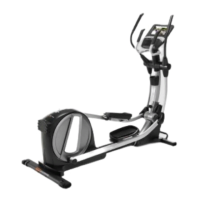
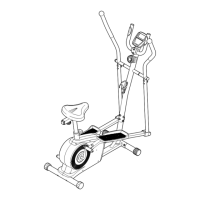
The PRO-FORM 505 ZLE elliptical is a home-use exercise machine designed to provide an effective and enjoyable workout. It features a console with various functions, including manual mode, preset workouts, and iFit interactive workouts, allowing users to tailor their exercise experience to their fitness goals. The elliptical also incorporates a sound system for entertainment during workouts and a fan for comfort.

Function Description:

The PRO-FORM 505 ZLE elliptical is primarily designed for cardiovascular exercise and muscle strengthening. Users engage in a continuous motion, similar to walking or running, but with reduced impact on joints. The machine allows for both forward and backward pedaling, offering variety in muscle engagement. Resistance levels can be adjusted to increase or decrease workout intensity, catering to different fitness levels and goals, such as fat burning or aerobic conditioning. The elliptical also includes a ramp incline adjustment feature, which alters the motion of the pedals to target different muscle groups and add variety to the workout.

Usage Features:

  • Console Activation and Operation: To activate the console, the power adapter must be plugged into the elliptical and an appropriate outlet. The console can be turned on by beginning to pedal or by pressing any button. If left idle for several minutes, the console will automatically turn off.
  • Manual Mode: In manual mode, users can freely adjust the resistance of the pedals using the dedicated resistance buttons on the console. The console displays continuous exercise feedback, including elapsed time, distance, pedaling speed (revolutions per minute), and approximate calories burned.
  • Preset Workouts: The elliptical offers twenty preset workouts, divided into six weight loss workouts and fourteen performance workouts. Each workout automatically adjusts the pedal resistance and provides prompts for varying pedaling pace, guiding users through an effective exercise routine. Workouts are divided into one-minute segments, each with a programmed resistance level and target speed. The console displays a workout profile, showing progress and indicating the current segment and its resistance level.
  • iFit Interactive Workouts: The console is compatible with iFit interactive workout cards, which are sold separately. These cards contain workouts that control pedal resistance and provide coaching from a personal trainer's voice. Users insert an iFit card into the designated slot, select a workout, and follow the trainer's guidance.
  • Heart Rate Monitoring: The elliptical includes both a handgrip pulse sensor and a chest pulse sensor (included) for heart rate monitoring. When using the handgrip sensor, users hold the metal contacts with their palms. For the chest pulse sensor, it is worn around the chest, under clothing, with electrode areas wetted with saline solution for accurate readings. The console displays the heart rate, which can be used to stay within target training zones for fat burning or aerobic exercise.
  • Console Display Options: The console features an upper display and a lower display. The upper display can show elapsed time, distance, pedaling speed, and calories burned. The lower display shows a track representing 640 revolutions (1/4 mile or 402 meters), with indicators appearing around the track to show progress. The Display button allows users to cycle through different information views.
  • Fan: A fan is integrated into the console, offering high and low-speed settings for user comfort during workouts. The fan can be turned on or off using the Fan button. It automatically turns off if the pedals do not move for about thirty seconds.
  • Sound System: The console features a sound system that allows users to connect an MP3 player or CD player via an audio cable (included). This enables listening to music or audio books through the console's speakers. Volume can be adjusted using the controls on the MP3/CD player.
  • Console Settings (User Mode): A user mode allows for customization of console settings. By pressing and holding the Display button, users can access options such as backlight settings (ON, AUTO, OFF) and view total console usage hours.
  • Ramp Incline Adjustment: The incline of the ramp can be adjusted to change the pedal motion. This is done by pressing a latch button, pulling the ramp handle, and raising or lowering the ramp to one of the adjustment holes in the frame. It is crucial to ensure the latch pin is firmly engaged for safety.
  • Mounting and Dismounting: To mount the elliptical, users hold the upper body arms and step onto the lower pedal first, then the other. To dismount, users wait until the pedals stop, then step off the higher pedal first, followed by the lower pedal. The elliptical does not have a freewheel, so pedals will continue to move until the flywheel stops.
  • Mobility: Moving the elliptical requires two persons due to its size and weight. It can be moved by holding the upright, placing one foot against a front wheel, and having a second person lift the handle on the ramp, allowing the elliptical to roll on its front wheels.

Maintenance Features:

  • Regular Inspection and Tightening: All parts of the elliptical should be regularly inspected and tightened. Worn parts should be replaced immediately to ensure safe and proper operation.
  • Cleaning: The elliptical can be cleaned with a damp cloth and a small amount of mild soap. It is important to keep liquids away from the console and to avoid direct sunlight to prevent damage to electronic components.
  • Drive Belt Adjustment: If the pedals slip even at the highest resistance level, the drive belt may need adjustment. This involves rotating the right Disc counterclockwise, removing it, loosening the Idler Bolt, tightening the Belt Adjustment Screw until the Drive Belt is tight, retightening the Idler Bolt, and reattaching the right Disc.
  • Reed Switch Adjustment: If the console does not display correct feedback, the reed switch may need adjustment. This involves rotating the left disc counterclockwise, removing it, locating the Reed Switch, aligning a magnet on the Pulley with the Reed Switch, loosening the Reed Switch Screw, sliding the Reed Switch closer to or away from the magnet, retightening the screw, and reattaching the left disc.
  • Roller Greasing: If the rollers squeak when moving on the ramp, a small amount of white marine grease should be applied evenly to each roller. Pedaling the elliptical will distribute the grease, after which any excess should be wiped off.
  • Chest Pulse Sensor Care: The chest pulse sensor should be dried after each use to prevent premature battery drain. It should be stored in a warm, dry place, not in a plastic bag that traps moisture. Avoid exposing it to extreme temperatures or excessively bending/stretching the sensor unit. Clean with a damp cloth, avoiding alcohol, abrasives, or chemicals.

ICON PROFORM 505 ZLE Specifications

General IconGeneral
Product TypeTreadmill
Incline Range0-10%
Incline0-10%
FoldingYes
Running Area20" x 55"
DisplayLCD
Programs18 Workout Apps
MotorMach Z™ Commercial Motor

Related product manuals