EasyManua.ls Logo

ICON WEIDER PRO 9400 - User Manual

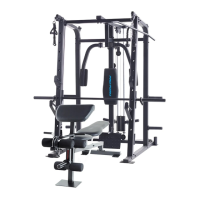
ICON WEIDER PRO 9400
35 pages
Print Icon
To Next Page IconTo Next Page
Loading...
USER'S MANUAL
Model No. WEEVSY39530
Serial No.
Write the serial number in the
space above for future reference.
CAUTION
Read all precautions and instruc-
tions in this manual before using
this equipment. Save this manual
for future reference.
www.iconeurope.com
Visit our website at
Serial Number Decal (Under Seat)
QUESTIONS?
As a manufacturer, we are
committed to providing com-
plete customer satisfaction. If
you have questions, or if there
are missing or damaged parts,
please call:
Or write:
ICON Health & Fitness, Ltd.
Unit 4
Revie Road Industrial Estate
Revie Road
Beeston
Leeds, LS118JG
UK
email: csuk@iconeurope.com
08457 089 009
Class HC Fitness Product
Question and Answer IconNeed help?

Do you have a question about the ICON WEIDER PRO 9400 and is the answer not in the manual?

Summary

Important Precautions

Before You Begin

Assembly

Frame Assembly

Step-by-step guide for assembling the main frame components of the weight system.

Arm Assembly

Instructions for assembling the various arm components, including butterfly and leg lever parts.

Cable Assembly

Detailed steps for routing and attaching all cables and pulleys to the weight system.

Seat Assembly

Guidance on assembling and attaching the seat and its related components.

Adjustments

Changing the Weight Setting

How to select and change the weight resistance using the weight pin and stack.

Attaching the Accessories

Instructions for connecting various accessories like the Lat Bar and Ab Strap.

Converting the Butterfly Arms

Steps to switch the butterfly arms between exercise and press arm configurations.

Adjusting the Squat Arm, Seat, or Butterfly Backrest

How to adjust the height and position of key components using adjustment handles.

Adjusting the Squat Knee Rest

Instructions for positioning and securing the squat knee rest for use or storage.

Weight Resistance Chart

Troubleshooting

Tightening the Cables

Procedures for removing slack and ensuring proper tension in the system's cables.

Cable Diagrams

Ordering Replacement Parts

Summary

Important Precautions

Before You Begin

Assembly

Frame Assembly

Step-by-step guide for assembling the main frame components of the weight system.

Arm Assembly

Instructions for assembling the various arm components, including butterfly and leg lever parts.

Cable Assembly

Detailed steps for routing and attaching all cables and pulleys to the weight system.

Seat Assembly

Guidance on assembling and attaching the seat and its related components.

Adjustments

Changing the Weight Setting

How to select and change the weight resistance using the weight pin and stack.

Attaching the Accessories

Instructions for connecting various accessories like the Lat Bar and Ab Strap.

Converting the Butterfly Arms

Steps to switch the butterfly arms between exercise and press arm configurations.

Adjusting the Squat Arm, Seat, or Butterfly Backrest

How to adjust the height and position of key components using adjustment handles.

Adjusting the Squat Knee Rest

Instructions for positioning and securing the squat knee rest for use or storage.

Weight Resistance Chart

Troubleshooting

Tightening the Cables

Procedures for removing slack and ensuring proper tension in the system's cables.

Cable Diagrams

Ordering Replacement Parts

ICON WEIDER PRO 9400 Specifications

General IconGeneral
BrandICON
ModelWEIDER PRO 9400
CategoryFitness Equipment
LanguageEnglish

Related product manuals