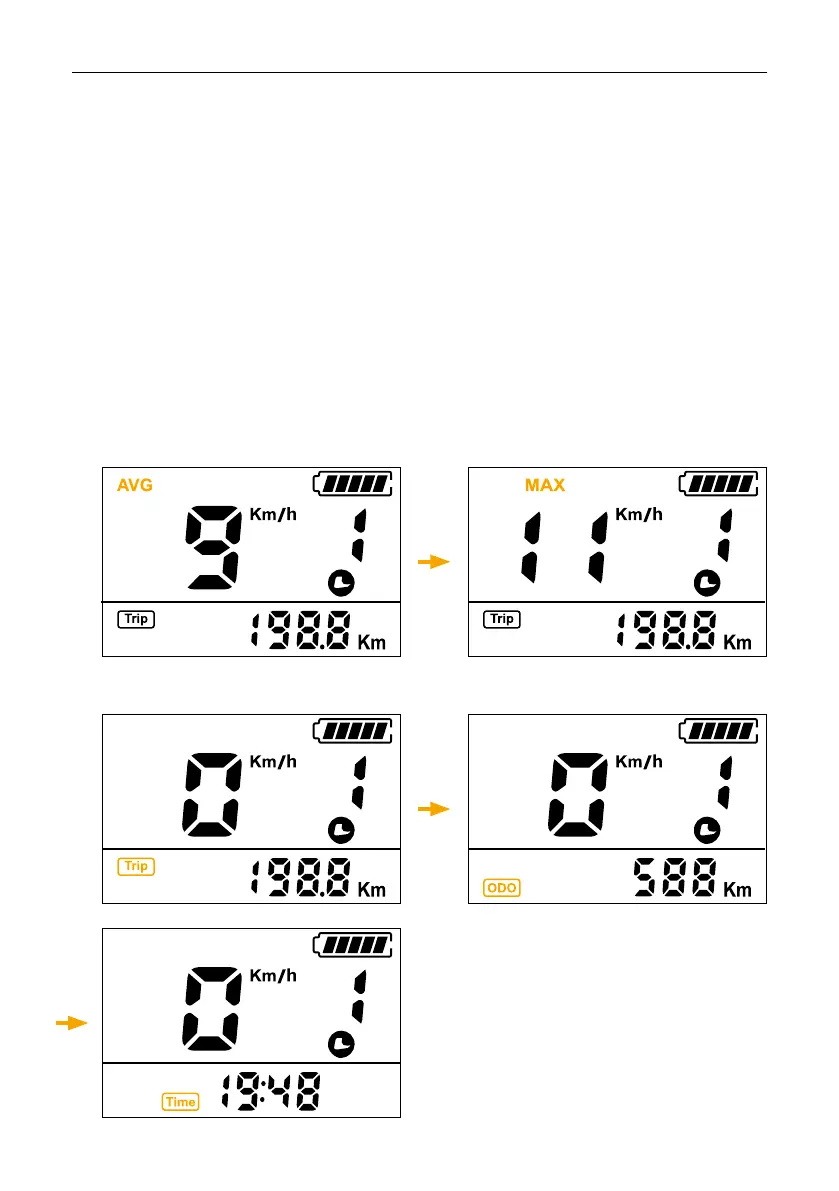
The information changes from average speed, maximum speed, travel kilometers, total
mileage and travel time by briey pressing M when the display is on.
Exhibition:
• Average speed (AVG)> Maximum speed (MAX).
• Travel kilometers (TRIP)> Total mileage (ODO)> Travel time (TIME).
If no operation is performed for 5 seconds, the display will automatically return to the speed
display.
Interface shown as below:
Change display view



 To Next Page