6
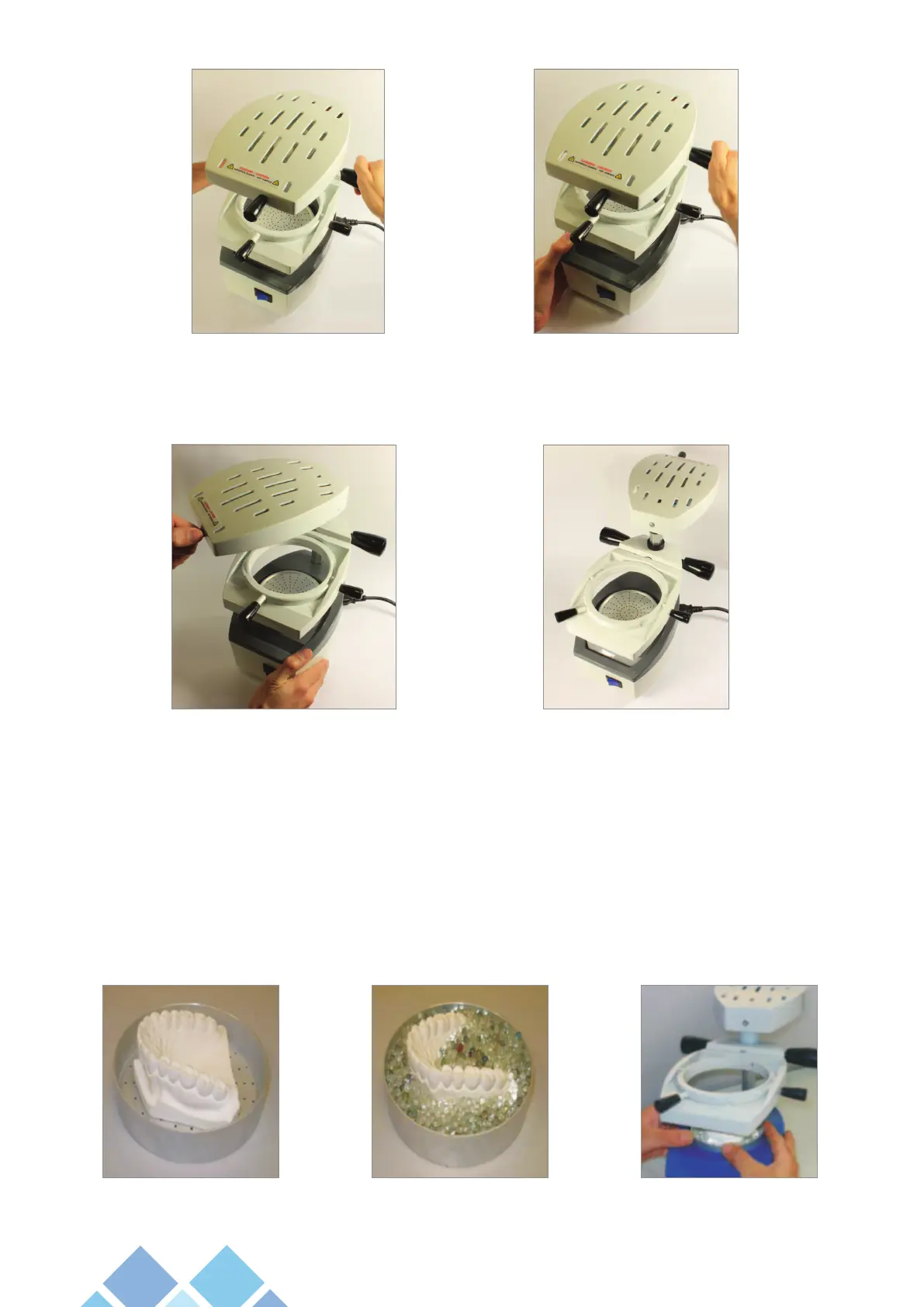
5.1.3 - With the help of handle (01), rotate the heating unit (02), 180º to the left to facilitate the manipulation job with
the models and model holders and to install the blanks (photos 03 and 04).
5.1.4 - Put the model(s) in the model holders (06) and then insert the model(s) in the vacuum chamber (07).
The model holder can be positioned in two (2) ways:
5.1.4.1 - Cup position: Facilitates the removal of blanks, mainly incases when the model shows retentions or when
using rigid blanks and/or thicknesses higher or lower than 1.0 mm.
To use the model holder in this position, put the model on the cup side of the Model Holder (06) and ll with glass beads
covering the retentive surface to the desired limit. Then introduce the assembly in the vacuum chamber (photos 05, 06
and 07).
Photo 03 Photo 04
Photo 01 Photo 02
Photo 05 Photo 06 Photo 07


 To Next Page