7
VF1
5.1.4.2 - Flat position:
Allows making a copy of the whole extension of the model. For better results, cut the model eliminating its retentions
and obtaining a at base. Do not use a very high model in this process, because there will be a higher distortion of the
blank.
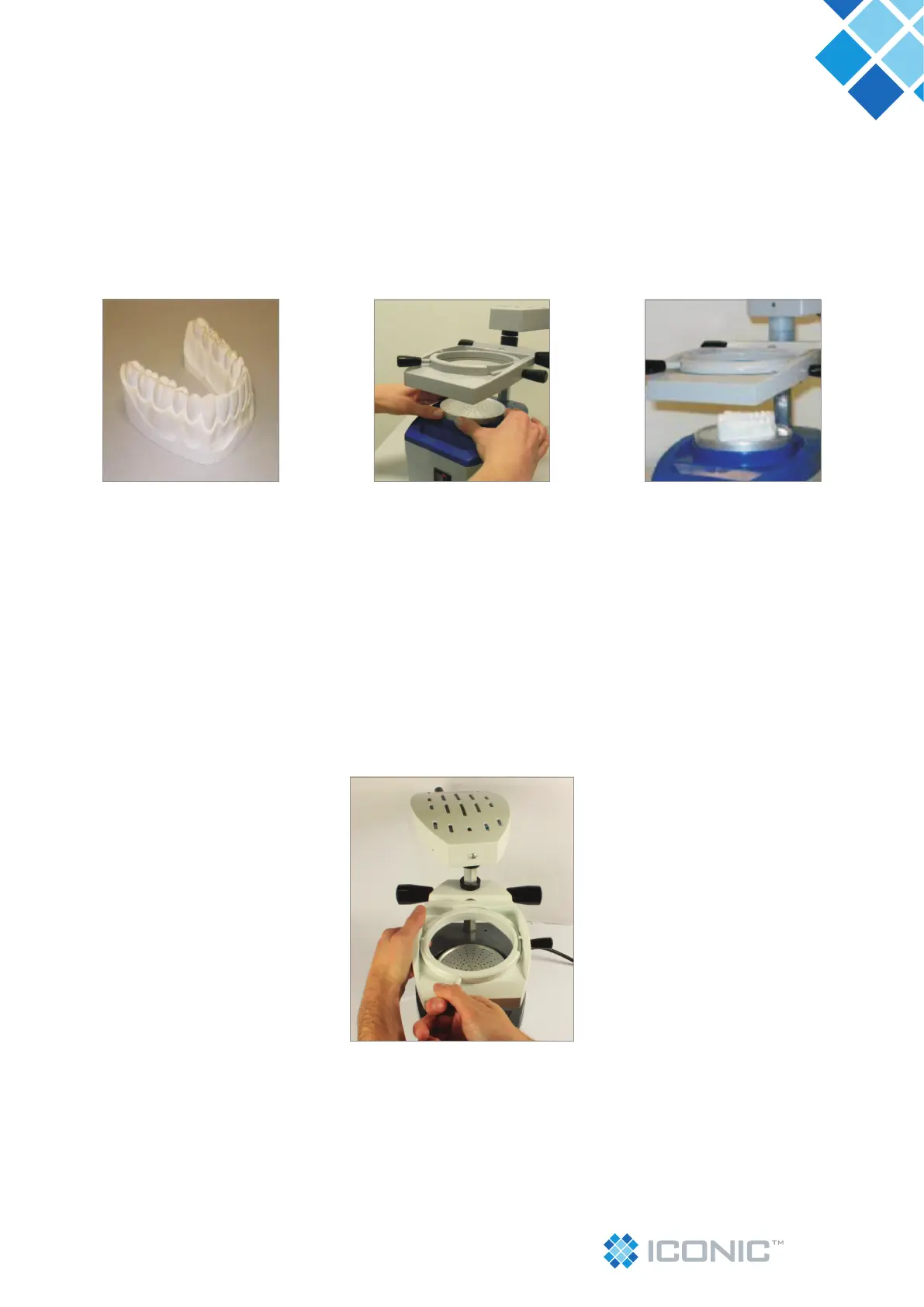
To use the at side of the Model Holder (06), introduce the model holder in the machine vacuum chamber with the head
turned downwards. Then position the model on the model holder (photo 08 and 09 and 10).
Important: Make sure the vacuum chamber (07) is clean and free from residues for the perfect sealing of
the model holder.
5.1.5 - For the positioning of the blank, turn the smaller ring cable (09) counterclockwise to the right, to release the
smaller ring and allow the insertion of the blank (photo 11).
Photo 11
Photo 08 Photo 09 Photo 10


 To Next Page