The iConnectAUDIO2
+
hardware
Front Panel
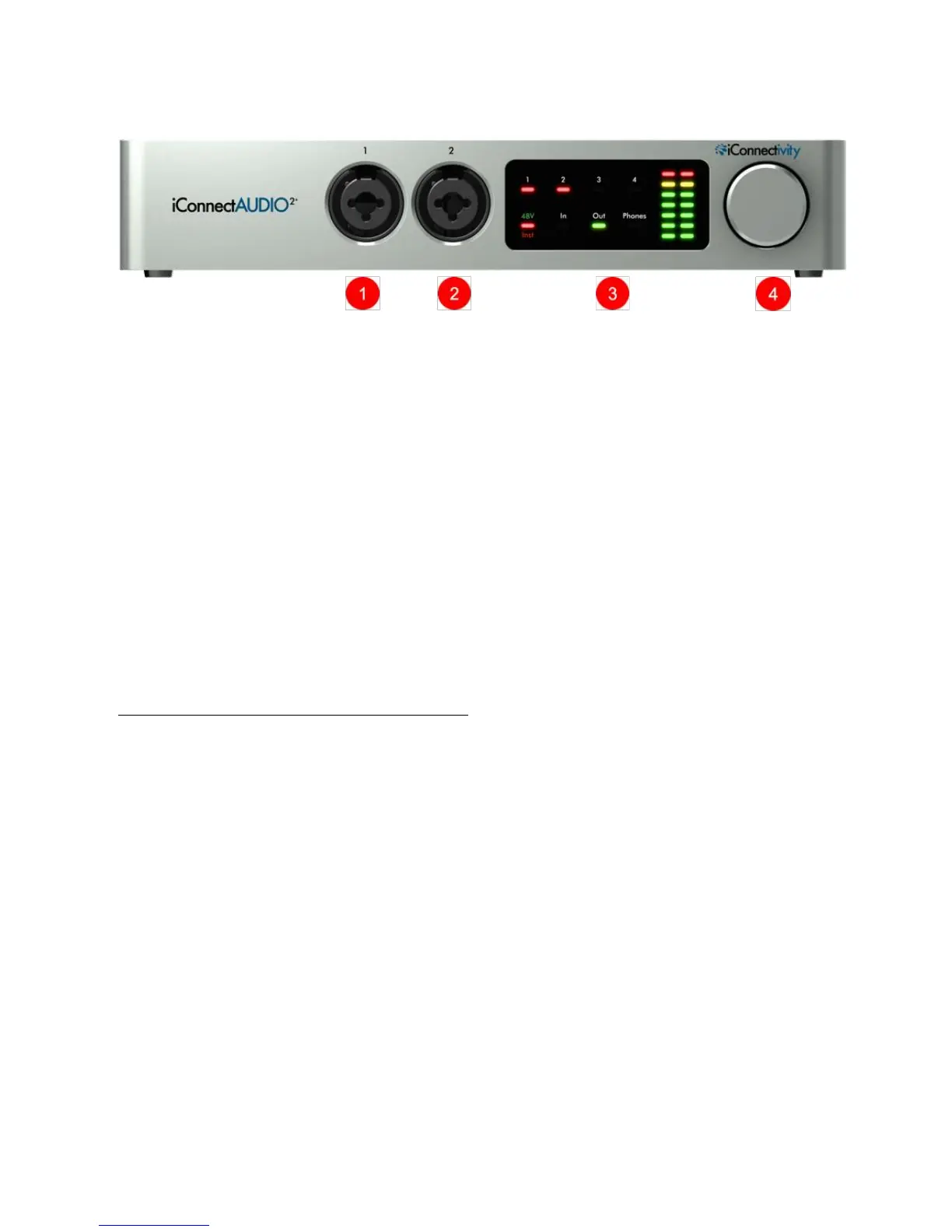
1 & 2 Analog In Jacks 1& 2
XLR - ¼" Combo balanced mic/line/instrument inputs.
Connect microphones with XLR plugs. The gain range is 60dB in 1dB increments.
The 1/4" inputs offer balanced/switchable low and high impedance.
Connect Hi-Z instrument inputs (electric guitars, basses, etc.) with ¼" plugs; they go
through a -20dB pad, with a gain range of -20dB to +40dB in 1dB increments.
Connect line-level inputs (synthesizers, DJ rigs, etc.); they go through a -20dB pad, with
a gain range of -20dB to +40dB in 1dB increments.
Select +48V phantom power if needed for condenser mics.
3 Interactive Display, 4 Rotary Control Knob
(For details see Interactive Display section.) Easy capacitive touch interface lets you
adjust, view, and store analog audio levels, select the input impedance, and turn +48V
phantom power on/off for condenser mics.


 To Next Page