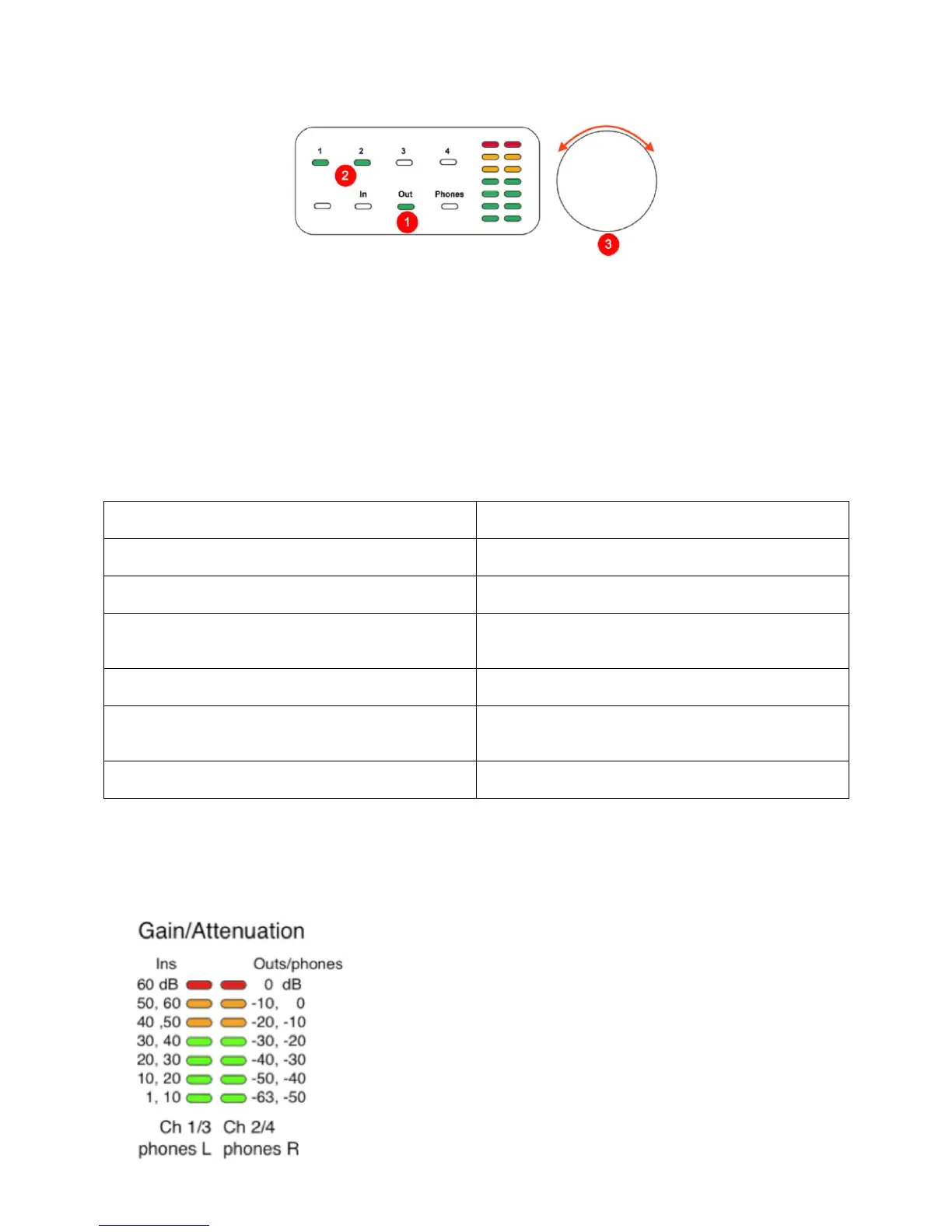
Example: adjust the level of Analog Outs 1&2, which are connected to your powered
monitors.
1. Touch “Out” on the bottom row.
- The LED turns green (Signal Level mode); you may want to touch it again to toggle it
to Gain Set mode.
2. Touch “1” and “2” on the top row (or either one if they’re configured as a stereo pair).
3. Turn the Rotary Knob to adjust the level.
Rotary Knob Push functions


 To Next Page