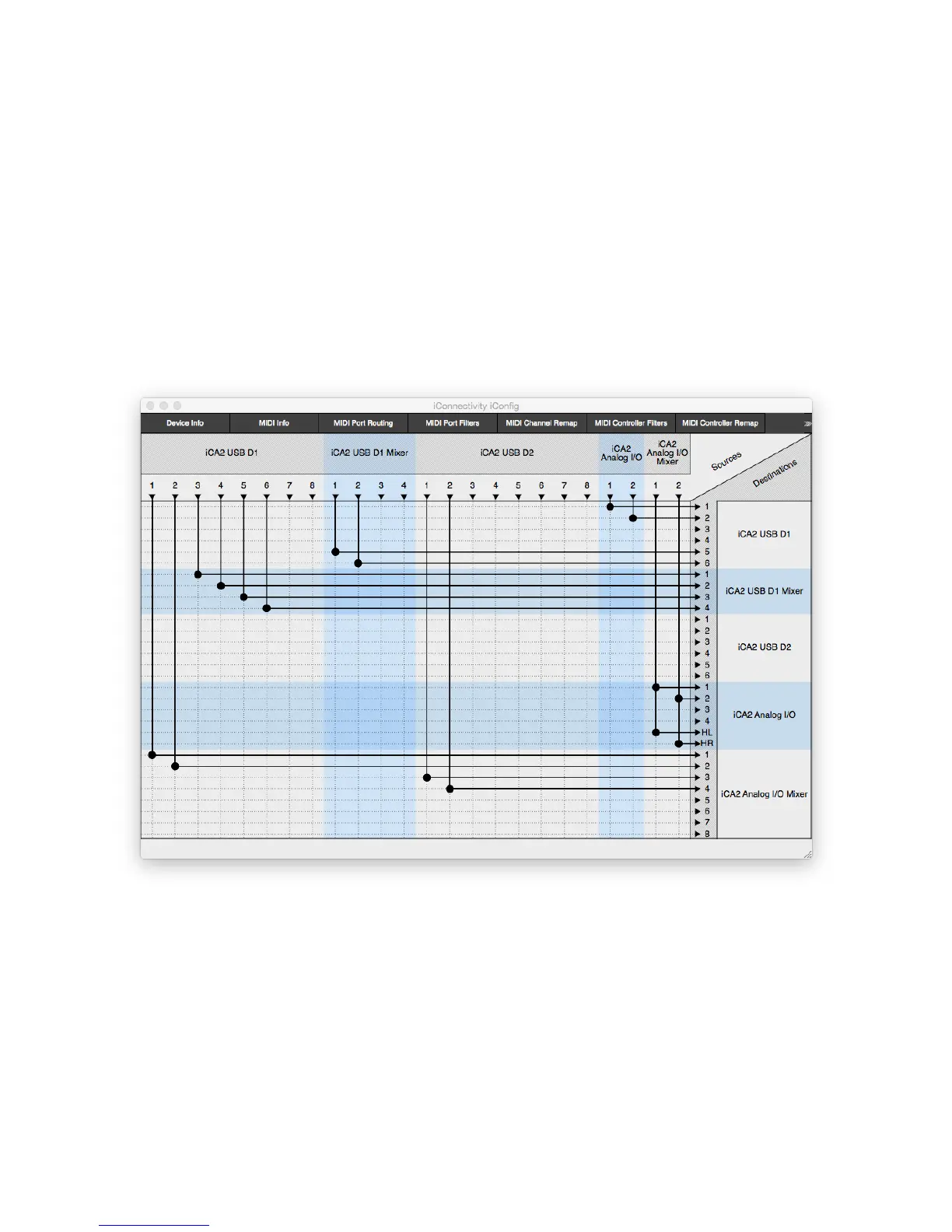
In the routing example below, we're sending Computer #1's outputs 3 through 6 into the
USB mixer, then back into inputs 5&6 for recording.
(Remember: the USB D1 Mixer's outputs can only go to Computer #1; if we'd enabled
the D2 Mixer, it could only go to Computer/iPad #2.)
To complete a realistic setup example, we've also routed Computer #1 and Computer
#2 outs into the analog mixer. The two analog submixes are routed to analog outs 1&2
and 5&6 (the headphones).
Finally, we've routed the audio inputs are routed to computer #1's inputs 1&2.
Please check the iConnectivity website for videos and blog posts for more information.


 To Next Page