iData 95 User Manual
- 16 -
4. Network and Connection Synchronization
4.1 Data Connection
By default, the network is configured for the device upon delivery. If you delete the network
configuration by mistake, you can manually select a network through software
configuration.
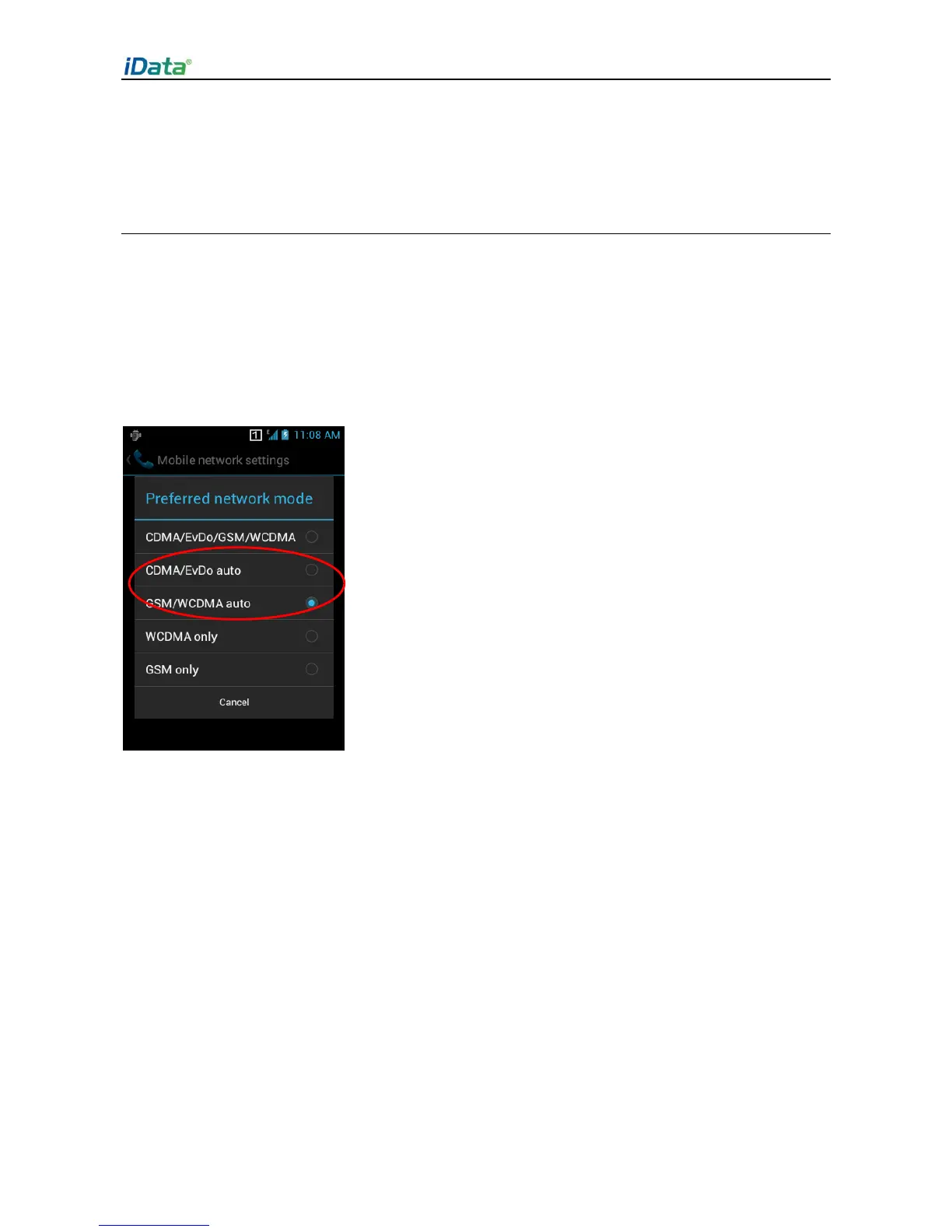
In hardware, different antennas are used in two network modes. In software, you need to
perform the following configuration: Select Settings > More > Mobile Networks >
Network Mode and manually select the CDMA or GSM network.


 To Next Page