Table of Contents
1 Introduction ............................................................................................................ 1
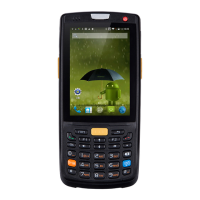
1.1 Appearance of iData 95 ............................................................................................................. 1
1.2 Installing an SD Card ................................................................................................................. 2
1.3 Installing a SIM Card .................................................................................................................. 3
1.4 Installing a Battery ...................................................................................................................... 3
1.5 Disassembling the Battery Cover ............................................................................................. 4
1.6 Charging ....................................................................................................................................... 5
2 Instructions on the iData 95 ............................................................................... 6
2.1 Power-on and Power-off ............................................................................................................ 6
2.2 Locking and Unlocking the iData 95 ........................................................................................ 6
2.3 Keys of iData 95 .......................................................................................................................... 6
2.4 Home ............................................................................................................................................ 7
2.5 Status Icons and Indicators ....................................................................................................... 7
2.6 Basic Settings .............................................................................................................................. 8
3 Call Function ........................................................................................................ 12
3.1 Making a Call ............................................................................................................................. 12
3.2 Contacts ..................................................................................................................................... 12
3.3 SMS and MMS .......................................................................................................................... 13
3.4 Email ........................................................................................................................................... 14
4. Network and Connection Synchronization ................................................. 16
4.1 Data Connection ....................................................................................................................... 16
4.2 Wi-Fi Network Connection....................................................................................................... 18
4.3 GPS............................................................................................................................................. 18
4.4 Connecting iData 95 to a Computer ...................................................................................... 19
4.5 Synchronization......................................................................................................................... 20
5. Introduction to iScan of the iData 95 ............................................................ 21
5.1 Installing and Using iScan ....................................................................................................... 21
6 Managing iData 95 ............................................................................................... 22
6.1 Installing Software .................................................................................................................... 22
6.2 Uninstalling Programs .............................................................................................................. 22
6.3 Managing Applications ............................................................................................................. 23
7 Precautions and Troubleshooting .................................................................. 24
7.1 Precautions for iData 95 .......................................................................................................... 24
7.2 Troubleshooting......................................................................................................................... 25
Appendix ................................................................................................................... 28


 To Next Page