iData 95 User Manual
- 23 -
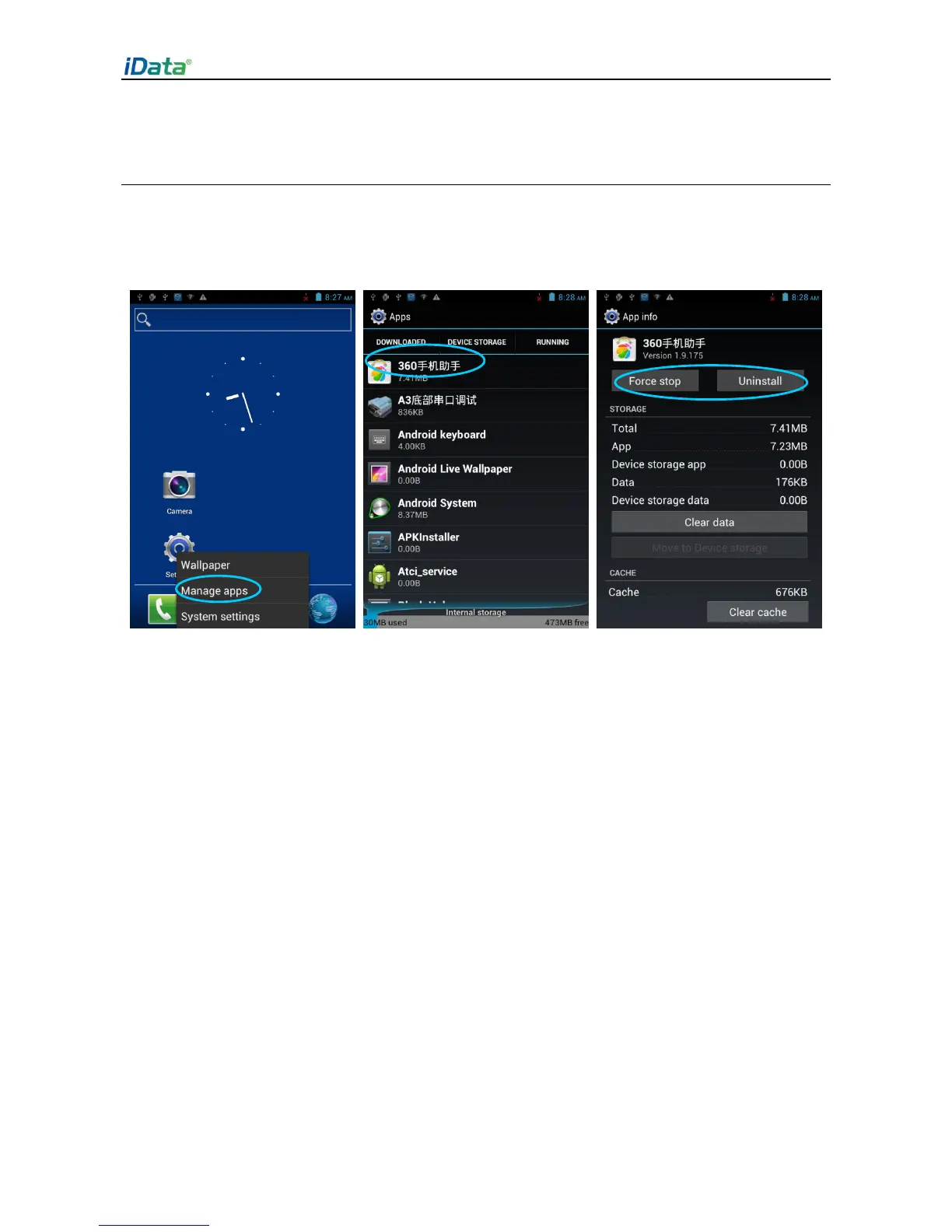
6.3 Managing Applications
Press the menu key (yellow scan key) and click Manage apps. You can view the status of
download applications, applications in the SD card, and running applications and click any
application to access the application information page where you can stop, uninstall, or
suspend the application.



 To Next Page