iData 95 User Manual
- 3 -
1.3 Installing a SIM Card
To install a SIM card, do as follows:
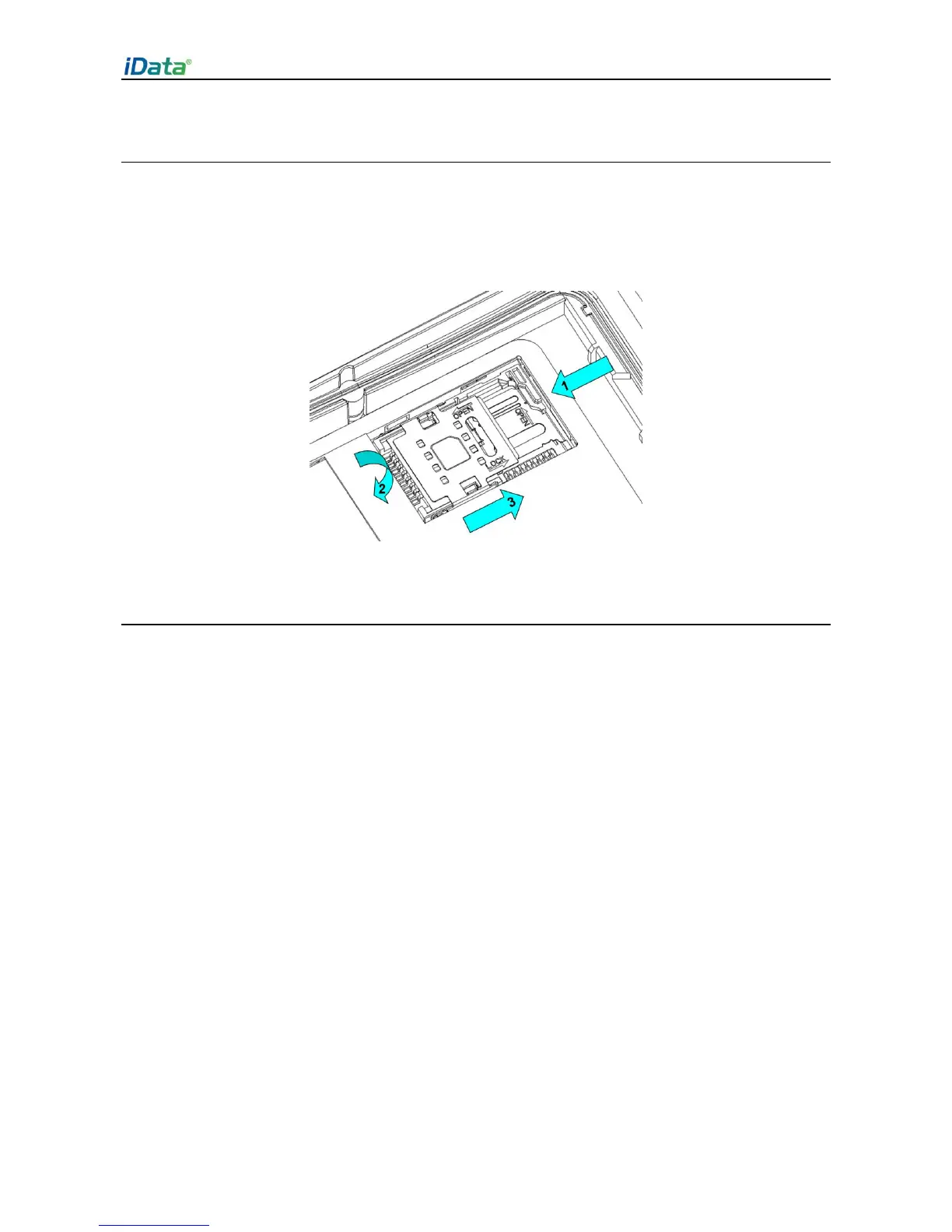
1. Insert a SIM card along the direction, as shown in Figure 1-4.
2. Press the card cover downward.
3. Push the SIM card along the LOCK direction to lock the card cover.
Figure 1-4 Inserting a SIM card
1.4 Installing a Battery
To install a battery, do as follows:
1. Push the battery to the bottom of the battery compartment.
2. Press the top of the battery downward to tighten the battery.
3. Push the joint at the bottom of the battery cover into the back shell.
4. Push the lock to the left and press the battery cover downward until the lock
automatically returns to the location on the right.


 To Next Page