iData 95 User Manual
- 4 -
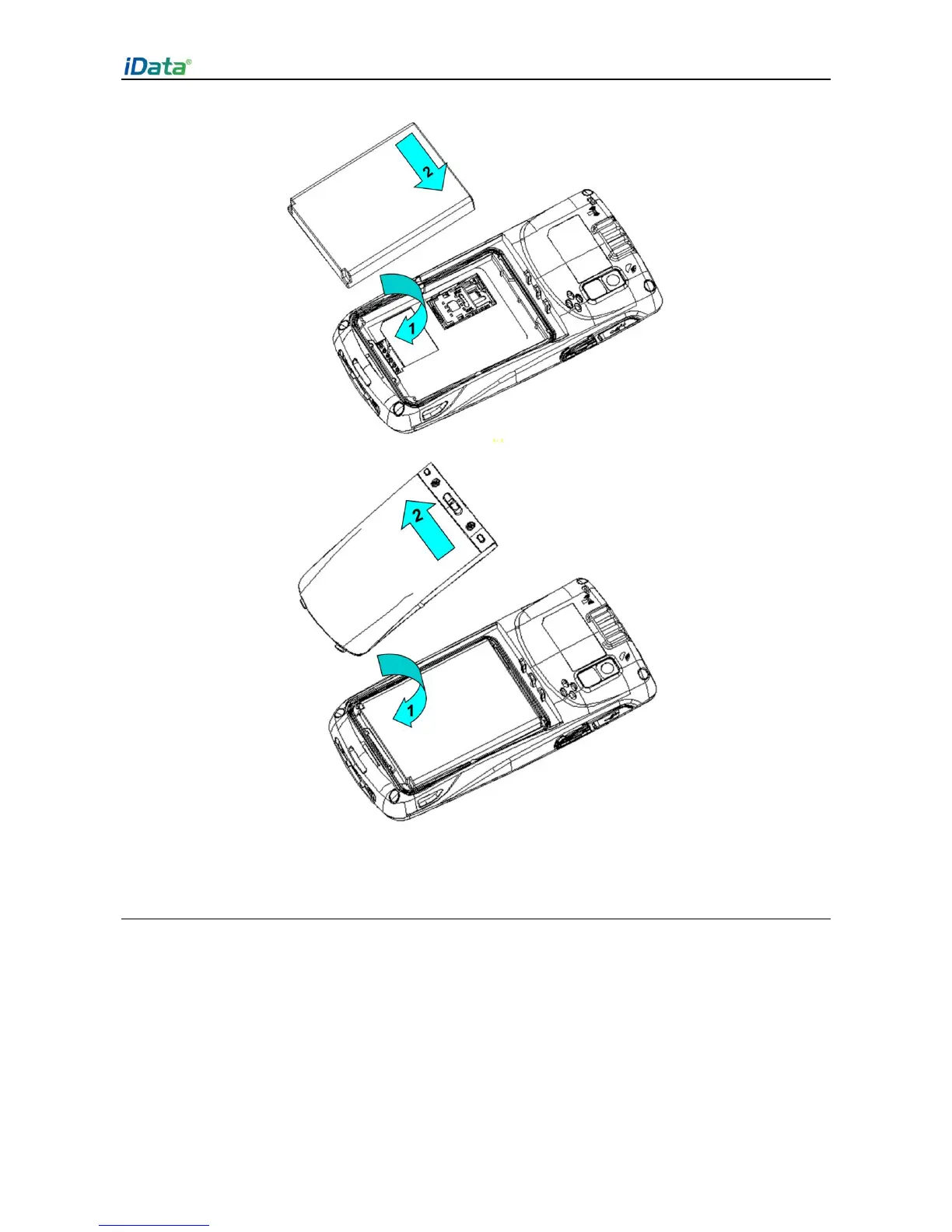
Figure 1-5 Installing a battery
1.5 Disassembling the Battery Cover
To disassemble the battery cover, do as follows:
1. Insert your left forefinger into the upper left part of the battery cover and push the lock to
the left by using the thumb.
2. Pull out the battery cover.


 To Next Page