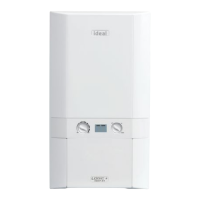
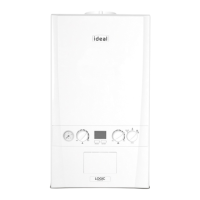
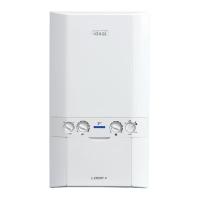
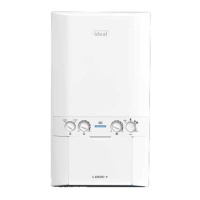
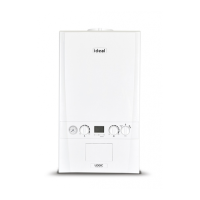
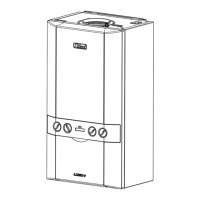
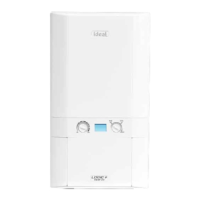
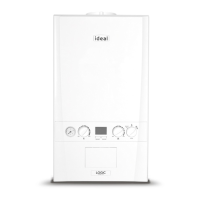
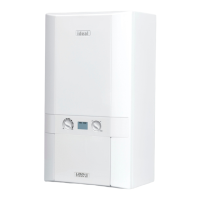
The Ideal Logic System is a wall-mounted, room-sealed, condensing system boiler designed for central heating, featuring a full-sequence automatic spark ignition and fan-assisted combustion. Its high efficiency means that condensate is produced from the flue gases, which is then drained to a suitable disposal point via a plastic waste pipe at the base of the boiler. A visible condensate 'plume' may also be present at the flue terminal during operation.
Safety and Installation
For your safety and to ensure economical operation, this boiler must be installed by a Gas Safe Registered Engineer in the UK, or a Registered Gas Installer (RGII) in Ireland, in accordance with the relevant regulations and electrical installation rules. It is crucial to follow the instructions in this booklet strictly. The appliance must be earthed, and the electricity supply should be 230 V ~ 50 Hz, with a 3A fuse.
Important Operational Notes
The boiler should never be operated without its casing correctly fitted and forming an adequate seal. If installed in a compartment, that space must not be used for storage. If a fault is suspected, the boiler must not be used until a Gas Safe Registered Engineer (or RGII) has corrected the issue. Under no circumstances should any sealed components be used incorrectly or tampered with. This appliance is not intended for use by persons (including children) with reduced physical, sensory, or mental capabilities, or lack of experience and knowledge, unless they have been given supervision or instructions concerning its use by a responsible person. Children should be supervised to ensure they do not play with the appliance. In cases of repeated or continuous shutdown, a qualified engineer should be called to investigate and rectify the condition, performing an operational test. Only original manufacturer's parts should be used for replacement.
Minimum Clearances
For servicing, the boiler casing requires minimum clearances: 165mm (6 1/2") above, 100mm (4") below, 2.5mm (1/8") at the sides, and 450mm (17 3/4") at the front. The bottom clearance after installation can be reduced to 5mm, provided an easily removable panel allows the consumer to view the system pressure gauge and provides the 100mm clearance needed for servicing.
Operating the Boiler
To light the boiler, first ensure the electricity supply to the boiler is OFF. Set the mode control knob to 'Off' and the Central Heating temperature control to 'max'. Then, switch ON electricity to the boiler, ensuring all external controls (e.g., programmer, room thermostat) are ON. Finally, set the mode control knob to ON. The boiler will then begin its ignition sequence, supplying heat if required.
During normal operation, the boiler status display will show specific codes: '0' indicates standby (no demand for heat), 'L' indicates heat being supplied, and 'F' indicates boiler frost protection (the boiler will fire if the temperature drops below 5 degrees C). If the burner is lit, the burner on indicator will remain illuminated. If the boiler fails to light after five attempts, the fault code 'L-2' will be displayed.
Reset Procedure
To reset the boiler, turn the mode control knob to the reset position and immediately turn it back to ON. The boiler will then repeat the ignition sequence. If it still fails to light, consult a qualified engineer.
Control of Water Temperature
The central heating radiator temperature can be adjusted up to a maximum of 80°C using the CH temperature control (A). For maximum efficiency in condensing mode, especially during very cold periods, this control should be set to the 'e' position (economy mode).
Shutting Down and Relighting
To shut down the boiler, set the mode control knob to OFF. To relight, follow the procedure detailed in 'To light the boiler'.
Frost Protection
If no system frost protection is provided and frost is likely during a short absence, leave the heating controls (if fitted) at a reduced temperature setting. For longer absences, the entire system should be drained. If the system includes a frost thermostat, during cold weather, the boiler should be turned OFF at the time switch (if fitted) ONLY, with the mains supply left switched ON and the boiler thermostat in its normal running position.
Boiler Overheat Protection
The boiler controls will shut down the boiler if it overheats, displaying fault code L-1. Refer to the fault chart for more information.
Flame Failure
If a flame failure occurs, fault code L-2 will be displayed. Refer to the fault chart.
Loss of System Water Pressure
The pressure gauge (E) indicates the central heating system pressure. If the pressure falls below 1-2 bar over time, a water leak may be indicated. In this event, repressurize the system via the filling loop to 1 bar (if unsure, contact your installer), turn off the tap on the filling loop, and turn the mode control knob (B) to the reset position before turning it back to ON to reset the boiler. If the pressure continues to drop or you are unable to repressurize, consult a qualified engineer. The boiler will not operate if the pressure drops below 0.3 bar.
Condensate Drain
The condensate drain (F) must not be modified or blocked. Blockage, caused by debris or freezing, can lead to automatic shutdown. If freezing is suspected and the pipe is accessible, attempt to clear the obstruction by pouring hot water over the exposed pipe and clearing any blockage from the end of the pipe. If this fails, seek assistance from a qualified engineer.
Escape of Gas
Should a gas leak or fault be suspected, immediately contact the National Gas Emergency Service. DO NOT search for gas leaks with a naked flame.
Cleaning
For normal cleaning, simply dust with a dry cloth. To remove stubborn marks and stains, wipe with a damp cloth and finish with a dry cloth. DO NOT use abrasive cleaning materials.
Maintenance
The appliance should be serviced at least once a year by a Gas Safe Registered Engineer (or RGII).
Troubleshooting
The manual provides a troubleshooting guide for common issues. Before requesting a service engineer visit, users are advised to check external problems. If the problem is not with the appliance, a charge may be levied for the visit.
For "No Central Heating" or "No Hot Water," check the mains switch (fused spur) is ON, the mode control knob (B) is in the ON position, the programmer is in an "ON" position, and the room/cylinder thermostat is turned up. Also, verify time settings on the programmer. If the boiler operates and provides heating/hot water, the issue might be with time settings. If not, refer to the "Operation Modes" and "Fault Codes" sections. If "0" is displayed, contact a qualified engineer.
Operation Modes
The display codes indicate the boiler's current status:
- '0': Boiler is in standby, awaiting a central heating or hot water demand.
- 'C' (steady): Boiler has a call for central heating/hot water but has reached the desired temperature.
- 'C' (flashing): Boiler is operating for central heating/hot water.
- 'F': Boiler is operating in frost mode.
Fault Codes
The manual lists various fault codes and their descriptions, along with recommended actions:
- F 0 (Boiler Chip Card (BCC) Not Fitted): Contact Ideal or a qualified engineer.
- F 6 (Outside Sensor Failure): Reset the appliance; if the issue persists, contact Ideal or a qualified engineer.
- F 7 (Low Mains Voltage): Contact a qualified electrician or your electricity provider.
- F 9 (PCB Fault): Contact Ideal or a qualified engineer.
- L 5 (5 Boiler Resets in 15 minutes): Turn power off and on at the fused spur; if the issue persists, contact Ideal or a qualified engineer.
- L 6 (False Flame Lockout): Reset the appliance; if the issue persists, contact Ideal or a qualified engineer.
- C 0 (BCC Activation Fault): Reset the appliance; if the issue persists, contact Ideal or a qualified engineer.
- C 2 (BCC Fault): No action specified, implies contacting Ideal or a qualified engineer.
- F 1 (Low Water Pressure): Check system pressure (1-1.5bar); if the issue persists, contact Ideal or a qualified engineer.
- L 1 (Flow Temperature Overheat): No action specified, implies contacting Ideal or a qualified engineer.
- F 2 / L 2 (Flame Loss): Check if other gas appliances are working to confirm gas supply; if not, check gas supply at the meter/prepayment meter. If the issue persists, contact Ideal or a qualified engineer.
- F 3 (Fan Fault): Reset the appliance; if the issue persists, contact Ideal or a qualified engineer.
- F 4 (Control / No Flow Thermistor): Reset the appliance; if the issue persists, contact Ideal or a qualified engineer.
- F 5 (Return Thermistor): Reset the appliance; if the issue persists, contact Ideal or a qualified engineer.


 To Next Page
 General