EasyManua.ls Logo

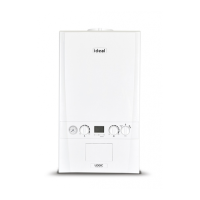
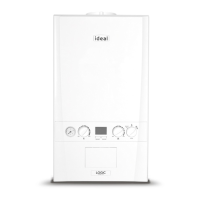
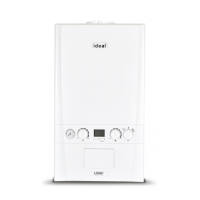
IDEAL LOGIC+ Combi 30 - User Manual

IDEAL LOGIC+ Combi 30
20 pages
Print Icon
To Next Page IconTo Next Page
Loading...
USERS GUIDE
RF Electronic Programmable Room Thermostat, 7 day
LOGIC+ Combi, LOGIC Combi & LOGIC Combi E
24, 30, 35
When replacing any part on this appliance, use only spare parts that you can be
assured conform to the safety and performance specification that we require.
Do not use reconditioned or copy parts that have not been clearly authorised by Ideal.
204796-6.indd 1 15/12/2011 14:34:22
back

Other manuals for IDEAL LOGIC+ Combi 30

Questions and Answers

  • C
    coreybrennanAug 6, 2025
    What to do if my IDEAL Boiler has no hot water?
    • D
      David YoungAug 6, 2025
      First, ensure that the main spur is turned on and the mode control is set to either summer or winter position. Check if water is coming out of the hot water tap when turned on. If the display shows 'standby mode', and your appliance is under warranty, contact Ideal Customer Services Helpline; otherwise, contact a Gas Safe Registered Engineer, or in IE, a Registered Gas Installer (RGII).
  • J
    Jessica TaylorAug 21, 2025
    Why is there no central heating in my IDEAL LOGIC+ Combi 30?
    • M
      mrobinsonAug 21, 2025
      Make sure the main spur is turned on and the mode control is in the winter position. Verify that the programmer (internal to the boiler) is in the 'ON' position and the room thermostat is turned up. Also, check the time settings on the programmer and adjust them if needed. If the display shows 'standby mode', contact a Gas Safe Registered Engineer or, in IE, a Registered Gas Installer (RGII).

Summary

Thermostat Controls and Display

Thermostat Components Overview

Diagram illustrating the thermostat's display, control knob, and keys.

Receiver Unit Operation

Receiver Unit Indicator Lights

Explanation of receiver unit indicator lights for hot water and central heating operations.

Setting the Time and Date

Setting the Heating Program

Setting the Room Temperature

Thermostat Operating Modes

Run in Automatic Mode

Instructions for setting the thermostat to operate using programmed on and off times.

Continuously On Mode

Procedure for setting the thermostat to operate continuously without time limits.

Continuously Off Mode

Instructions for setting the thermostat to be continuously off.

Setting + Hours Function

Advanced Features: Holiday Mode

Advanced Features: Timed Pre-Heat

Advanced Features: Optimisation

Advanced Features: Error Descriptions

Boiler Error Codes

List of boiler error codes with suggested corrective actions for diagnostics.

Fault Codes F1-F9, F0, FA, c0, c2

Additional boiler fault codes and their corresponding corrective actions.

Advanced Features: OpenTherm and Frost Protection

OpenTherm Protocol

Explanation of how OpenTherm controls boiler flow temperature for efficiency.

Built-in Frost Protection

Details on the boiler's function to maintain a minimum 5°C room temperature.

Battery Replacement

IDEAL LOGIC+ Combi 30 Specifications

General IconGeneral
ModelLOGIC+ Combi 30
Boiler TypeCombi
Central Heating Output24.2 kW
Domestic Hot Water Output30.3 kW
Efficiency Rating94%
ErP RatingA
Flow Rate12.4 l/min
Dimensions700x395x278 mm
Fuel TypeNatural Gas
MountingWall Mounted
Warranty7 years
Central Heating Pressure3 Bar

Related product manuals