5
2. Operating Procedures
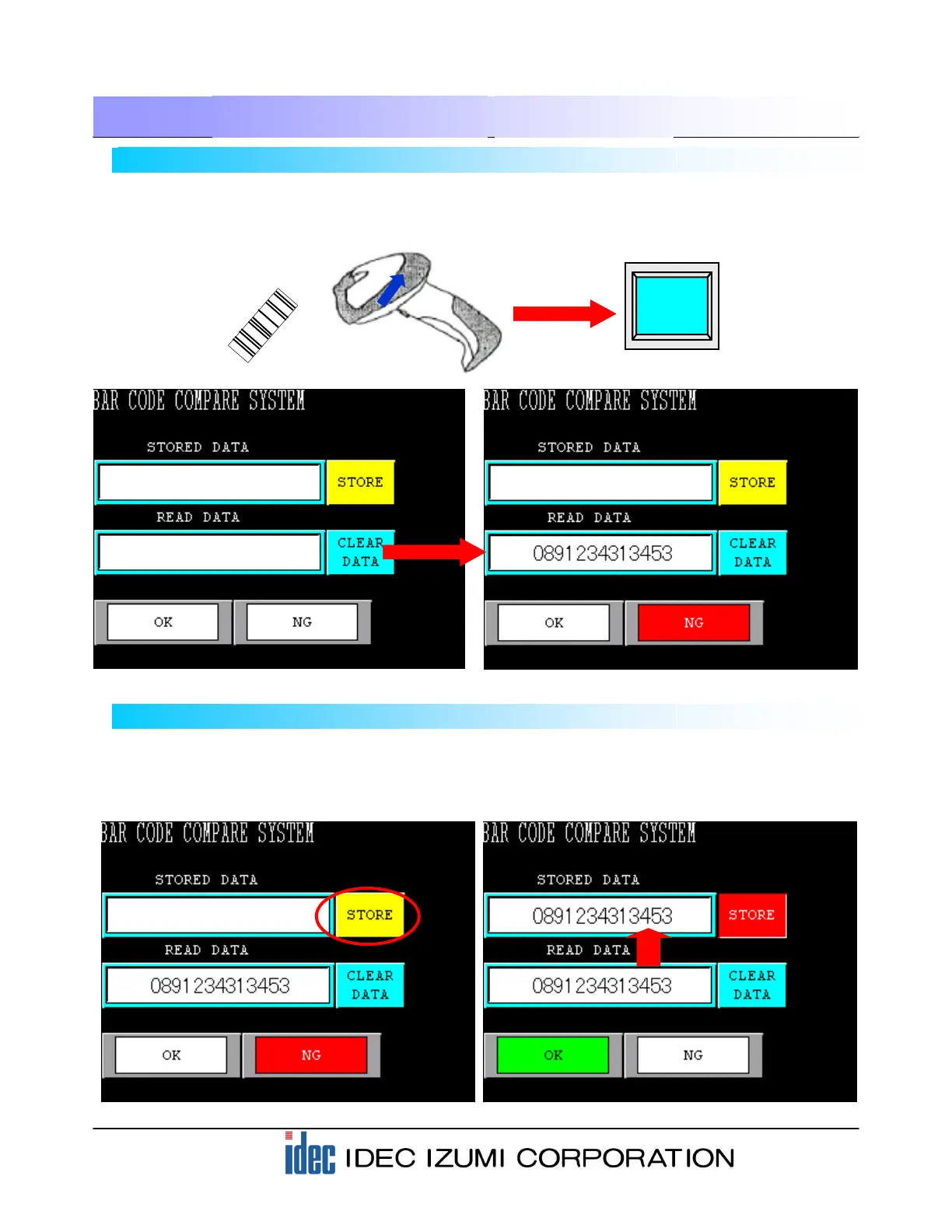
2-3 Registering scanned barcode data
Next, register the scanned barcode data as STORED DATA.
Pressing the STORE button will transfer the barcode data displayed in the READ DATA area. At the same
time, the “OK” lamp illuminates because the READ DATA matches the STORED DATA.
2-2 Reading barcode data
Press the button of the barcode reader connected to the operator interface to scan a 13-digit barcode. On
the HG2F screen, the scanned barcode data is displayed in the READ DATA area. The”NG” lamp
illuminates because STORED DATA has not been registered.


 To Next Page