8
3. User Communication Settings
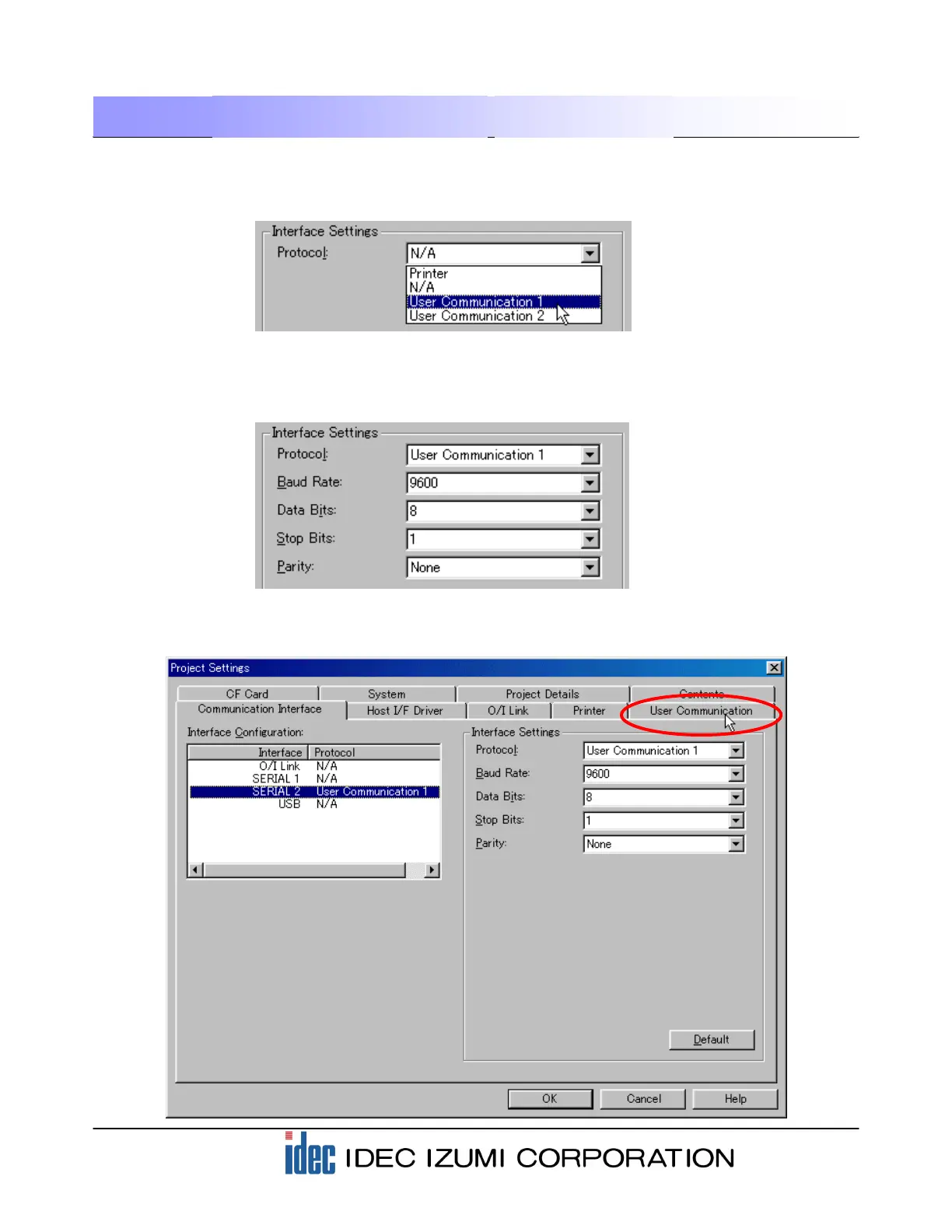
Select the protocol to be used with the interface you have selected in the previous step. Select “User
Communication 1” for the Protocol options in the “Interface settings” field, because the User
Communication function is used for connection to the barcode reader.
Selecting “User Communication 1” allows you to configure the detailed settings of the interface. The
barcode reader used in this example can be connected to the default values of WindO/I-NV2. Check that
the Baud Rate, Data Bits, Stop Bits, and Parity parameters are set as shown below.
When the settings are complete, the following screen is displayed.
Click the “User Communication” tab.


 To Next Page