MSO Fingerprint scanners Installation Guide
Error! Use the Home tab to apply Titre 1 to the text that you want to appear here.
2018_2000039830
October 2021
This document and the information therein are the property of IDEMIA. They must not be copied
or communicated to a third party without the prior authorization of IDEMIA
14. ANNEX 1 – FINGERPRINT POSITIONING
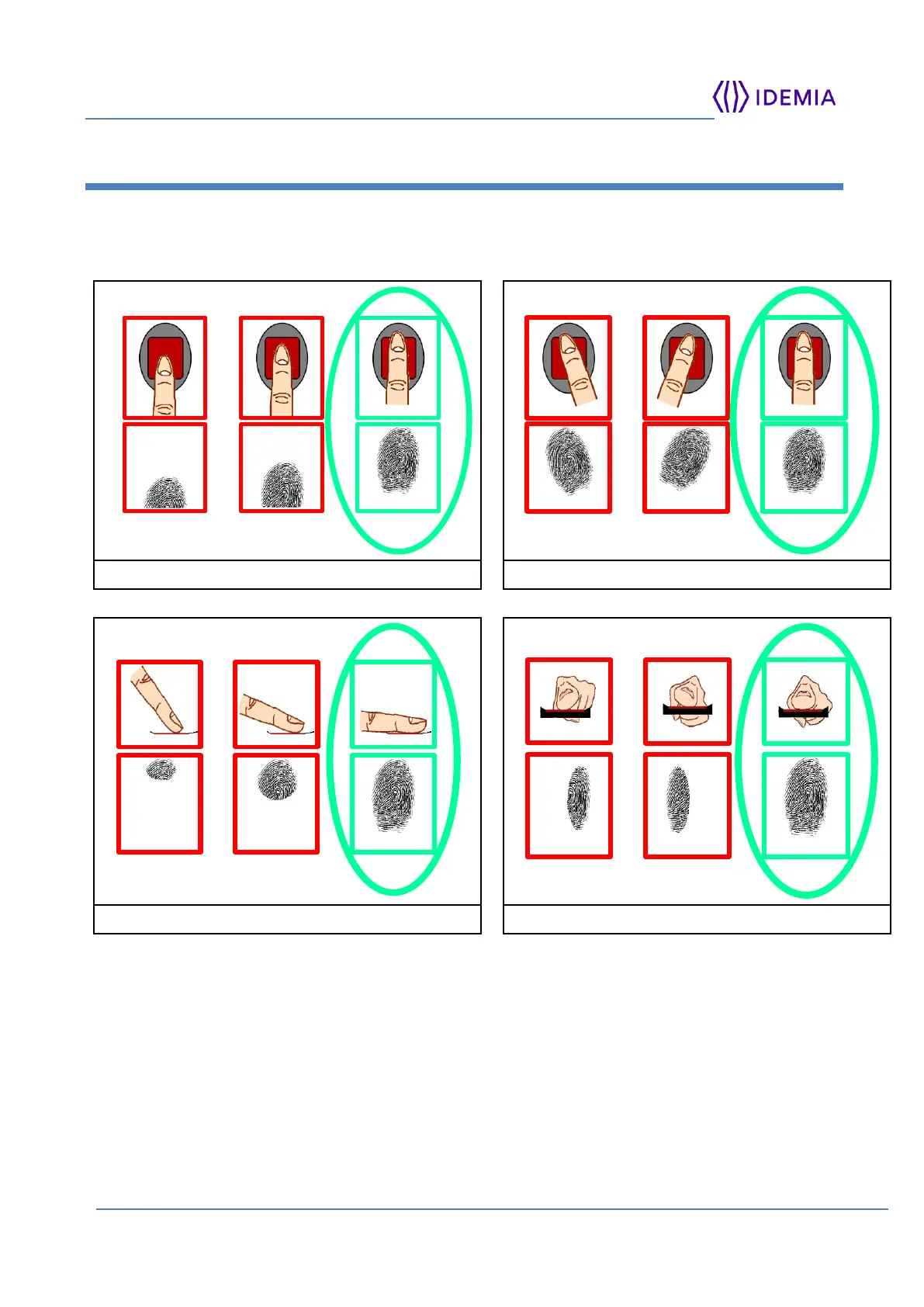
MSO biometric performance is increased when the finger is optimally positioned.
Common non-optimal finger positioning is illustrated below, followed by an illustration of
best finger placement.
Figure 12: Finger placement recommendations
Other recommendations for acquiring a quality finger image:
Fingers should neither be too moist nor extremely dry,
Exert firm, but not excessive, finger pressure on the surface of the sensor,
Once a finger is placed on the sensor keep the finger still until advised to move or
remove the finger from the sensor.



 To Next Page