CP-D80 User Manual
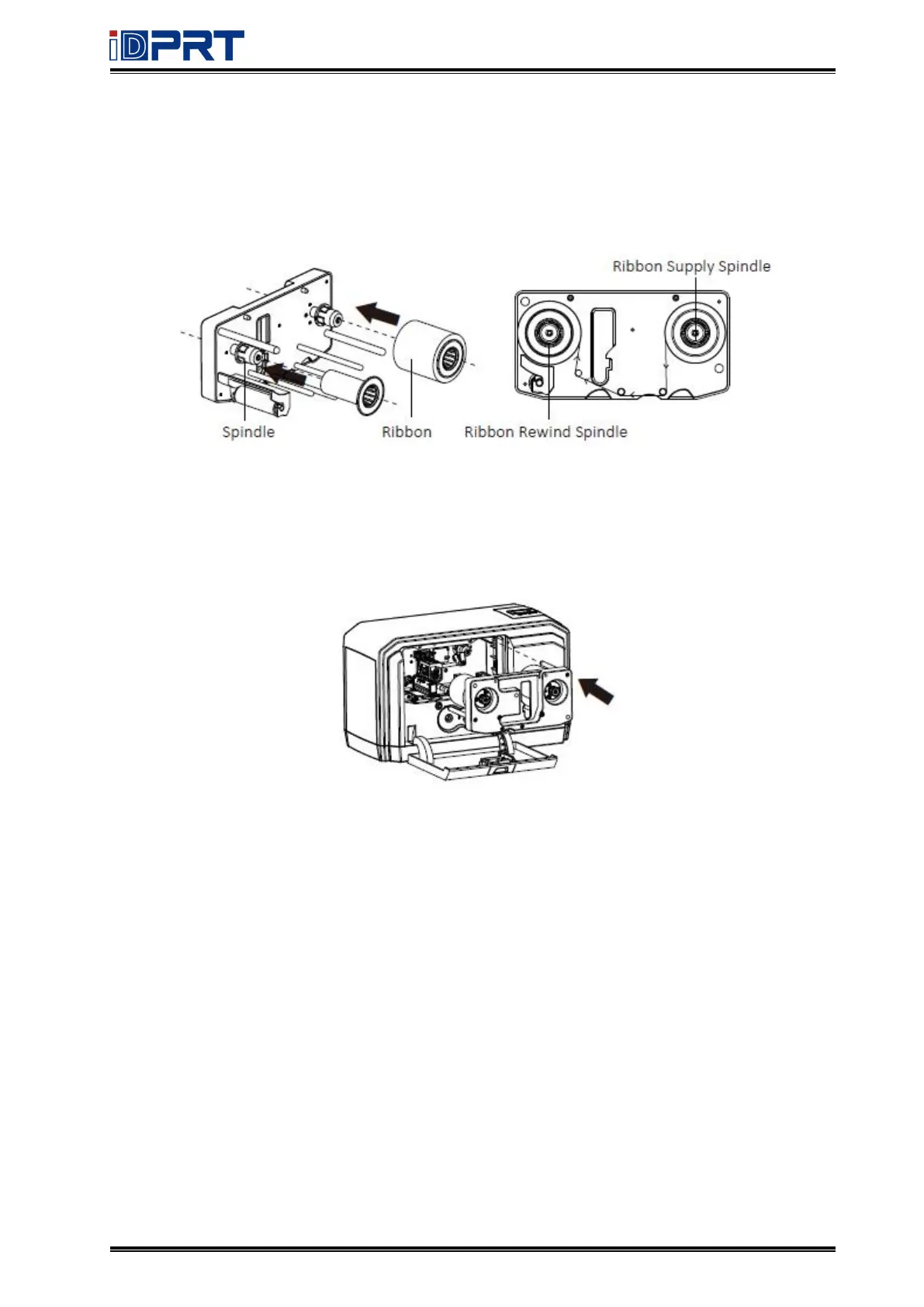
4.Align the ribbon with the ribbon spindle, stick the front edge of the ribbon on the ribbon
rewind spindle. And rotate the ribbon rewind spindle anticlockwise according to the direction
shown in the figure.
5.After the ribbon is installed, assemble the ribbon bracket group back to printer, and then
press down the ribbon latch lever to lock the ribbon bracket group.



 To Next Page