CP-D80 User Manual
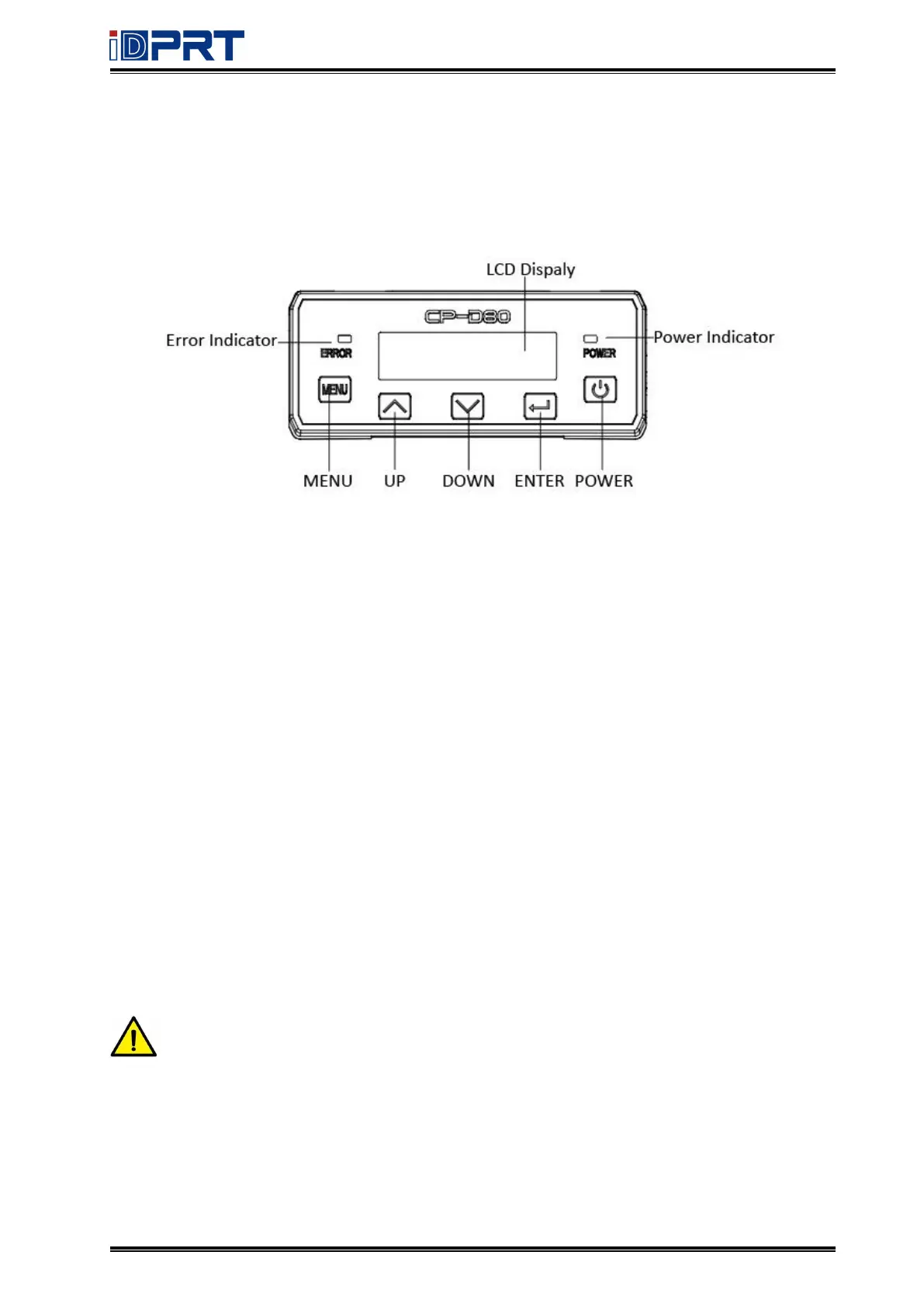
2.3 Operation Panel
2.3.1 Panel Introduction
(1) Power button:
Use the POWER button to power off and power on the printer.
To power off the printer, press the button for 1 to 2 seconds until the printer begins to shut
down. To power off the printer while it is processing cards, press and hold the button for 2s or
more, then the printing task can be stopped.
(2) Up/Down/OK button:
Use the arrow buttons to move through the printer menu system, and the ENTER button to
make a selection.
(3) Menu button:
In the ready state, press the button to enter the menu interface;
At any level of the menu interface, press it to return to the previous level.
Note: When using the arrow buttons to view the printer IP address, only the IPv4
address is displayed.



 To Next Page