CP-D80 User Manual
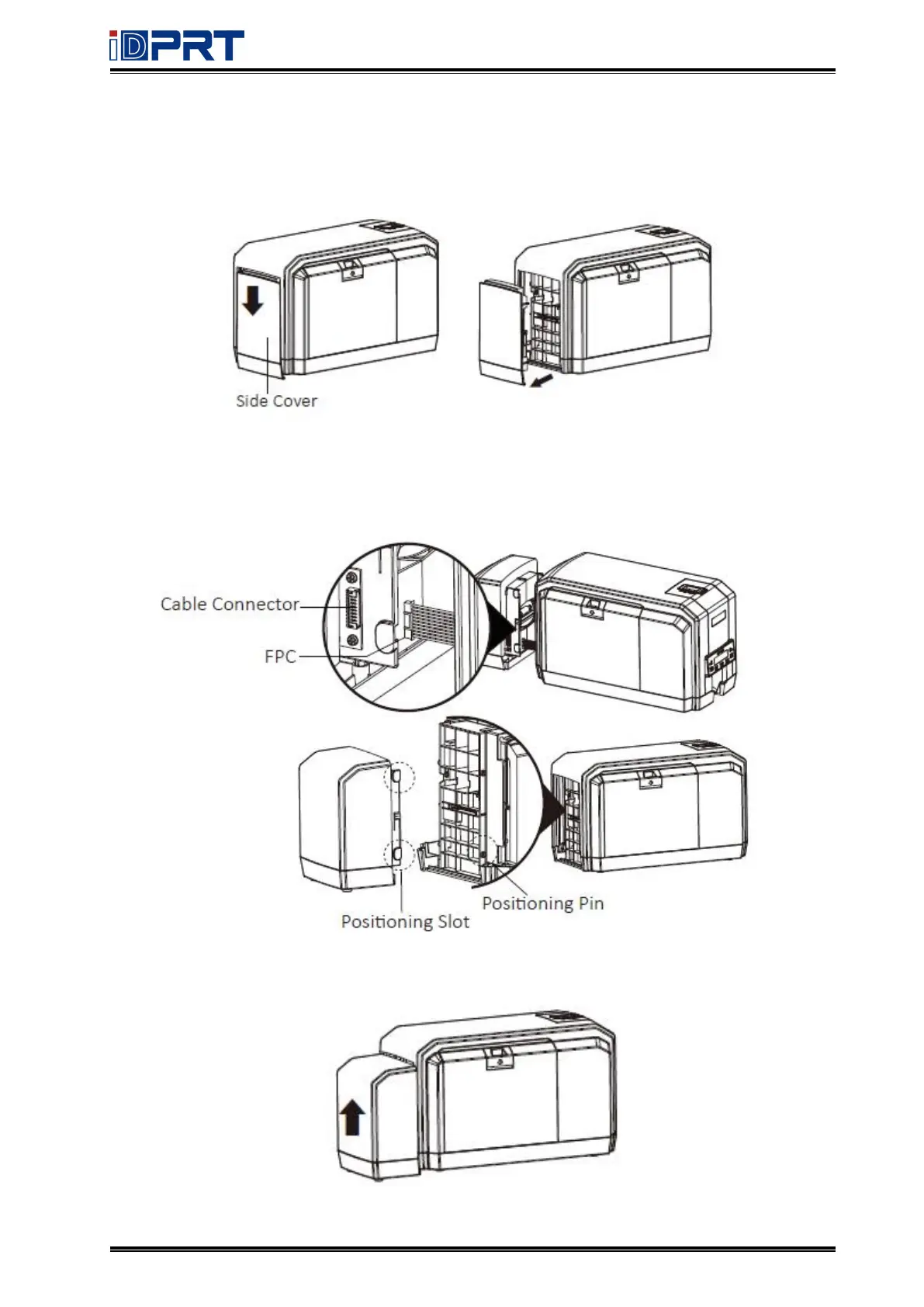
2.1.2 Loading the Duplex Print Module
1.Press the side cover by hand and push it down to remove it.
2.Insert the FPC into the cable connector, and then insert the positioning slot into the
positioning pin. (Please unplug the AC adapter before installing)
3.After inserting the module, push the module from the bottom to top.



 To Next Page