SP900 User Manual
Buzzer
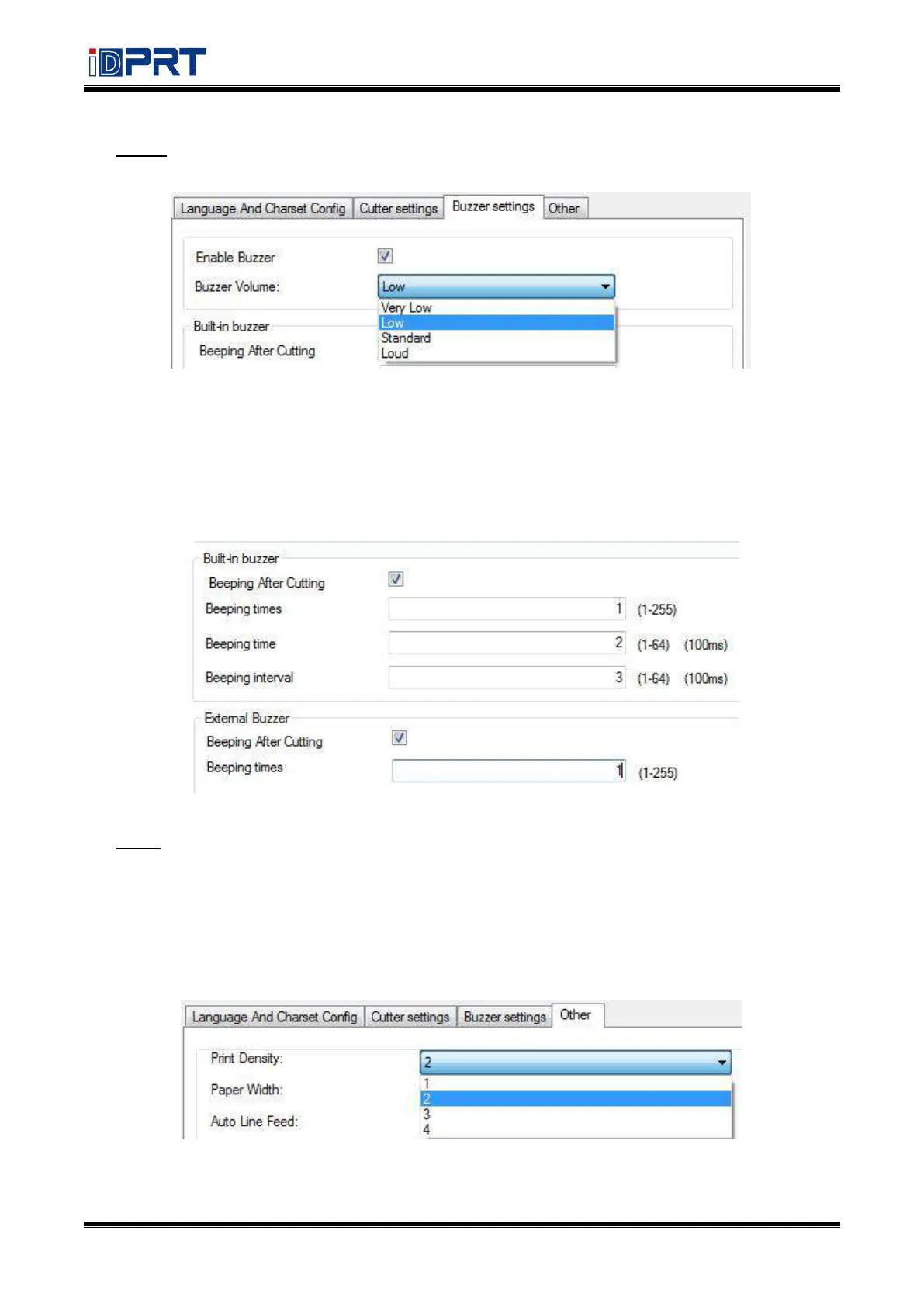
Buzzer Volume: Very Low/Low/Standard/loud
Tick “Beeping after cutting” (The beeping time, times and interval time can be set for what you
want, such as 1 milliseconds, 2 milliseconds or 3 milliseconds, etc.):
The following setting is set as an example:
When cutting one piece of paper each time, the printer will emit the “Beep” for one time, and
the beeping time is two milliseconds and beeping interval is three milliseconds.
Other
Click the items to set “Print Density”, Paper Width”, “Auto Line Feed”, “DPI Mode”, “USB Port Mode”
and “Paper Type”.
• Print Density (default “level 2”)
The print density value varies according to the paper material and it can be adjusted to suit your
needs.



 To Next Page