Quick Installation Guide
Jun. 2011 Copyright © IDTECK Co., Ltd.
Optional: Wiegand Output Function
The default output format of 100R/IP100R is TTL and Chime Bell output. But, you can configure the
100R/IP100R to generate output in Wiegand format and use it like a reader.
(The 100R/IP100R can output data from card reading, but can’t output data from keypad input.)
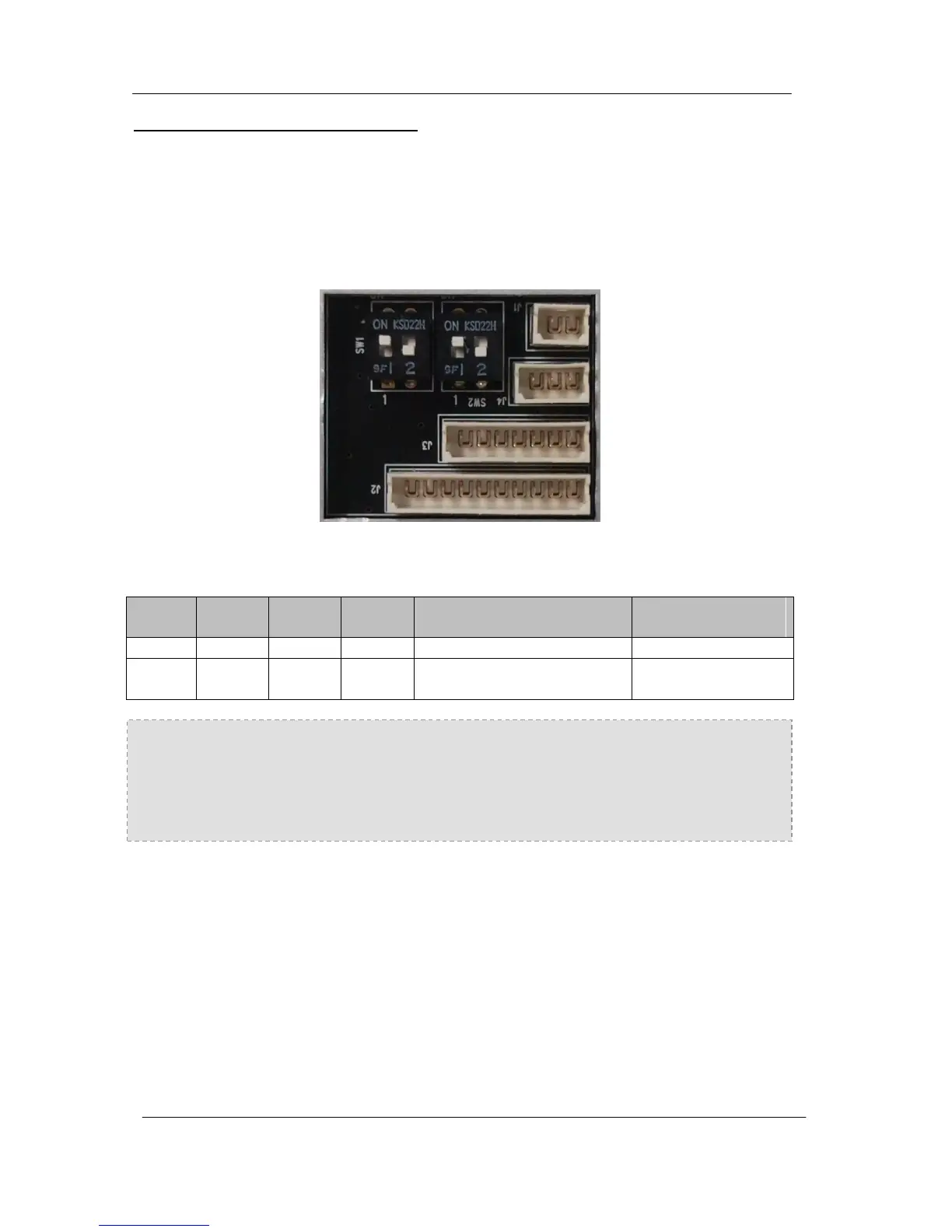
If you want to generate Wiegand instead of TTL output format, follow the table below.
This function is only applicable to : V6.0.0 of the 100R and higher
V3.0.0 of the IP100R and higher
(Figure: The Position of SW1 and SW2 to generate Weigand Output Format)
When the Wiegand Output function is used, TTL Output wire is changed to Wiegand Data 0 and
Chime Bell Output wire to Wiegand Data 1 Output wire. Therefore, you can’t use those functions. In
addition, because TTL Output wire is changed to Wiegand Data 0 Output, you can’t initialize the
100W/IP100W using the wires.
(You can use those functions again when setting SW1 and SW2 to the default state.)



 To Next Page