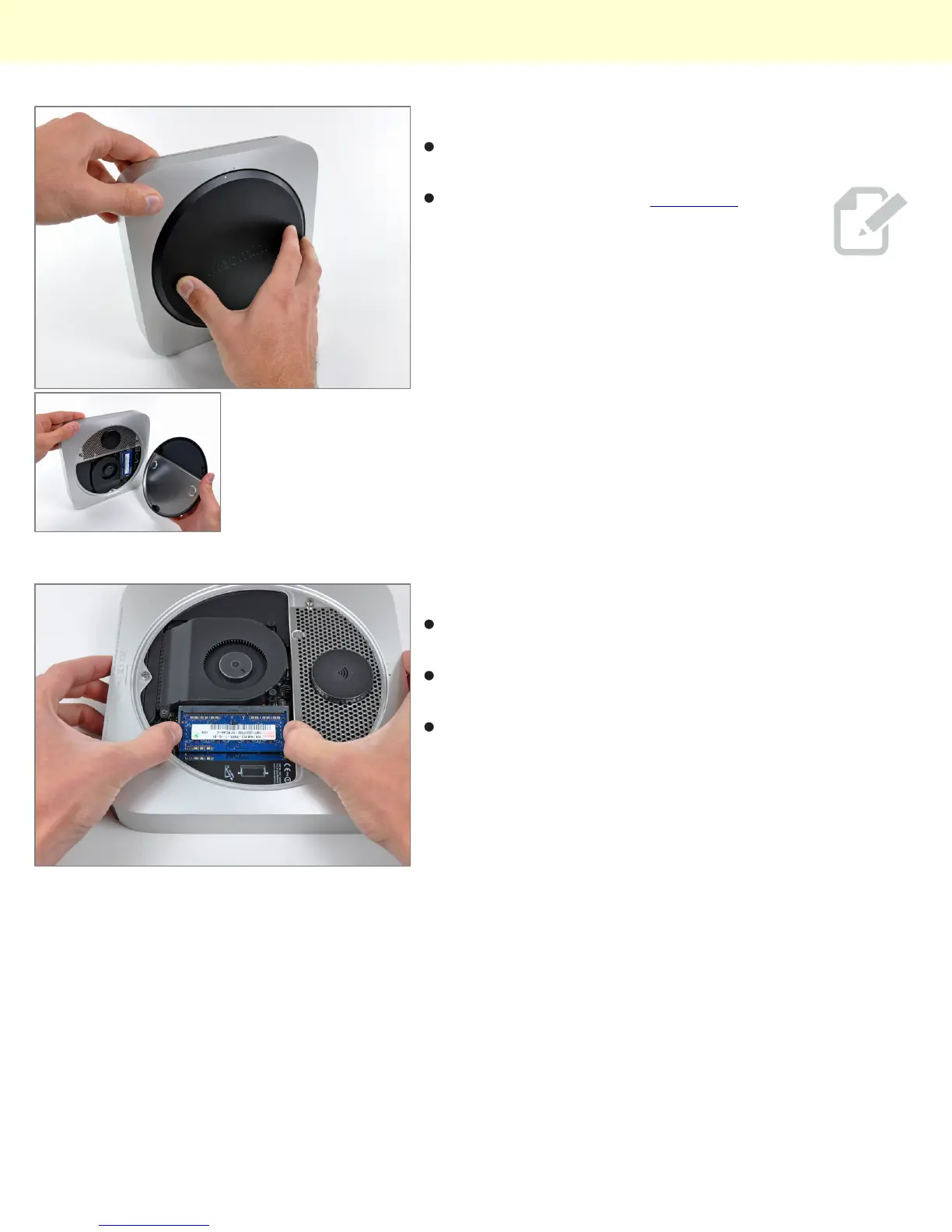
Step 6
With a simple counter-clockwise twist, the black access
plate can be removed for easy RAM and fan access.
Gone are the days of the putty knife...you
will be missed old friend...
Step 7
Much like many other new Apple products, removing
the RAM is quite feasible this time around.
This little guy comes with two SO-DIMM slots capable
of supporting up to 8GB of RAM.
Our base unit came strapped with two gigs of RAM.
Mac Mini Model A1347 Teardown
© 2010 iFixit — CC BY-NC-SA www.iFixit.com Page 4 of 13


 To Next Page