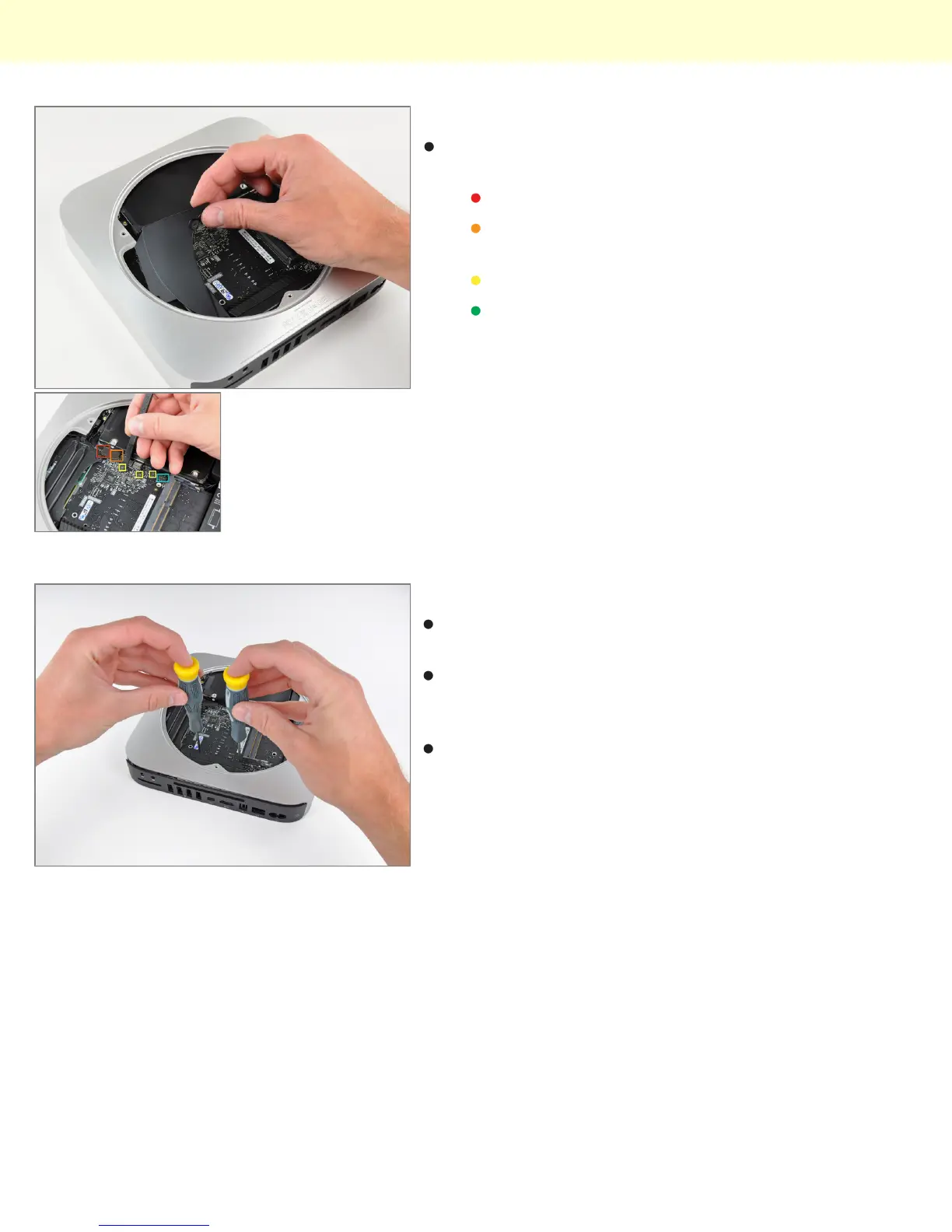
Step 12
Removing the cowling gives access to various
connectors on the logic board:
Hard drive flex cable
Optical drive flex cable (in the server model, this
is where the second hard drive flex cable is)
Thermal sensor cables
Infrared board cable
Step 13
Behold, iFixit's specialized Mac Mini Mid 2010 logic
board removal tool!
There are two blind holes in the case of the Mini that
are meant for the ends of Apple's u-shaped logic board
removal tool.
Being the shadetree mechanics that we are, we
decided to circumvent the special Apple tool in favor of
something that works just fine while keeping extra
dollars out of Mr. Jobs' pockets.
Mac Mini Model A1347 Teardown
© 2010 iFixit — CC BY-NC-SA www.iFixit.com Page 7 of 13


 To Next Page