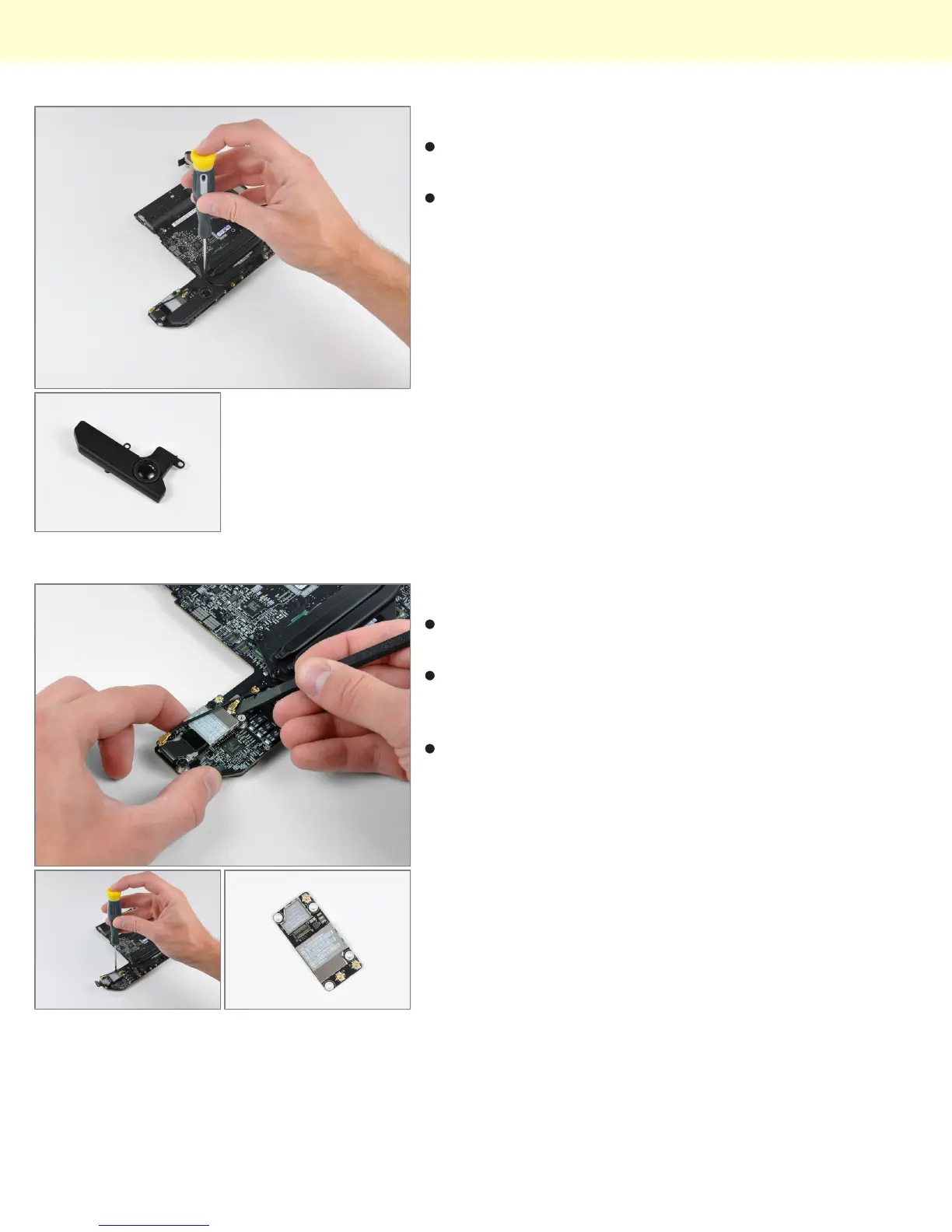
Step 16
Two screws secure the speaker assembly to the logic
board.
The Mini's 3/8" woofer dome won't be popping ear
drums anytime soon.
Step 17
Next to where the speaker was located, we find the
AirPort Extreme card.
The Mac Mini Mid 2010 has 802.11n Wi-Fi wireless
networking, as well as Bluetooth 2.1 with Enhanced
Data Rate technology.
After disconnecting the remaining two antenna
connectors and its data cable, the AirPort card can be
easily removed from the logic board.
Mac Mini Model A1347 Teardown
© 2010 iFixit — CC BY-NC-SA www.iFixit.com Page 9 of 13


 To Next Page