Step 10
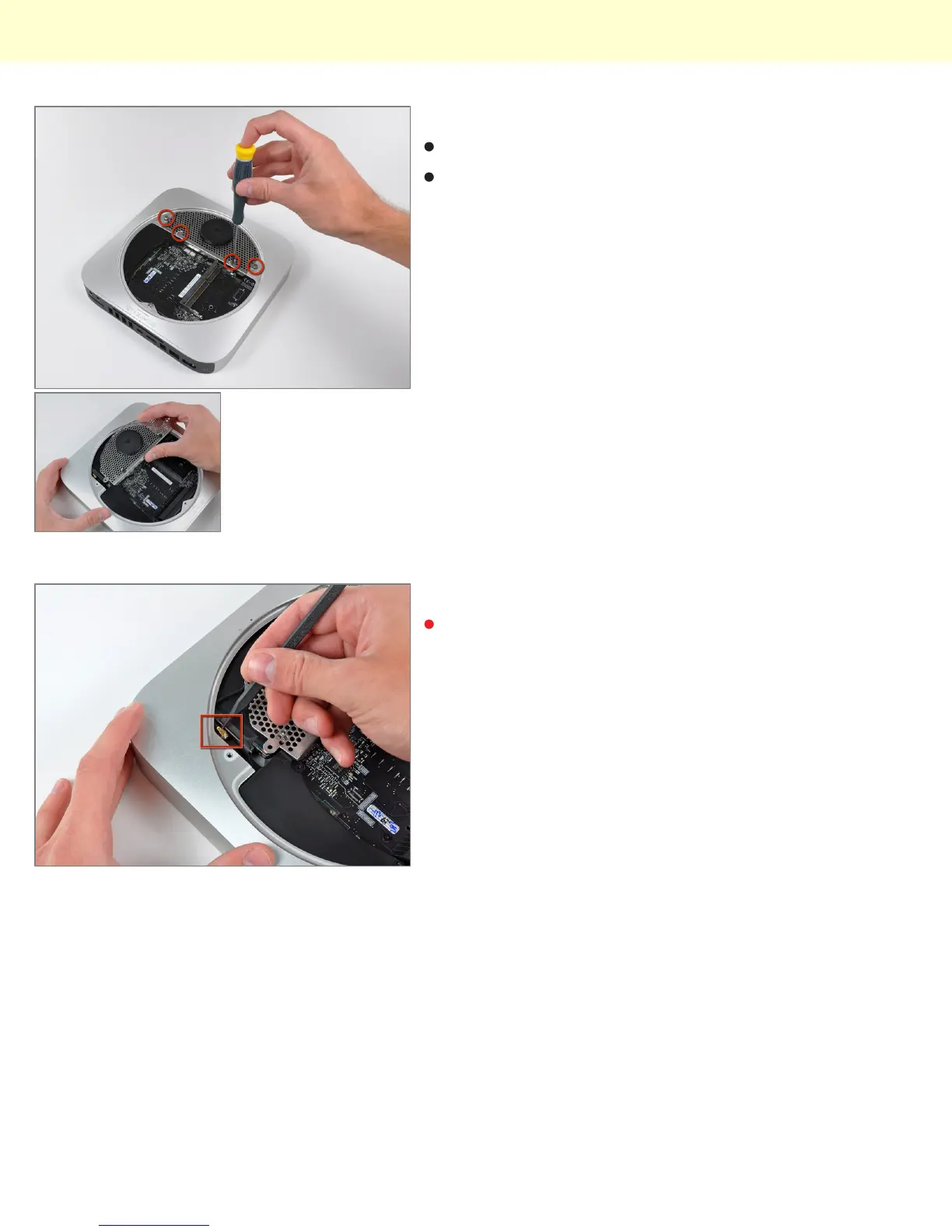
The Wi-Fi antenna plate is held in place by four screws.
After a good deal of wiggling, the antenna plate can be
slid out from under the lip of the outer case.
Step 11
The top Wi-Fi antenna connector is hidden underneath
the antenna plate near the hard drive connector.
Mac Mini Model A1347 Teardown
© 2010 iFixit — CC BY-NC-SA www.iFixit.com Page 6 of 13


 To Next Page