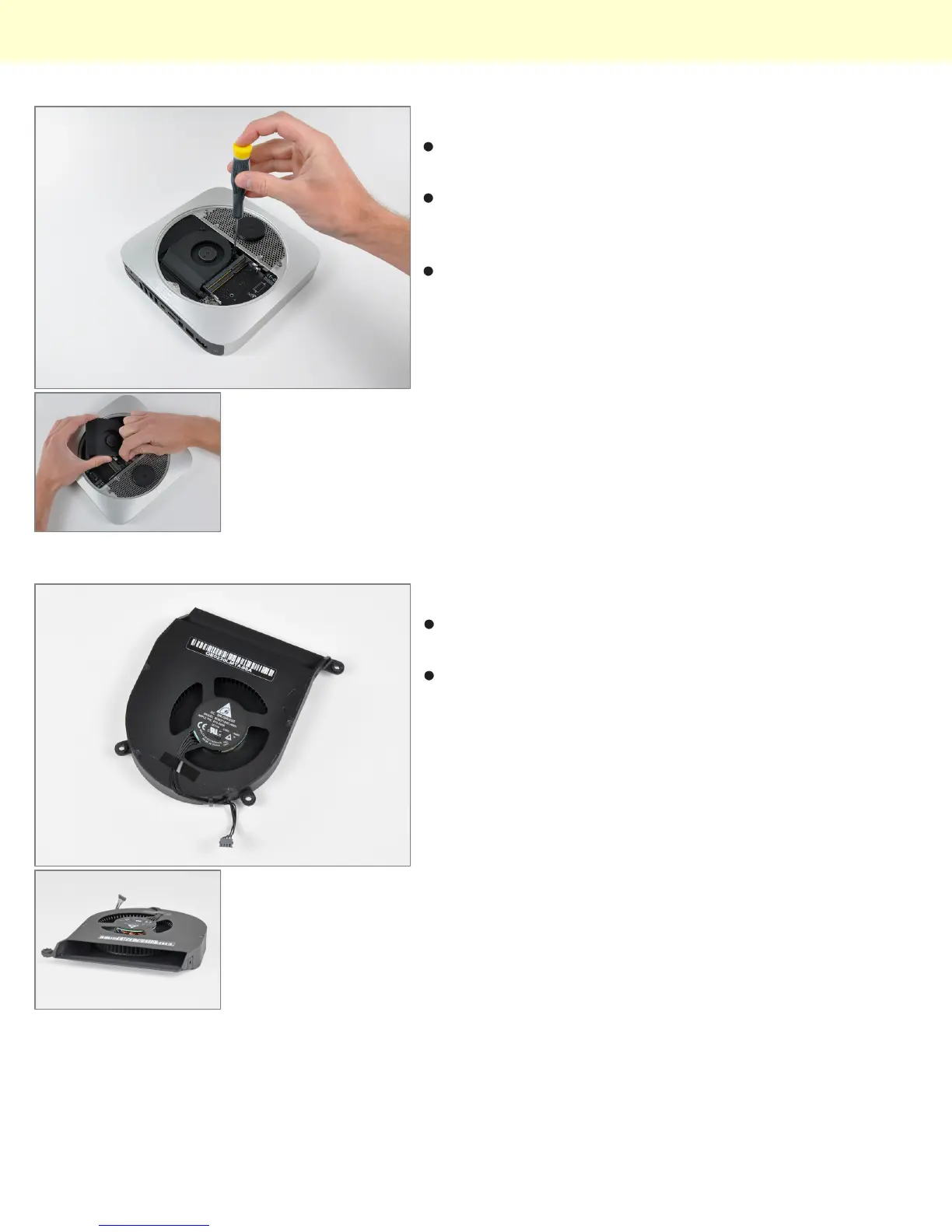
Step 8
After removing two screws, the fan can be lifted out to
access its power connector.
The connectors inside this machine look pretty
consistent with those found in Apple's current product
lineup. Nothing too new here.
All three fan screws are isolated with rubber dampers; a
feature not seen on older apple machines. Low noise
and vibration are big selling points for Apple these
days, and the new Mini's idle emission of 14 dB is a
testament to those design goals.
Step 9
Like previous generations, the new Mini is cooled by a
single brushless fan.
The extremely high blade density of the blower pushes
a good amount of air while keeping noise at a minimum.
Mac Mini Model A1347 Teardown
© 2010 iFixit — CC BY-NC-SA www.iFixit.com Page 5 of 13


 To Next Page