5
UK
3 Functions and features
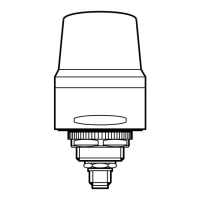
The unit is used for the visual display of machine conditions� The versions DV2130
and DV2131 additionally have a buzzer for acoustic signalling� The versions
DV2121 and DV2131 additionally have a feedback button�
The LED segment and the audible warning device can be switched on and off
individually�
► The device is intended for indoor use only�
Observe the operating conditions (→ 10 Technical data)�
► The unit must not be used for safety-related applications such as
access control�
The units can be controlled and configured via the standardised IO-Link interface�
3.1 IO-Link
3.1.1 General information
This unit has an IO-Link communication interface which enables direct access to
process and diagnostic data� In addition it is possible to set the parameters of the
unit while it is in operation� Operation of the unit via an IO-Link interface requires
an IO-Link capable module (IO-Link master).
3.1.2 Device-specific information
With a PC, suitable IO-Link software and an IO-Link adapter cable, communication
is possible while the system is not in operation� The IODDs necessary for the
configuration of the unit, detailed information about process data structure,
diagnostic information, parameter addresses and the necessary information about
the required IO-Link hardware and software can be found at www�ifm�com�


 To Next Page