8
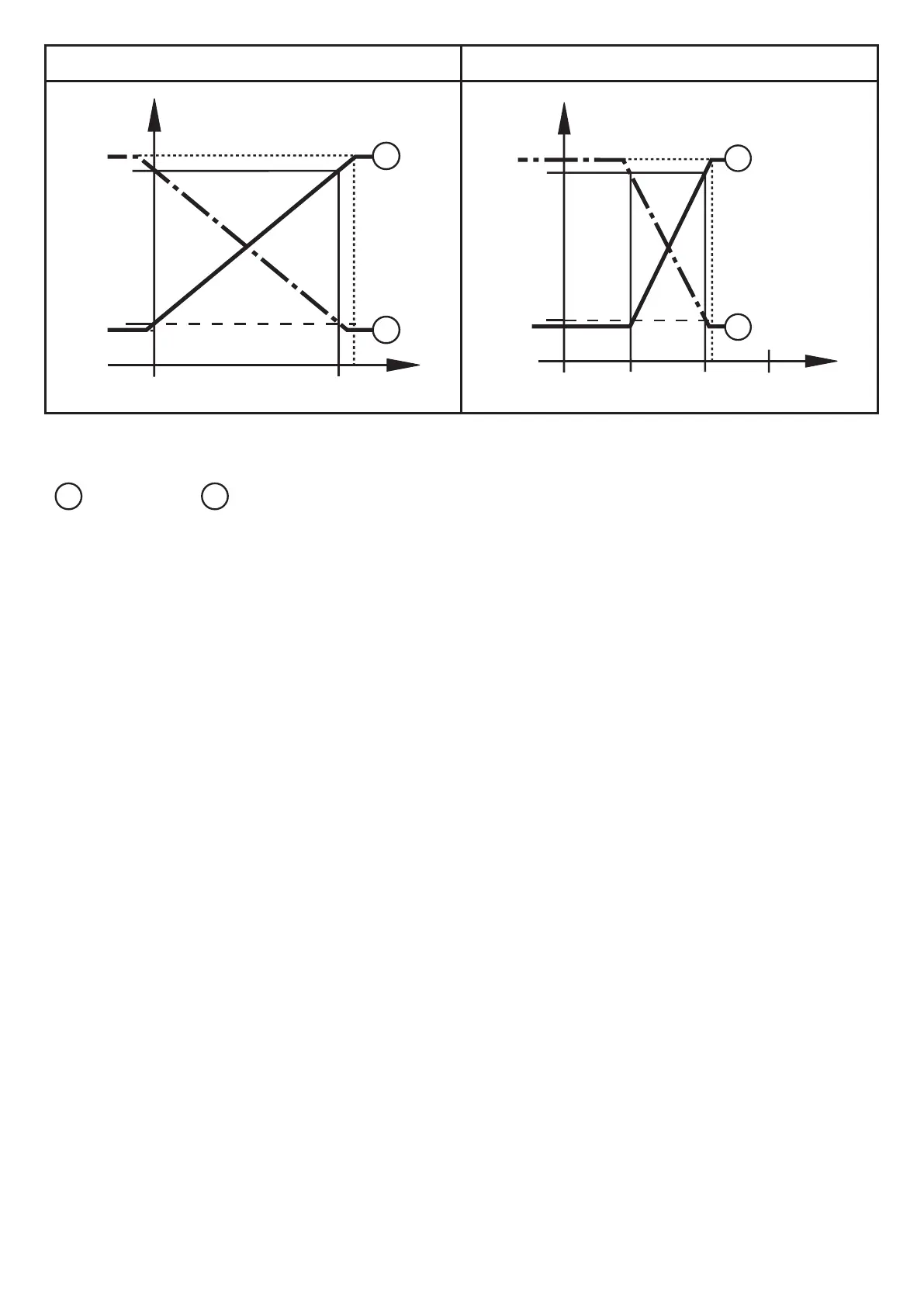
Factory setting Measuring range scaled
P = system pressure , MAW = initial value of the measuring range, MEW = final value of
the measuring range
1
: [OU2] = [I];
2
: [OU2] = [InEG]
In the set measuring range the output signal is between 4 and 20 mA ([OU2] = [I])
or between 20 and 4 mA ([OU2] = [InEG]).
It is also indicated:
• System pressure above the measuring range:
- Output signal > 20 mA at [OU2] = [I].
- Output signal 4 to 3.8 mA at [OU2] = [InEG].
• System pressure below the measuring range:
- Output signal 4 to 3.8 mA at [OU2] = [I].
- Output signal > 20 mA at [OU2] = [InEG].
4.4 Customer-specific calibration
The customer-specific calibration changes the curve of measured values
compared to the real measured values (shifting / change of the gradient;
→ 9.4.6 [CAL]).
• Two calibration points can be defined (CP1, CP2). The two points are
independent of each other.
• The two calibration points must be within the scaled measuring range
(→ 4.3 ).
• The zero point calibration [COF] influences the calibration of the curve of
measured values. Recommendation: Set [COF] to 0 (→ 9.4.1 [COF]), then
calibrate the measured value curve.
After a change the calibration can be reset to factory setting (→ 9.5.2 [rES]).



 To Next Page