6
Turning On
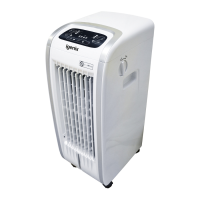
• Once the appliance has been located in an appropriate location, plug into a wall socket and then
switch on the power switch located at the side of the appliance - the appliance will beep once and
remain in stand-by status.
• You will need to use the dial located on the side of the appliance to choose Cooling or Heating
Operation
Note: The selected function of the dial is directly linked to the Mode/Heat button.
• When the dial is on Cooling, the Mode/Heat button operates the Sleep, Natural and Normal modes.
• When the dial is on Heat, the Mode/Heat button operates the High, Low heating power.
Cooling
• Select dial to Cooling
• Open the water tank drawer
• Add cold clean water into the water tank – maximum of 5 Litres, and then close water tank drawer.
• Observe the Water Level window located at the front of the appliance, ensuring that water volume
is between MIN and MAX
• To achieve additional cooling, you can add frozen ice blocks or ice cubes into the water tank.
You can use either you own ice blocks or those provided. Those provided will require lling two
thirds with water and frozen prior to use. It is advisable to place ice blocks and/or ice cubes in the
water tank, prior to lling with water, to ensure the MAX water level is not exceeded.
• Press the On/Off button and the mode will automatically select normal mode and the fan speed
will operate at high speed
• Press the Cool/Hum. button
• The appliance will cool and humidify the room
• If the water tank is empty, the Empty Tank indicator on the control panel will blink, alerting you
to rell the tank
• To turn off the appliance, press the On/Off button on the control panel and then switch off the
power switch located at the side of the appliance
Note: The appliance can also operate as a Fan, if the Cool/Hum. button is switched off and the water
tank is empty.
Air Flow
• Press Fan Speed button to select the desired speed, choosing from High, Medium or Low.
• Press the Oscillation button to oscillate the vertical louvres from left to right
• You can manually adjust the horizontal louvres up or down providing complete air ow control
Modes
• Sleep Mode: The appliance will perform the following sequence:
- High fan speed 30 minutes —
>
Mid fan speed 30 minutes —
>
keep Low fan speed
• Natural mode: The appliance will run through a repeated cycle sequence of:
- Low fan speed 10 Seconds —
>
High fan speed 5 Seconds —
>
Mid fan speed 5 Seconds —
>
Low fan speed 10 Seconds —
>
Stop 5 Seconds —
>
Mid fan speed 15 Seconds —
>
Low fan speed 5
Seconds —
>
Stop 10 Seconds —
>
[cycle repeats]
Note: These modes can operate when using the Fan, Cooling/Hum and Ioniser Functions


 To Next Page