6
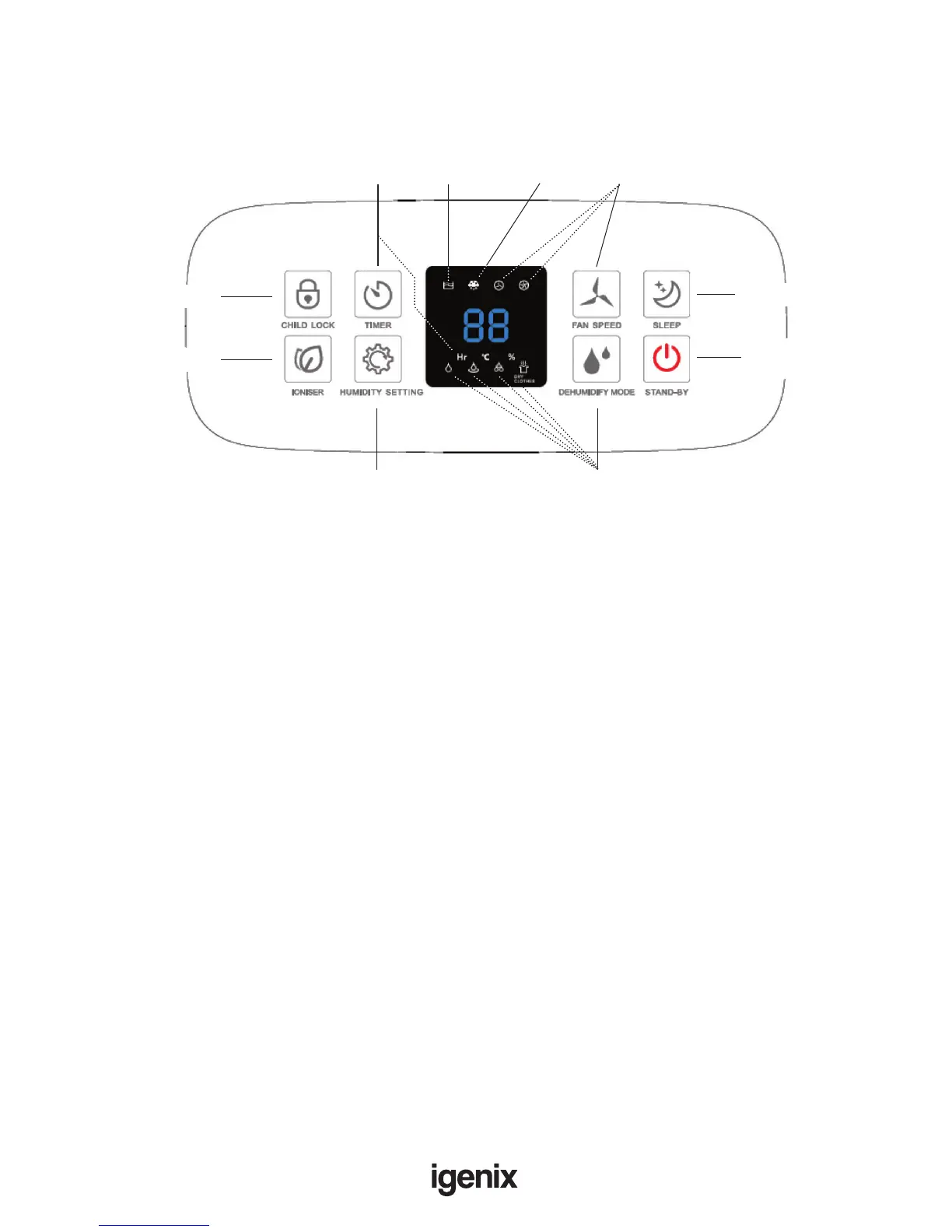
CONTROL PANEL
OPERATING INSTRUCTIONS
Appliance Location
Where to position your dehumidier?
For best results; position the dehumidier somewhere central like a landing or a hallway. As long as the
internal doors are open, the excess moisture from all of the rooms in the house will migrate naturally
towards the dehumidier and be processed.
• Place the unit in an upright position on a dry, stable and at surface.
• Ensure the unit is a safe distance away from walls or furniture (minimum of 30cm from Air Inlet,
Air Outlet and Top of unit / minimum of 20cm from either side of unit).
• Please keep clothes at a safe distance of 40cm from air outlet of the unit to prevent water
dripping into the unit.
Note: If you experience interference from other household appliances, such as a television or Radio,
ensure you move the dehumidier at least 70cm away.
• Plug the appliance into a suitable wall socket – the appliance will beep once and will remain in
Standby Mode.
• Press the Power On/Off Button to switch on the appliance.
Note: Make sure that the water tank is in the correct position. If the ‘Tank Full’ indicator illuminates,
remove the tank and replace it in the correct position.
• The white illuminating LED will automatically display the Relative Humidity of the room; you can
now select the desired function:
Humidity Setting:
RH30% to RH80%
Dehumidifying Modes:
Manual, Auto, High,
Dry Clothes
Timer:
1-24 Hour
Child Lock
Ioniser Indicator
Full Water
Tank
Indicator
Frost
Protection
Fan Speed:
High/Low
Sleep Mode
Power On/
Off Standby


 To Next Page