14
Tips For Correct Use
To get the best from your appliance, follow the below recommendations:
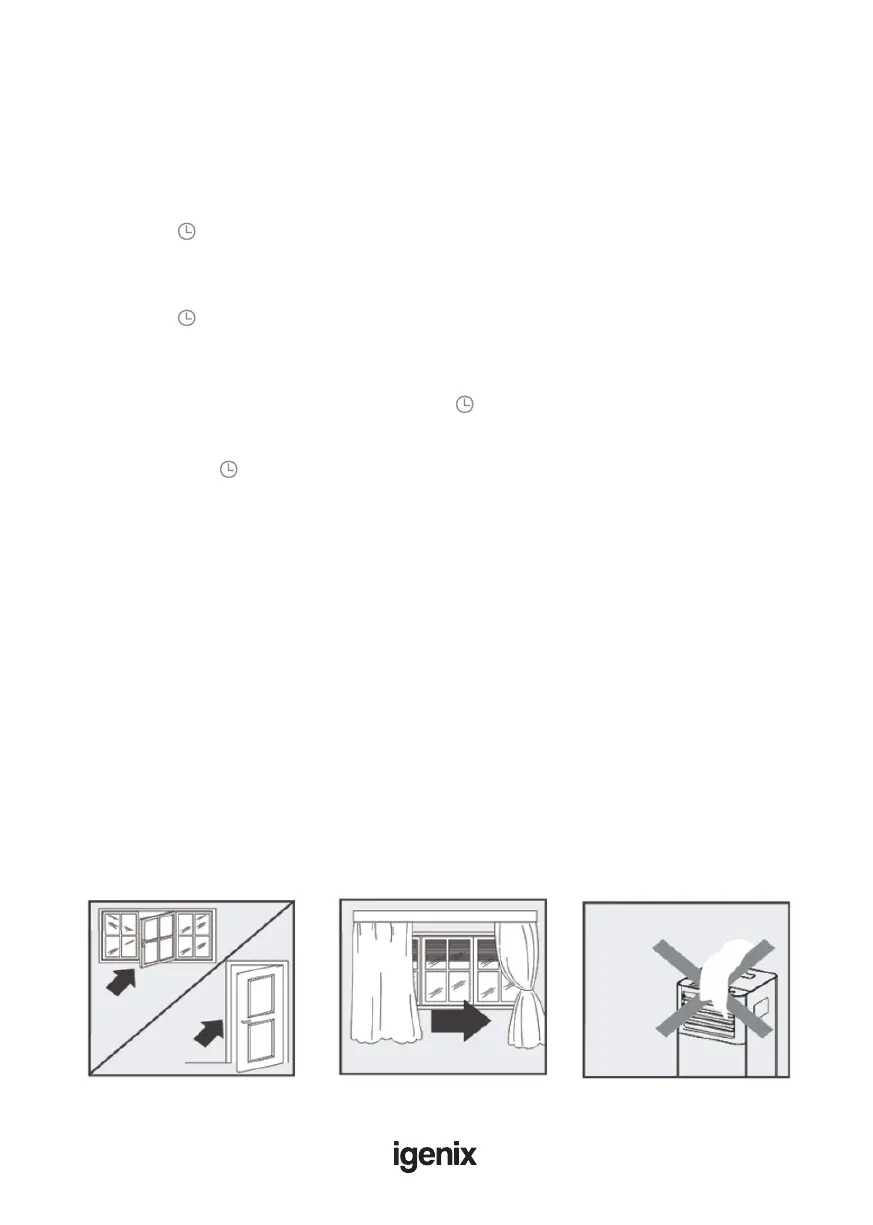
• Close the windows and doors in the room to be air conditioned (Fig.9). When installing the
appliance semi-permanently, you should leave a door slightly open (as little as 1 cm) to guarantee
• correct ventilation
• Protect the room from direct exposure to the sun by partially closing curtains and/or blinds to
make the appliance much more economical to run (Fig.10)
• Never rest objects of any kind on the appliance
• Do not block the air inlet or outlet of the appliance
• Reduced air ow will result in poor performance and could damage the unit (Fig.11)
• Make sure there are no heat sources in the room
• Never use the appliance in very damp rooms (laundries for example)
• Never use the appliance outdoors
• Make sure the appliance is standing on a level surface. If necessary, place the castor locks under
the front wheels
Fig.9 Fig.10 Fig.11
Setting the Timer
This timer can be used to delay the appliance start up or shut down. This avoids wasting
electricity by optimising operating periods.
Programming start up:
• Turn on the appliance and choose the desired mode (for example cooling, 24°C and high fan
speed)
• Turn off the appliance.
• Press the “ ” button and the screen will display 1-24 hours.
• Press several times until the corresponding time is displayed.
• Wait about 5 seconds, then timer will be active, signied by the ‘Timer’ symbol on the display
screen.
• Press the “ ” button to cancel this timer. The ”Timer” symbol will disappear from the display
screen.
Programming shut down:
• While the appliance is running, please press the “ ” button, the screen will display 1-24 hours.
• Press several times until the corresponding time is displayed. Wait about 5 seconds, the timer
will be active, then “Timer” symbol is displayed on screen.
• Press again the “ ” button, the timer will be cancelled, and the ”Timer” symbol will disappear
from the display screen.



 To Next Page