Stowaway Ultra-Slim Owner’s Manual – BlackBerry
®
OS
Page 11
Reconnecting the Stowaway keyboard
The above steps establish the Bluetooth wireless connection and bonding
between the BlackBerry device and the keyboard for the first time. Keyboard
character input should be enabled as long as the connection is maintained.
Despite a high degree of reliability, the Bluetooth connection could break for
a number of reasons:
When the keyboard cover is closed, the keyboard circuit will be powered
off, and the Bluetooth connection will be lost.
As a power saving feature, the keyboard will be automatically powered
down after an idle period (when there is no activity for approximately 3
minutes).
When the BlackBerry device is turned off, the established Bluetooth
connection will be lost.
When the BlackBerry and the keyboard are out of range (~10m).
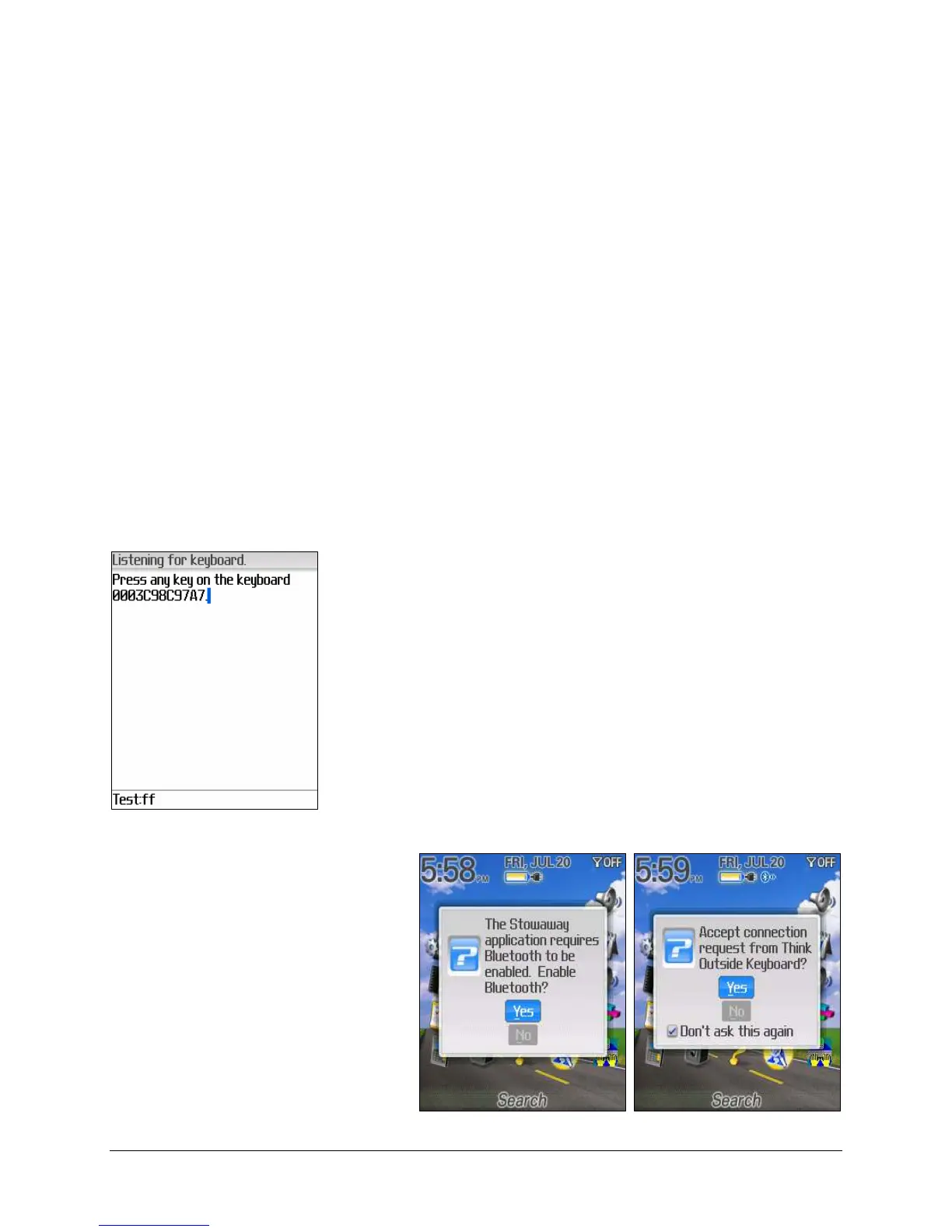
When any of these conditions occur, the connection
will be lost and the software will switch to Listening
for Keyboard mode. To restore the connection,
make sure the keyboard and mobile device are
powered on and in range, and then tap any key
(except <Ctrl>) on the keyboard.
If you have performed a
reboot, you may be prompted
to Enable Bluetooth and to
Accept the Connection
Request before the
connection is reestablished.
The connection should be
reestablished within 2-3
seconds but this may be
delayed if the Bluetooth
system on the mobile device is
busy.


 To Next Page