Stowaway Ultra-Slim Owner’s Manual – BlackBerry
®
OS
Page 8
Other Features
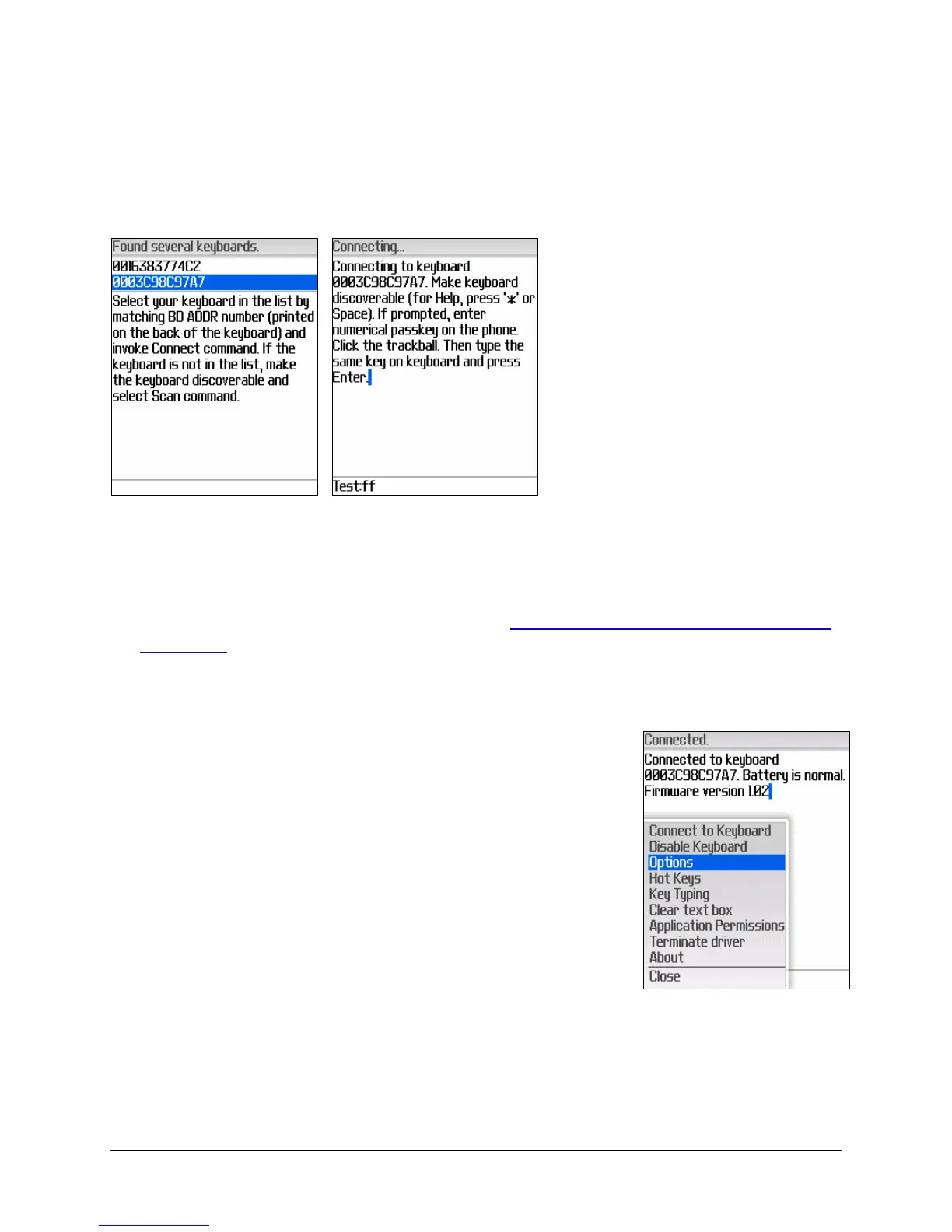
1. If several Bluetooth
keyboards are nearby and
in Discoverable mode, the
scan will display all of
them in the list. Compare
your keyboard ID (BD
address) found on the back
of the keyboard with the
IDs in the list and select
your keyboard. Select
Scan from the BlackBerry
menu if your keyboard is
not in the list.
2. Disable Keyboard used to disable the keyboard connection. This is
covered further in the section entitled:
Disabling the Stowaway Bluetooth
keyboard.
3. Options The options available on the Options page
do not apply to the Stowaway Ultra-Slim (HID)
keyboard. These options are for the Stowaway
Keyboard for BlackBerry, previously known as the
Shasta Bluetooth Keyboard.


 To Next Page