Stowaway Ultra-Slim Owner’s Manual – BlackBerry
®
OS
Page 7
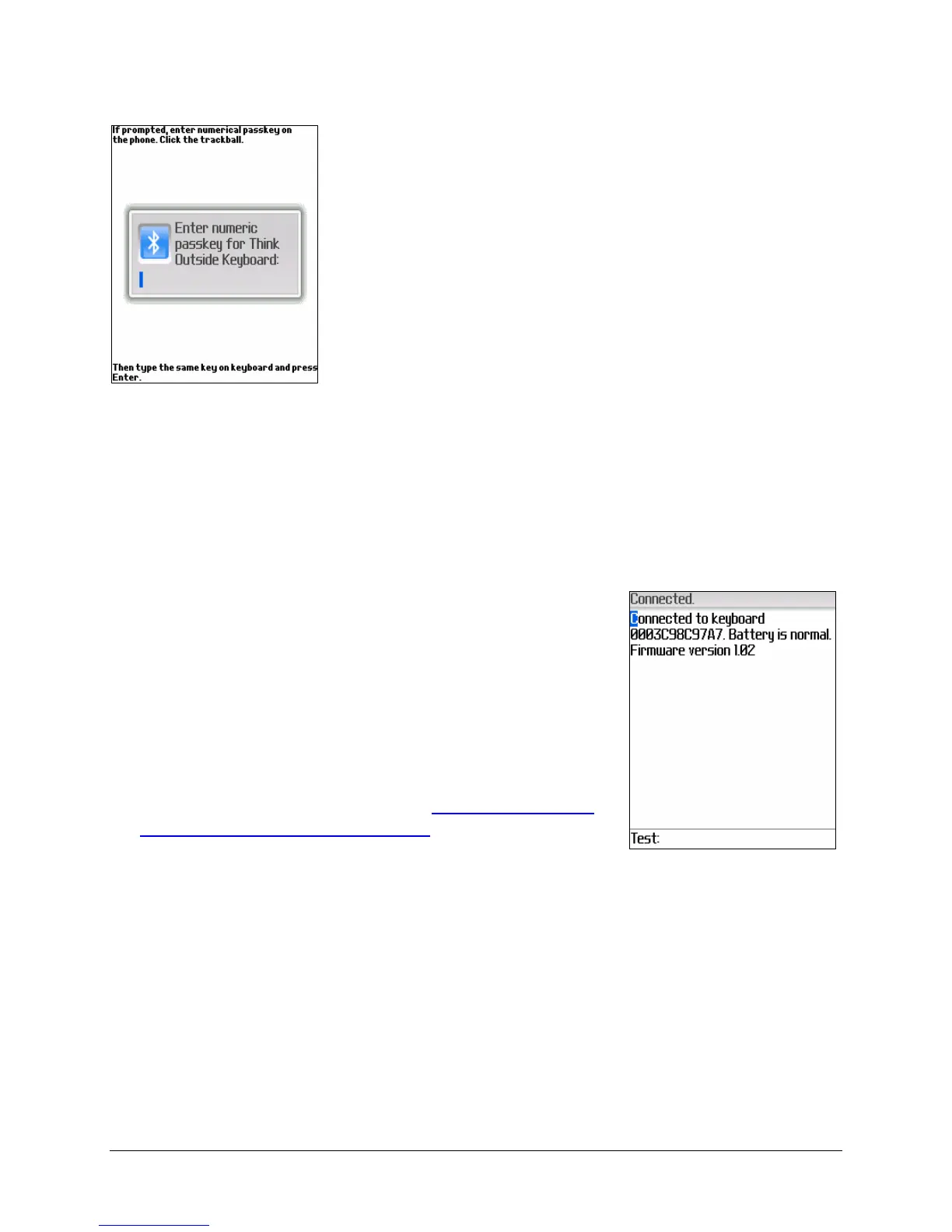
3. You may then be prompted to enter a numerical
passkey. A passkey is a number of your own
choosing (1-9 digits) that you use to pair the
BlackBerry with your Stowaway keyboard. You
first enter the number on your BlackBerry using
the keypad and press the Trackball or Track
Wheel.
NOTE: The passkey must contain only
digits, for example 111.
Now type the same
passkey number on the Stowaway Keyboard,
using <LFn> + <Number> keys. When finished,
press the <Enter> key.
If the connection fails or no keyboard is found, select Connect to
Keyboard from the BlackBerry menu, and place the keyboard in
Discoverable mode (by pressing <Ctrl> <
LFn> <RFn>).NOTE: Please,
make sure that the passkey is entered on the BlackBerry first, and press
the Trackball or Track Wheel and then follow with the passkey on the
keyboard. When finished, press <Enter> on the keyboard.
4. The keyboard is now paired with the BlackBerry
and is available for use. If the keyboard is closed,
or the BlackBerry is turned off, or either is idle
too long, the connection will be broken. To
reconnect make sure both devices are powered
on and within range, then press a key on the
keyboard to reestablish the connection. If
reconnection fails, repeat step #4. If you still
have difficulty connecting, see
Reconnecting the
Stowaway Ultra-Slim keyboard


 To Next Page