Stowaway Ultra-Slim Owner’s Manual – BlackBerry
®
OS
Page 6
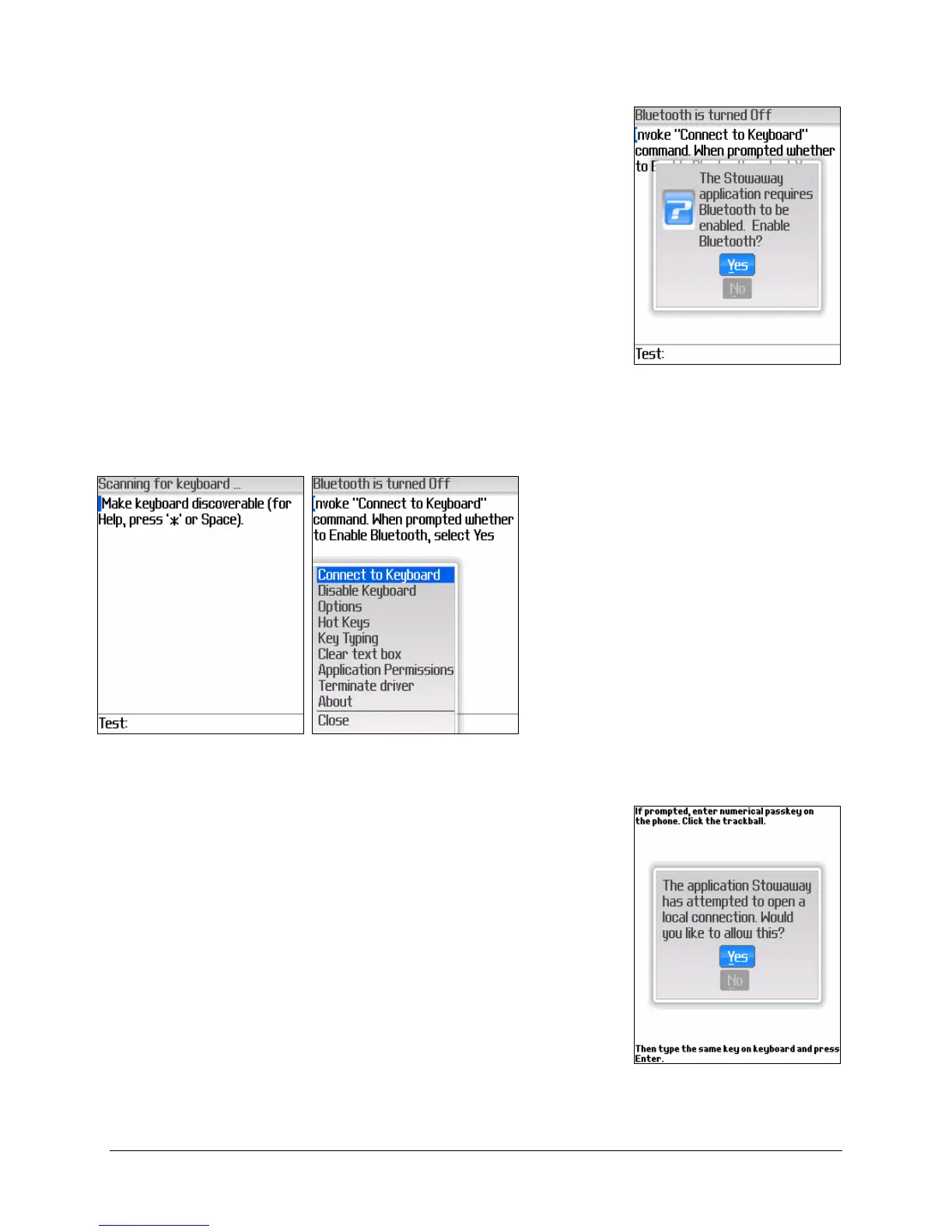
2. When prompted whether you would like to enable
Bluetooth, select the Yes button by clicking with
the Trackball or Track Wheel.
Connecting the Stowaway Ultra-Slim keyboard
1. After Bluetooth is enabled,
place the keyboard in
Discoverable mode by
simultaneously pressing
<Ctrl> <
Left Fn> <Right
Fn
> until the green LED
(above the <T> key) flashes.
Then select Connect to
Keyboard from the
BlackBerry menu. This will
begin a scan for the
Stowaway keyboard.
2. Next, a prompt will display asking whether you
would like to open a local connection. Select Yes
button to continue.


 To Next Page