Stowaway Ultra-Slim Owner’s Manual – BlackBerry
®
OS
Page 9
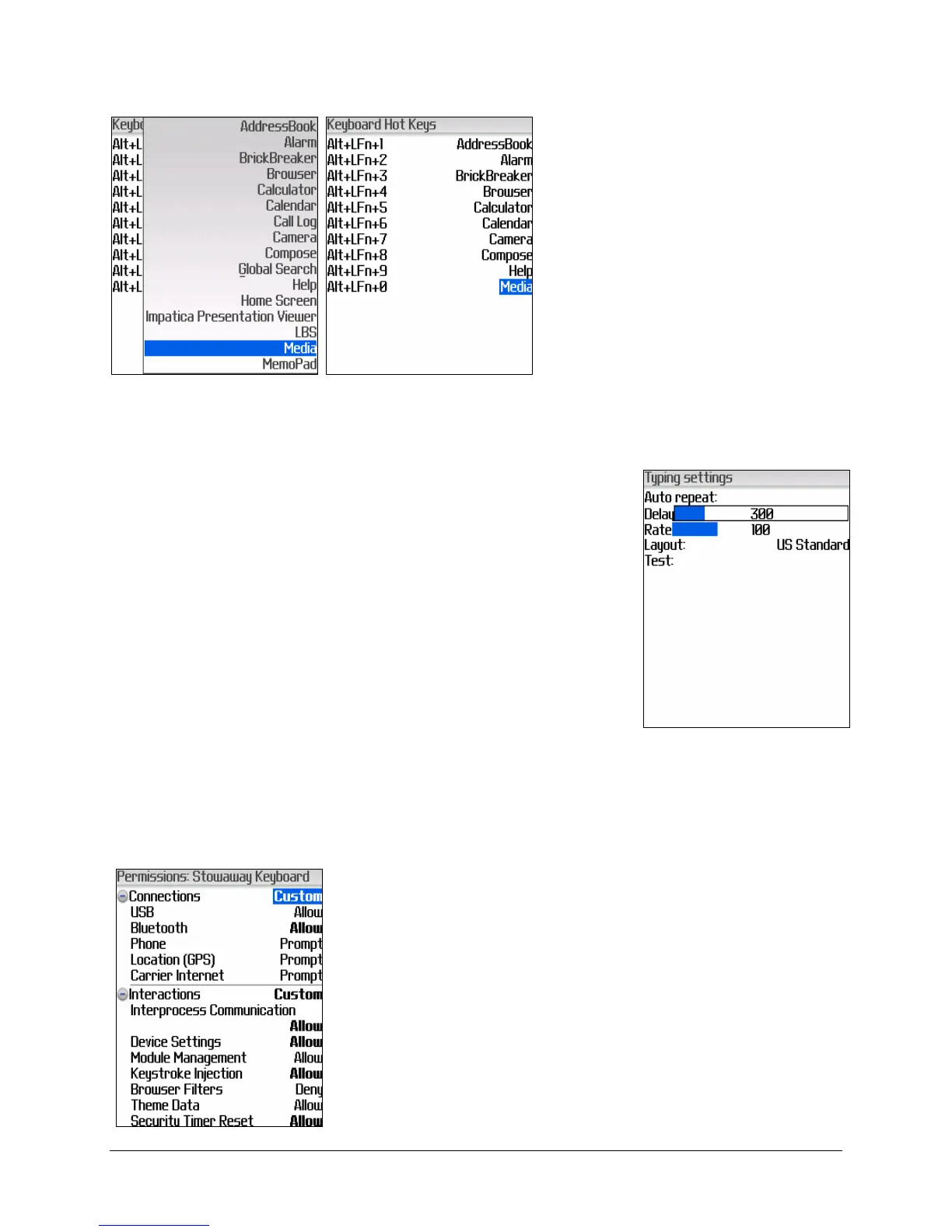
4. Hot Keys allow the user to
assign specific applications
to keyboard shortcuts. To
later launch the application,
press <Alt>+<
LFn> plus
the corresponding number
key (1-0).
5. Key Typing allows the user to set the Auto Repeat
Delay, Auto Repeat Rate, and the keyboard
Language Layout. Also provided is an area to test
keyboard input.
6. Clear text box will clear the Test field in the Stowaway keyboard
application.
7. Application Permissions takes you to the
Stowaway application permissions, to allow you to
change and/or to save the modified permissions
for the keyboard application to operate properly.
When you reach this screen, the permissions have
already been set properly. You need only select
Save from the BlackBerry menu.


 To Next Page