EasyManua.ls Logo

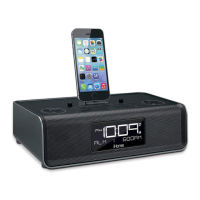
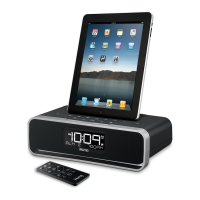
iHome iD91 - User Manual

iHome iD91
13 pages
Print Icon
To Next Page IconTo Next Page
Loading...
Model iD91/iD92
The Home System
For Your iPad
®
Questions? For latest instructions, visit www.ihomeaudio.com/support
iD91/iD92 IB_US version
Size: 178 x 178 mm (16 pages)
Printing color: Black
Mat’l: 90gsm book paper
Jul. 11, 11.
Note: Apps are not covered in detail in this booklet. To learn more about how apps can enhance your experi-
ence, please visit the App Store.
P1
download QR code
reader app and scan
iHome+Sleep
FREE alarm clock app
iHome Set
FREE device control app
iHome+Radio
Internet radio app
works with
available on the App Store

Questions and Answers

  • P
    Phillip FergusonAug 16, 2025
    Why my iPad/iPhone/iPod didn’t charge up on iHome Docking Station?
    • J
      Jared CunninghamAug 16, 2025
      If your iPad/iPhone/iPod isn't charging, remove it from the dock and inspect the connectors on both the dock and your device for any obstructions. After checking, firmly reseat your iPad/iPhone/iPod in the dock. Also, ensure that your iPad/iPhone/iPod is working properly before docking it into the unit.
  • R
    Renee TaylorAug 19, 2025
    How to stop sound distortion on iHome iD91 Docking Station?
    • D
      dwilliamsAug 19, 2025
      Reduce the volume level. If the original sound source from your iPad/iPhone/iPod is of poor quality, distortion and noise may be more noticeable with high-power speakers. Try a different audio file from a trusted source like iTunes. If using an external sound source, reduce the output volume on that device. Also, try turning bass boost OFF and lowering EQ settings.
  • R
    Richard PerezAug 22, 2025
    Why is the alarm not working on my iHome Docking Station?
    • J
      Jessica McintyreAug 22, 2025
      When setting the clock or alarm time, pay attention to the AM/PM indicators. Ensure you set the alarm time and source for the alarm icon 1 or 2 shown on the clock display. Note the difference between full week (7 days), weekdays (5 days, Mon-Fri), and weekends (2 days, Sat-Sun).
  • L
    lauren67Aug 26, 2025
    Why didn’t time sync work on iHome iD91?
    • A
      Annette MannAug 26, 2025
      Older iPod models like the iPod mini do not support the time sync function. Ensure you are using a properly docked iPad, iPhone, or newer iPod such as touch, nano, or classic. If time sync is not available, set the time manually.
  • V
    Victor MeyerAug 28, 2025
    What to do if my iPad/iPhone/iPod doesn't respond to the iHome iD91?
    • B
      Brent SmithAug 28, 2025
      If your iPad/iPhone/iPod is not responding, remove it from the dock and check for any obstructions on the connectors, both on the dock and your device. Then, reseat it firmly. Also, ensure that your iPad/iPhone/iPod software is up to date by upgrading it via iTunes. Check the volume setting and ensure your device is working correctly before docking. Note that 1st or 2nd generation iPod, iPod Shuffle or other devices are not supported by this system.
  • A
    Adrian ArellanoAug 31, 2025
    What to do if iHome iD91 doesn’t respond?
    • L
      Lisa RamosAug 31, 2025
      If the unit is plugged in but not responding, try resetting it. First, remove your iPad/iPhone/iPod from the dock. Then, unplug the unit from the power source and remove the backup batteries. Wait a few minutes, then replace the batteries and plug the unit back in. Also, remove your iPad/iPhone/iPod from the dock and check for any obstructions on the connectors, both on the dock and your device. Then reseat it in the dock.
  • G
    Gerald SheppardSep 3, 2025
    Why is the battery low icon always flashing on my iHome iD91?
    • L
      lisaedwardsSep 3, 2025
      The 'Battery Low' icon flashes because the batteries are weak. Replace them with new batteries. Also, ensure the batteries are installed correctly, matching the polarity (+ and – ends) with the diagram in the battery compartment.
  • R
    Randy SanchezSep 6, 2025
    Why is the performance of my iHome iD91 Docking Station erratic?
    • T
      Tammy LewisSep 6, 2025
      The unit might be reacting to external interference. Move it away from potential sources of interference such as computers, modems, wireless devices (routers), or fluorescent lights.
  • R
    Randy LaraSep 9, 2025
    Why does the iHome iD91 Docking Station/adaptor get warm after extended play at high volume?
    • D
      david20Sep 9, 2025
      This is normal. Turn the unit off for a while or lower the volume.
  • A
    Aaron MoraSep 12, 2025
    How to adjust snooze time on iHome Docking Station?
    • B
      Brandon CraigSep 12, 2025
      Press and hold the Snooze button, then press the + or - button to adjust the snooze time.

Summary

Controls and Indicators

Top Panel

Details the controls and indicators located on the top surface of the unit.

Rear Panel

Describes the ports and switches found on the back of the unit.

Unit Display

Explains the various indicators and display elements of the unit.

Quick Start

Setting Up the Unit

Connect Unit to Power Source

Instructions for connecting the unit to a power outlet.

Setting the Clock Time Using Time Sync

Procedure for syncing the unit's clock with an external device.

Setting Time Zone, Daylight Saving Time, Clock and Calendar Manually

Manual methods for setting time, date, and time zone.

Using the Alarms

Setting the Alarms

Step-by-step guide to configuring alarm times and sources.

Reviewing, Arming and Disarming Alarm

How to check, activate, and deactivate set alarms.

Using the unit

Listening to iPad;iPhone;iPod

Guide to playing audio content from docked iPad, iPhone, or iPod.

IMPORTANT SAFETY INSTRUCTIONS

Water and Moisture

Precautions regarding the unit's exposure to water and damp environments.

Troubleshooting

Unit does not turn on

Solutions for when the unit fails to power on.

Unit doesnt respond

Troubleshooting steps for an unresponsive unit.

iPad;iPhone;iPod does not respond to the unit;iPod is playing but no sound comes out

Solutions when the docked device is not recognized or produces no sound.

Time sync didnt work

Troubleshooting steps for when the time synchronization fails.

Troubleshooting

Alarm not working

Troubleshooting steps for alarms that are not functioning correctly.

iHome iD91 Specifications

General IconGeneral
Radio typeClock
Tuner typeDigital
PLL synthesizer-
Supported radio bandsFM
Preset stations quantity6
EqualizerYes
RMS rated power- W
Wi-FiNo
Headphone outputs0
Product colorBlack
Input voltage100-240 V
Apple docking compatibilityiPad, iPhone, iPod
Weight and Dimensions IconWeight and Dimensions
Depth137.2 mm
Width265.2 mm
Height77.98 mm
Weight997.9 g

Related product manuals